A missing module, a no-access message or a disabled edit control can mean your account does not have the required access. The setting to check depends on whether your permissions follow your role or have been customised individually.
Why is a module missing from the menu?
A module appears in the side menu when the user has at least one permission inside it. If they have no permissions in that module, it is hidden and its pages cannot be opened directly.
Ask your clinic administrator to check the permissions for the module you need.
Why can I see a tab but not its contents?
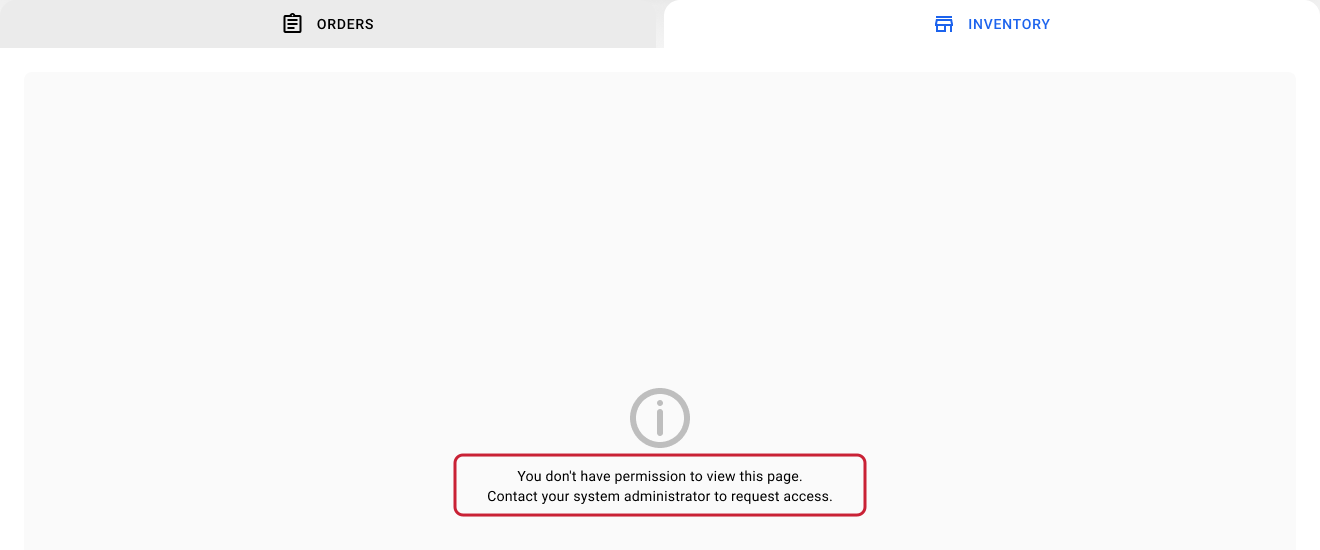
A tab inside a module can remain visible even when you do not have permission to view its contents. Opening it displays a no-access message.
For example, a patient-profile tab may still be listed while its clinical information is unavailable. The administrator should check the View permission for that specific section. See patient-record permissions for patient-profile access.
Why can I view information but not edit it?
For sections with configurable View and Edit controls, View on and Edit off means read-only access. The user can read the information but cannot perform the changes covered by that Edit permission.
Some actions have separate controls:
- Medication details, medication prices and stock each have their own inventory edit setting.
- Service-price changes use Edit Hospital Service Price. See service and service-price permissions.
- Invoice changes and recording or reversing payments use the relevant Billing Edit permission.
A dash in the Edit column means that no separate Edit setting is available there. The action continues to follow its existing role rules. Seeing clinical information does not automatically grant every clinical action.
What should an administrator check?
- Open Human Resources and select the affected staff member.
- Open their Permissions tab.
- Find the module, section or action involved.
- Check whether the user follows the role template or has individual adjustments.
- Review the relevant View and Edit controls.
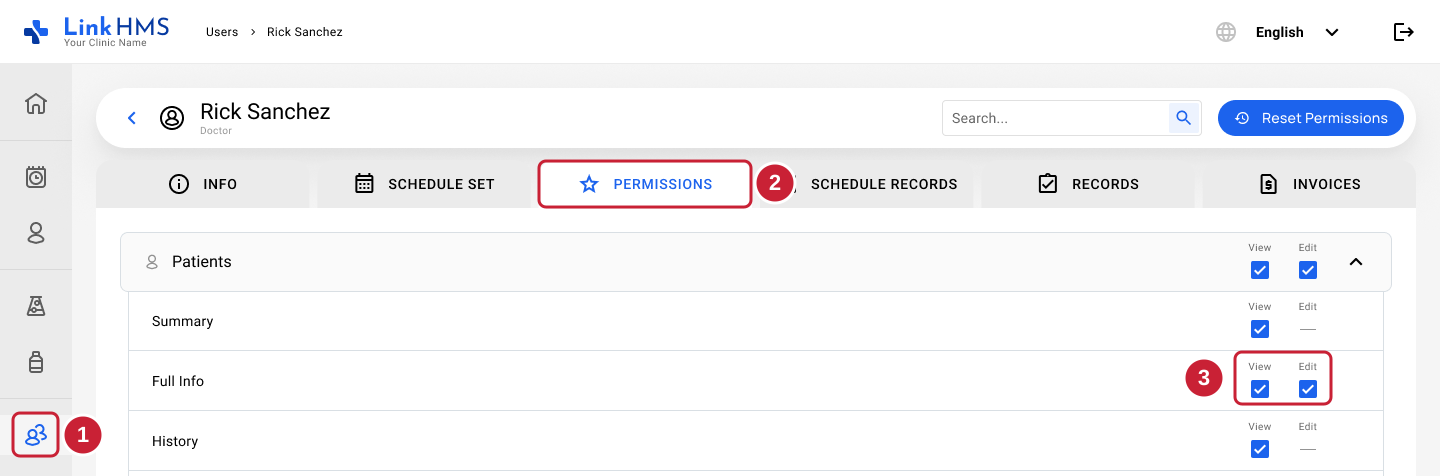
For users following a role, review Settings → Permissions → their role, using the role-permissions guide. For a user with individual adjustments, follow the individual user permissions guide to review and change their own Permissions screen.
The clinic owner can manage all roles and users. Regular Admins can manage non-Admin roles and users. Only the owner can change Admin permissions.
Why did changing the role not fix the user’s access?
The first individual permission change makes the user’s entire permission set independent of the role template. Later role changes do not affect them, even if those changes concern a different permission.
Update their individual permissions directly, or follow the Reset Permissions guide if they should follow the role again.
Reset Permissions removes all individual adjustments. It applies the current role template and can remove extra access or restore previously restricted access. Check the result you want before resetting.
Why is Pharmacy Billing locked?
General Billing includes Pharmacy Billing. When General Billing View or Edit is enabled, the matching Pharmacy Billing control is checked and locked.
To keep pharmacy-only access, turn off the relevant General Billing control, then turn the matching Pharmacy Billing control back on.
Why does Claims Edit not change access?
Claims Edit is shown and saved, but it does not currently control claim creation or editing. Those actions continue to follow the user’s role. Claims View does control visibility.
What should I include when asking for help?
Give your administrator the staff member’s name, the module and tab, the action they are trying to perform, and the exact message or disabled control they see. This helps them check the specific permission instead of granting unnecessary access.
Related guides
- How do user roles and permissions work in LinkHMS?
- Filtering and searching users in Human Resources
- How do I change role permissions for my clinic?
- How do I change an individual user’s permissions?
- How do I reset a user’s permissions to the role defaults?
- How do I control who can view and edit patient records?
- How do I hide patient phone numbers from certain users?
- How do I control who can edit pharmacy inventory, medication prices and stock?
- How do I manage user access to invoices, payments and insurance claims?
- How do I control who can edit services and service prices?