A test being marked Done in your lab workflow and a patient being able to view that result are separate. This guide explains when results become available in the patient portal, what patients see at each stage, which notifications they receive, and how your team can send a ready result.
Two different steps: completing a test and sending a result
When a test reaches Done in your workflow, its status in the patient portal changes to Ready. This tells the patient that the test has been completed, but it does not make the detailed result available yet.

The result becomes viewable only when your staff selects Send to Patient from the result view. This action releases the result to the patient. Find the complete guide on how do I send a test result to a patient.
💡Notes
Completing a test and sharing its result are separate steps, so your clinic can review the completed result before making it available to the patient.
Sending a test result to the patient
- Open the necessary lab test view in Laboratory.
- Review the completed result and make sure it is ready to share with the patient.
- Select Send to Patient.
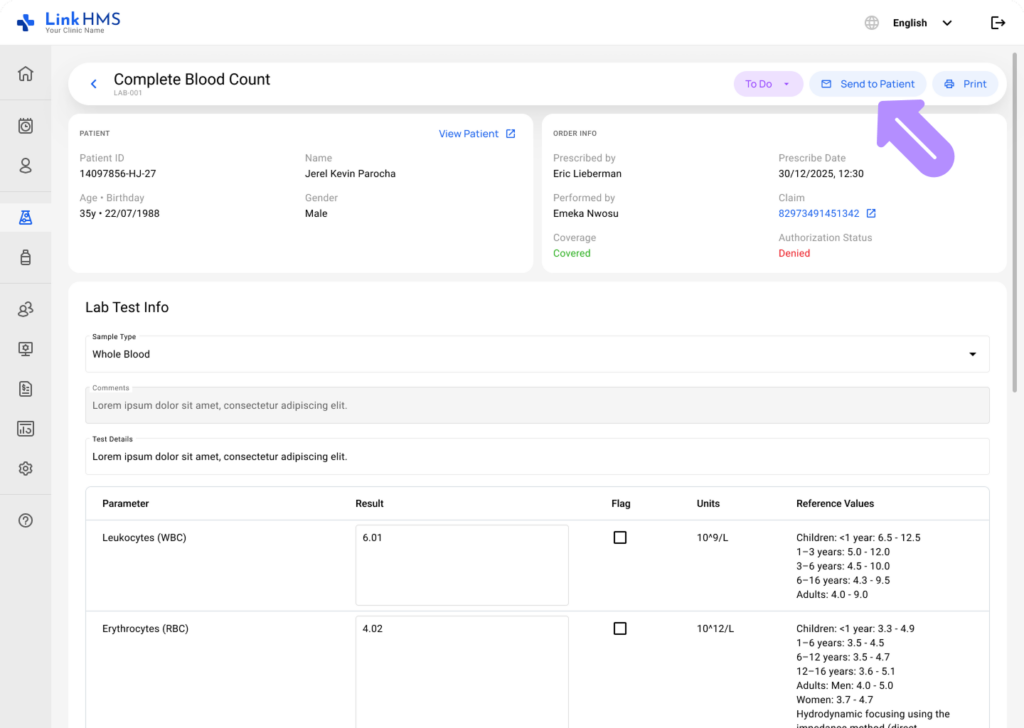
Once sent, the row becomes viewable in the patient’s portal, marked with an eye icon, and the patient can open the full result details, including the results table and a downloadable PDF.

What the patient sees at each stage
| Stage | Portal status | Can the patient open it? |
| Test marked To Do, In Progress, Waiting for Result, Ready for Review, Validated, or Reverted | Pending | No |
| Test marked Done, not yet sent to the patient | Ready | No |
| Test marked Done and sent to the patient | Ready | Yes, with an eye icon on the row |
| Test marked Failed | Cancelled | No |
A test marked Ready without an eye icon means the result hasn’t been sent yet. Once your staff sends it to a patient, an eye icon appears next to the test in the patient portal. The patient can select the icon to open and view the full result.

How patients are notified about test results via email
In addition to updates available through the patient portal, patients receive two separate email notifications related to their lab tests.
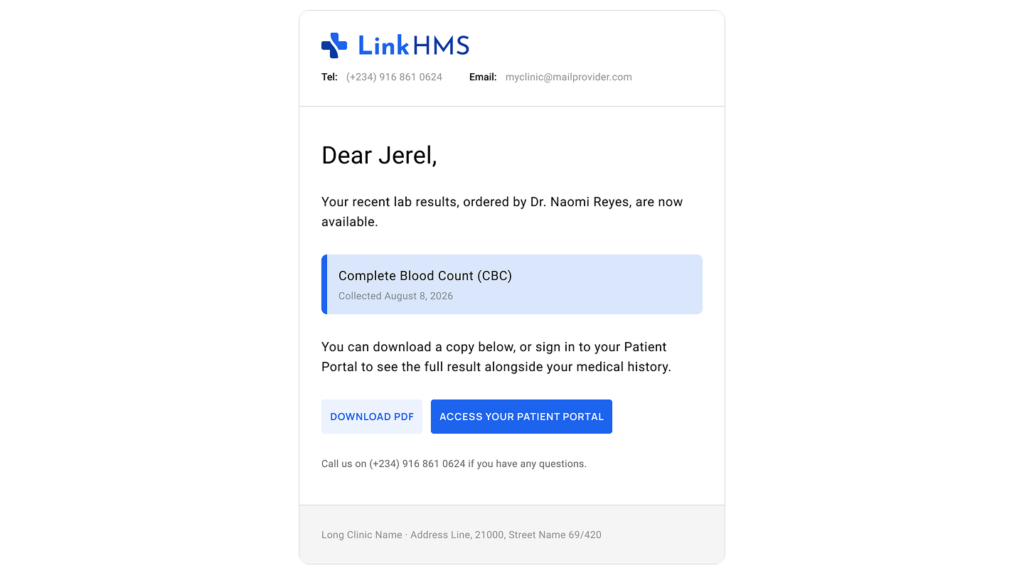
- A test results ready notification is sent automatically via email when the lab specialist marks the test as Done. It includes the test name, ordering doctor, and collection date, but no result content, and a link to log in to the portal.
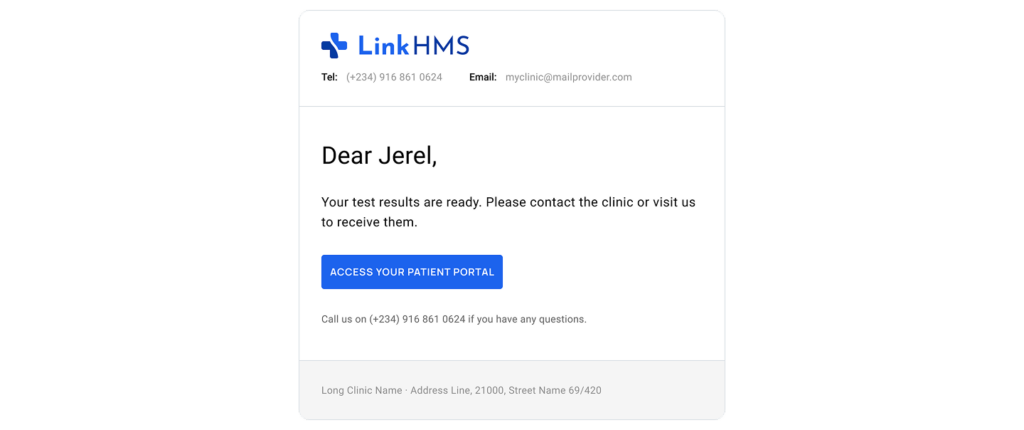
- Results are sent when the clinic staff hits Send to Patient. This email lets the patient review the result.
💡Notes
After receiving the first email, a patient may log in to the patient portal and see the test marked Ready, but the result will not yet be available to open. The patient can view the detailed result only after your clinic sends it using Send to Patient.