Managing HMO billing involves more than knowing which services are covered for patients. Between configuring insurer pricing, tracking authorization statuses, recording decisions, and generating the right invoices for the right parties, the process requires careful coordination at every step.
LinkHMS brings the full HMO claims workflow into one connected system, so every part of the process is handled in the same place your clinic already manages patient care.
What HMO Claims Management covers
LinkHMS HMO Claims Management is built around the complete claims lifecycle, from the moment you onboard an insurer to the final invoice settled. It covers:
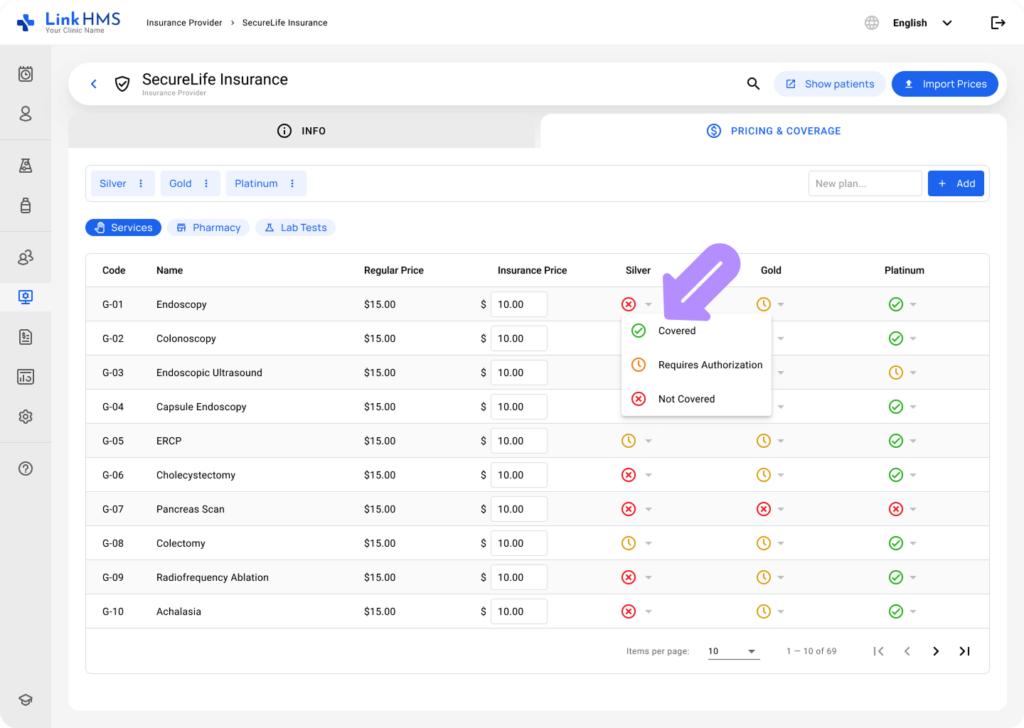
- Setting up insurance companies, plans, and negotiated pricing for services, medications, and lab tests
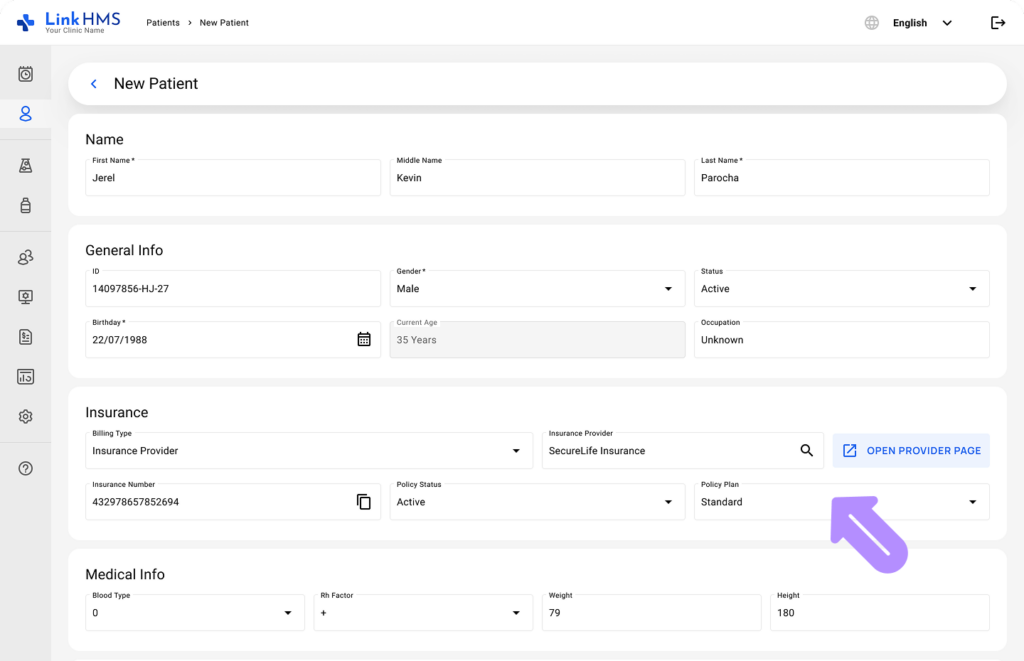
- Assigning insurance plans to patients at registration
- Creating claims directly from visit records, admissions, or outside any encounter
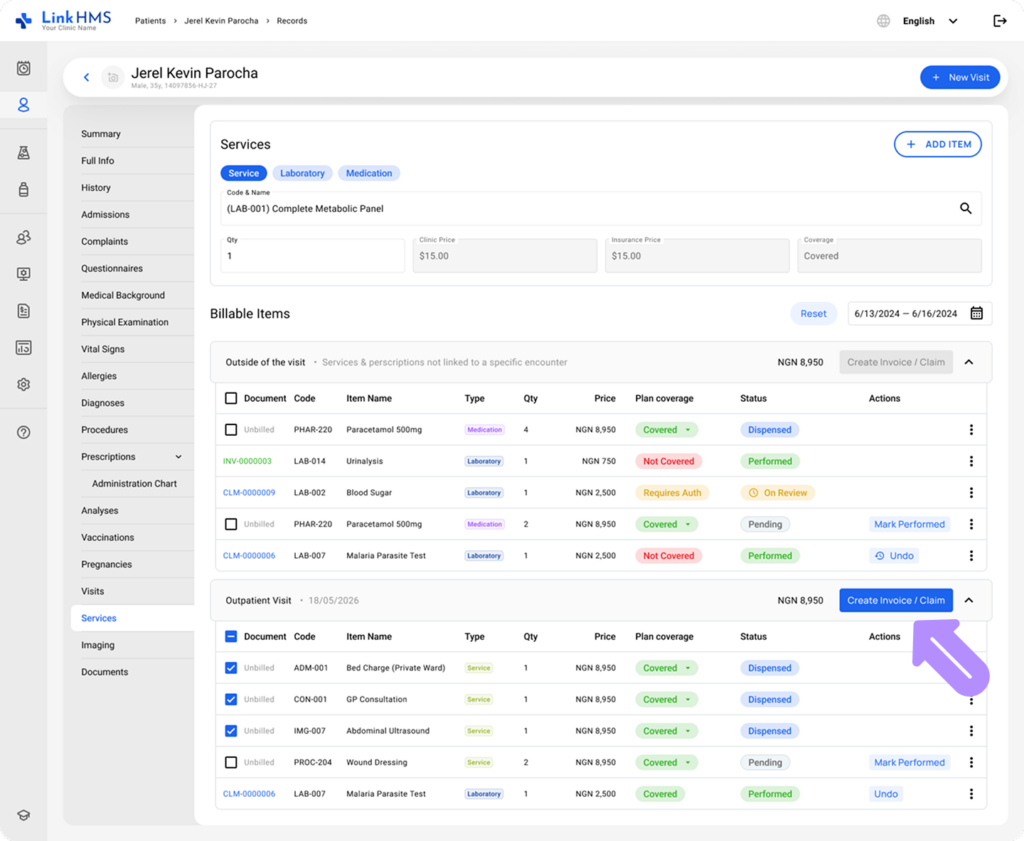
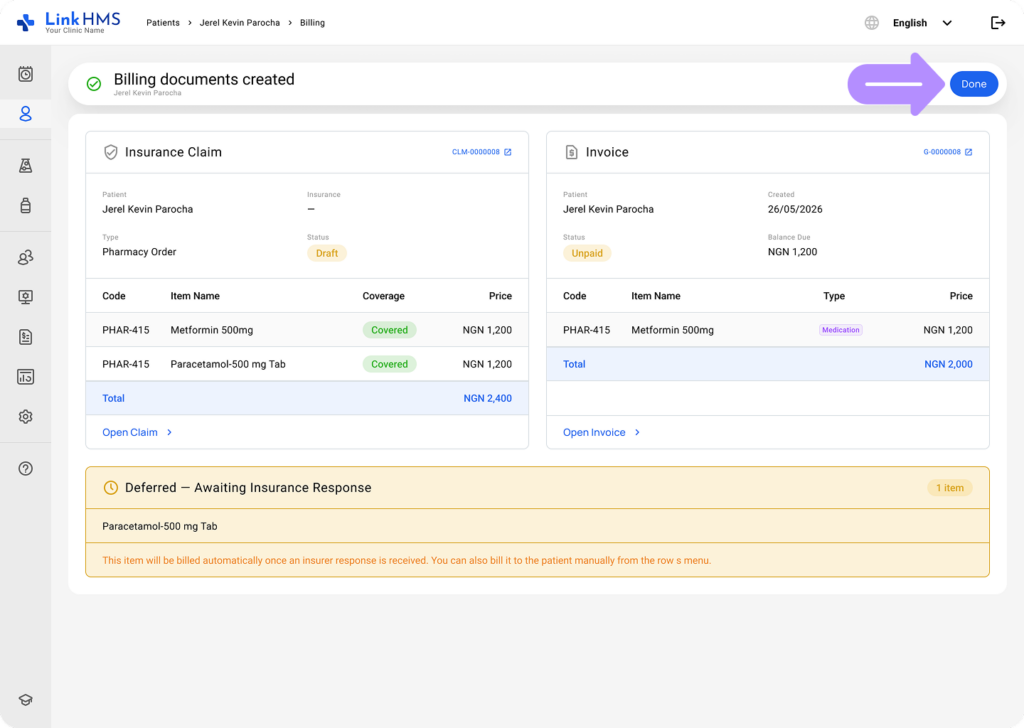
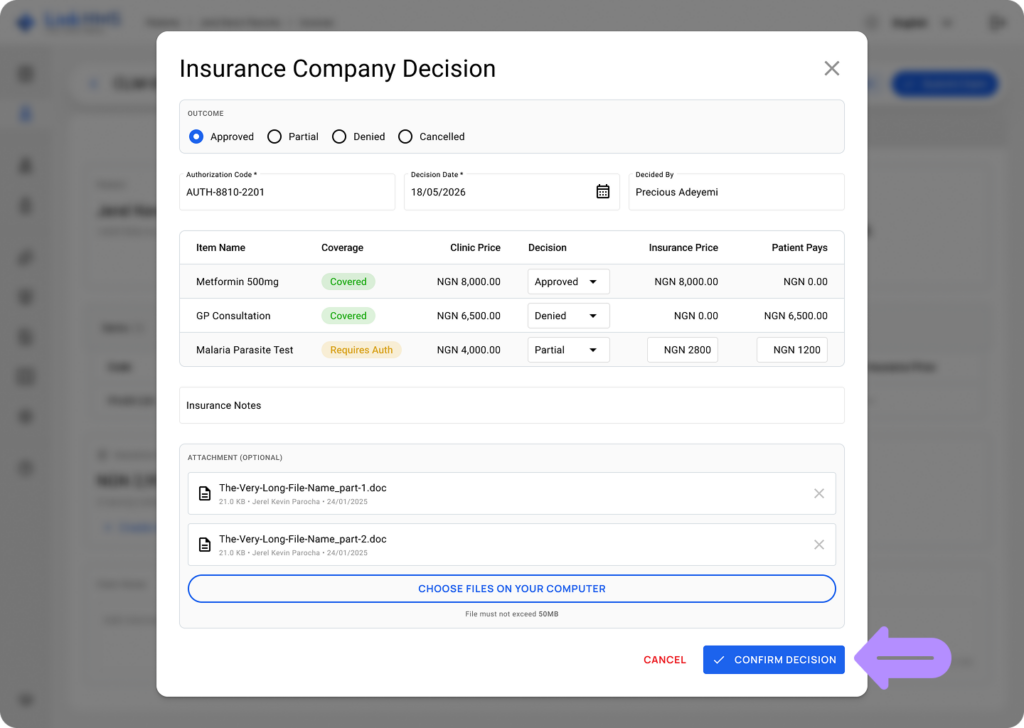
- Automatically splitting costs between the insurer and the patient based on coverage settings
- Submitting claims and tracking authorization statuses across pharmacy, lab, and patient services
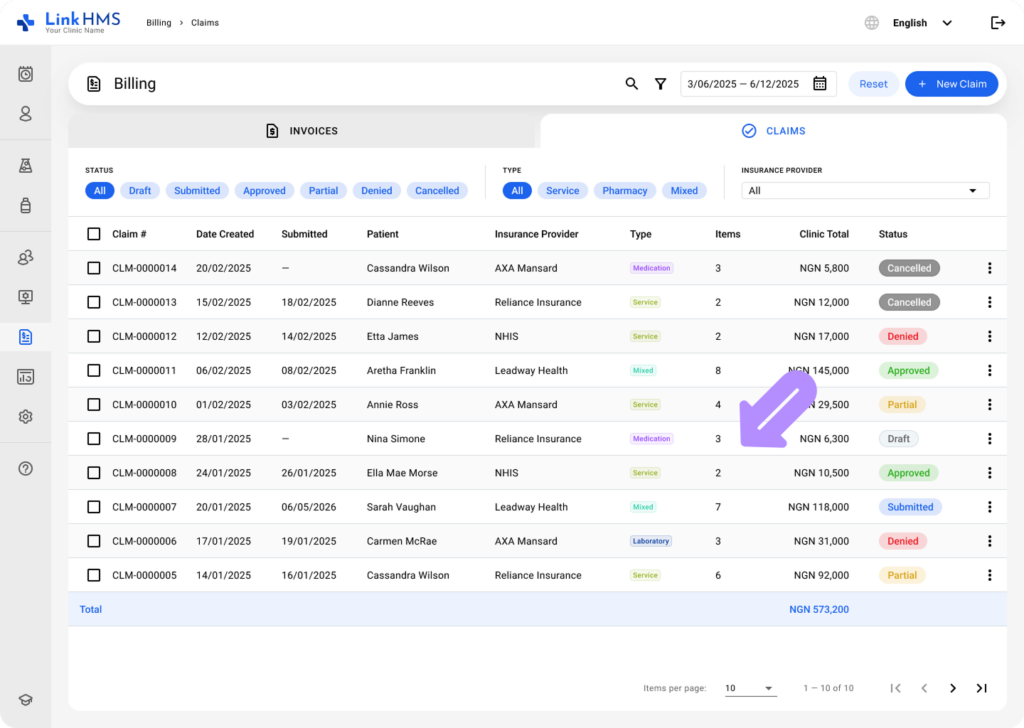
- Recording insurance decisions and generating insurance and patient invoices
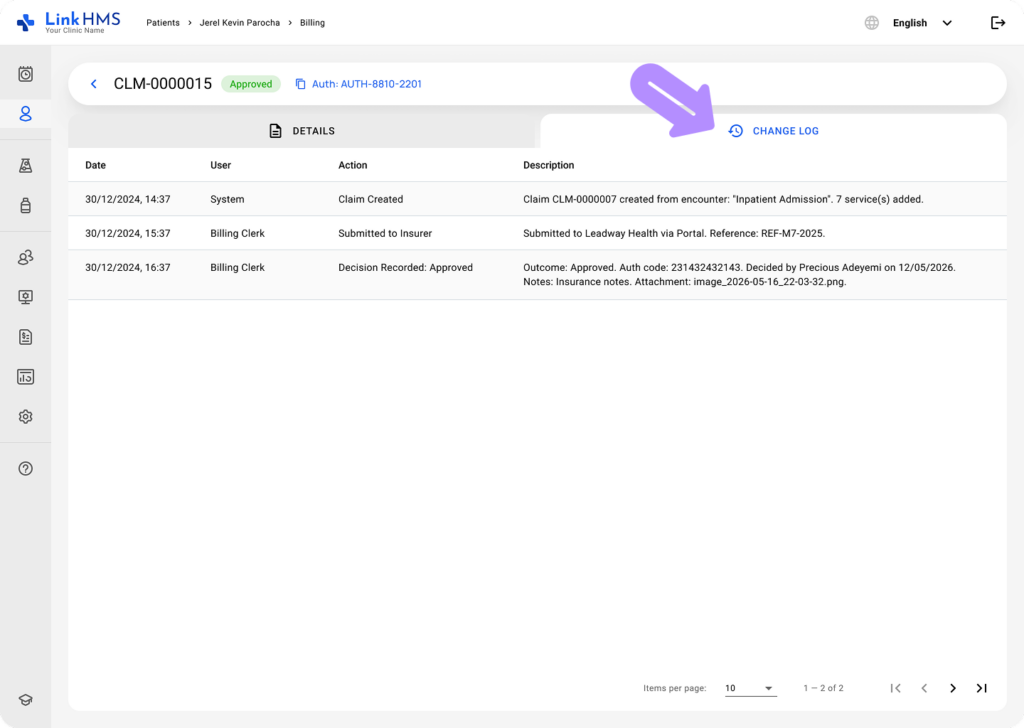
- Logging follow-up actions and maintaining a full activity log for every claim and invoice
Who uses HMO Claims Management?
HMO Claims Management is used across multiple roles in LinkHMS.
- Clinic admins and receptionists configure insurers and assign plans to patients.
- HMO officers and billing teams create, submit, and manage claims and invoices.
- Doctors, pharmacists, lab scientists, and nurses see coverage and authorization statuses inline within their workflows, so the billing state is always visible without interrupting clinical care.
How it connects to the rest of LinkHMS
HMO Claims Management is fully integrated with the rest of the platform. Claims are built from EMR records already in the system. Coverage statuses appear inline on services, prescriptions, and lab orders. Invoices link directly back to their associated claims. Every action is logged in the activity log, giving your team a complete and auditable record of every decision, update, and payment from start to finish.
Where to start
If your clinic is setting up HMO Claims Management for the first time, begin with the insurer configuration. Add your insurance companies, create plans, and configure negotiated pricing and coverage rules before assigning plans to patients or creating claims.
For a step-by-step walkthrough of the full setup process, refer to How to Set Up and Edit HMO and Insurance Companies in LinkHMS.