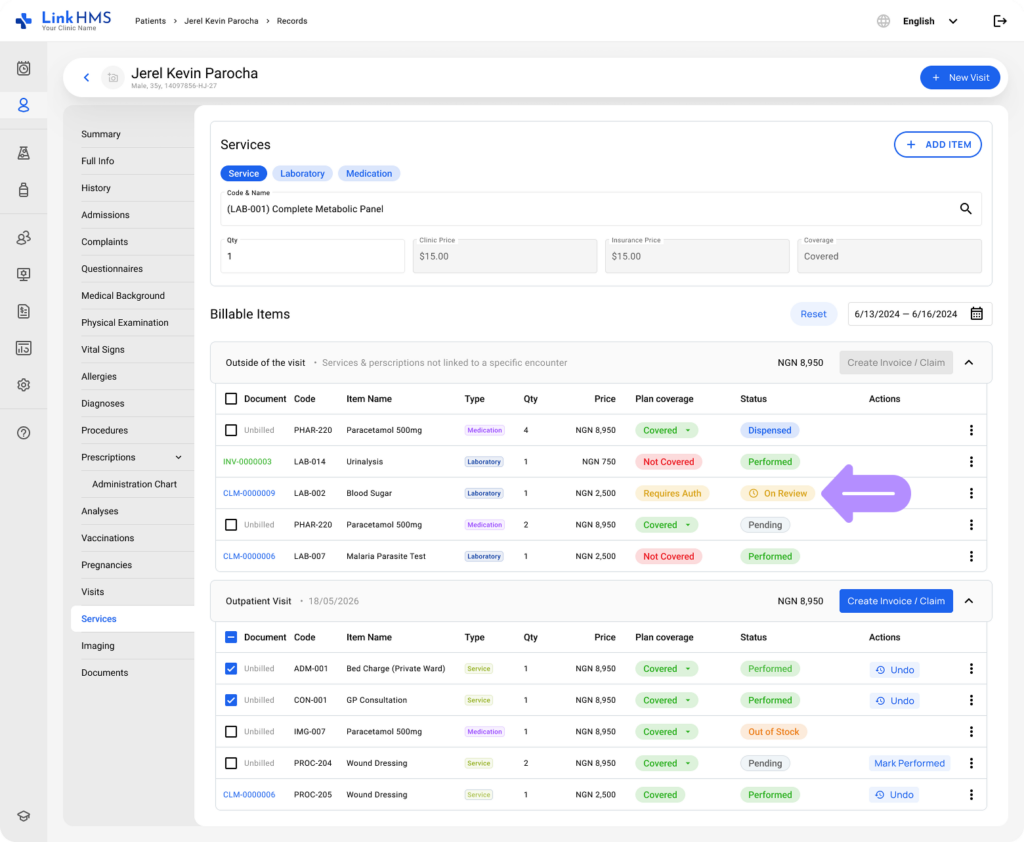
As a doctor, you see insurance coverage and status for patients’ assigned services, medications, and lab tests on the Services tab. This guide covers how to read that information and how to mark a service as performed.
- Go to the Services tab.
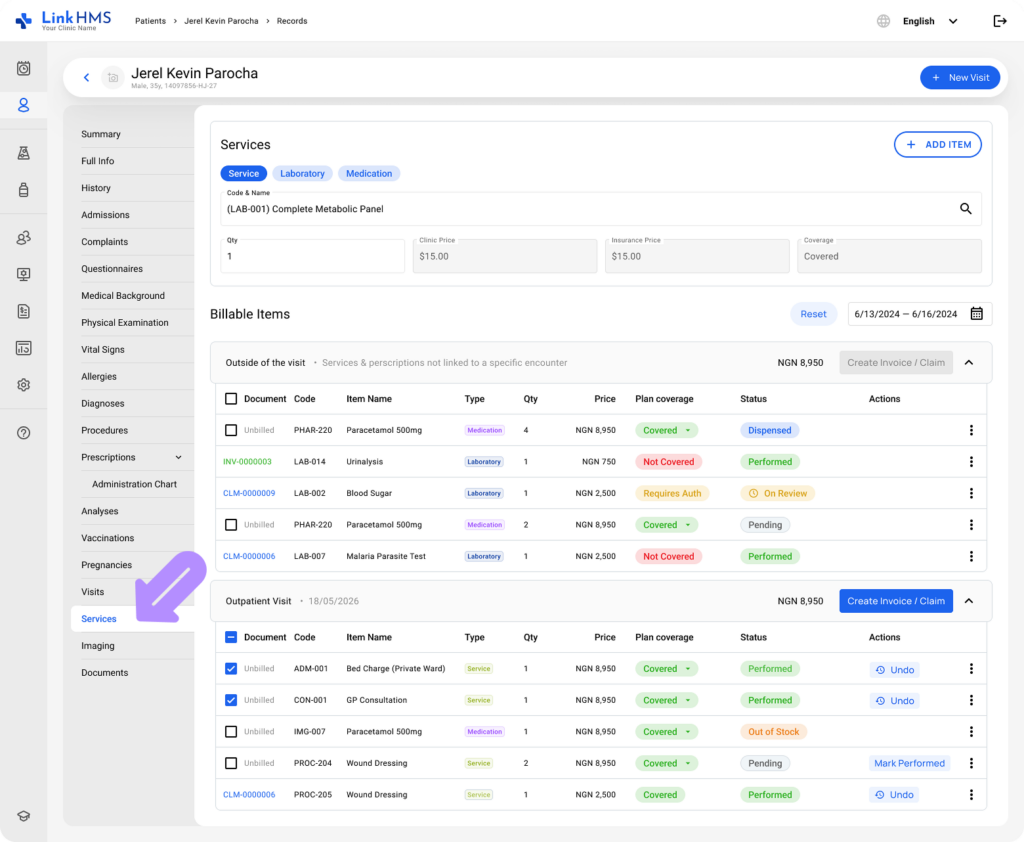
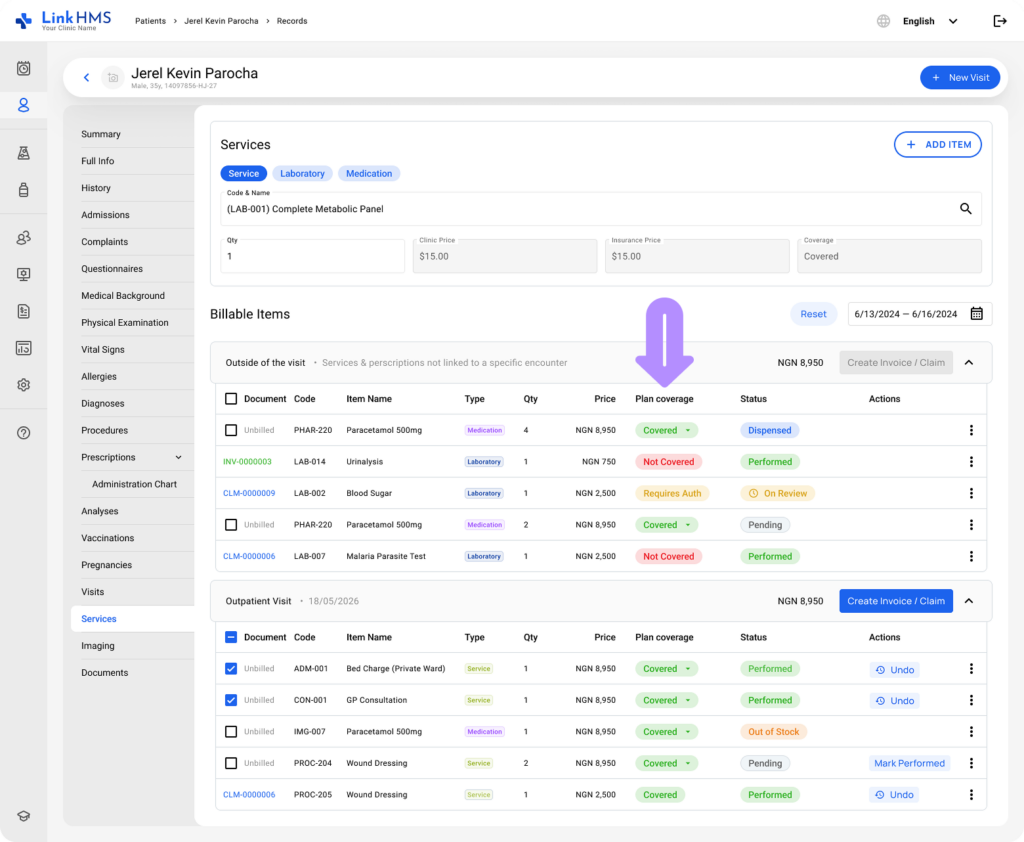
Plan Coverage
Every service, medication, and lab order shows a coverage chip:
- Covered. The insurer pays the full negotiated price.
- Requires Authorization. The insurer needs to approve this item first.
- Not Covered. The patient pays for this item directly.
💡Notes
These chips reflect the insurance plan assigned to the patient in their profile. Coverage is configured in advance by your admin team.
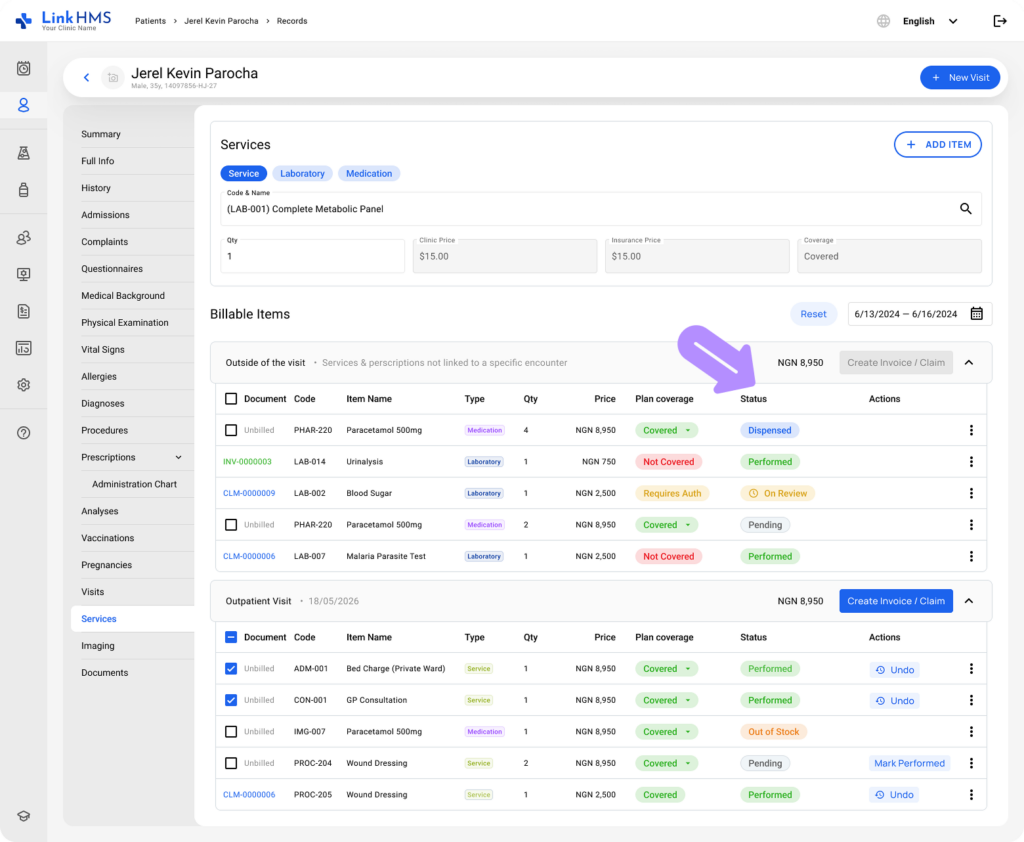
How Service Status Appears
- Pending: The service has been ordered but not yet carried out.
- On Review: When a service is linked to a claim still awaiting the insurer’s decision.
💡Notes
On Review is informational only and never blocks you from treating a patient. You can proceed with care regardless of where the claim stands.
- Performed: The service has been completed and recorded.
Marking a Service as Performed
💡Notes
Doctors mark services as performed to confirm they were carried out, making them available for billing and claim creation.
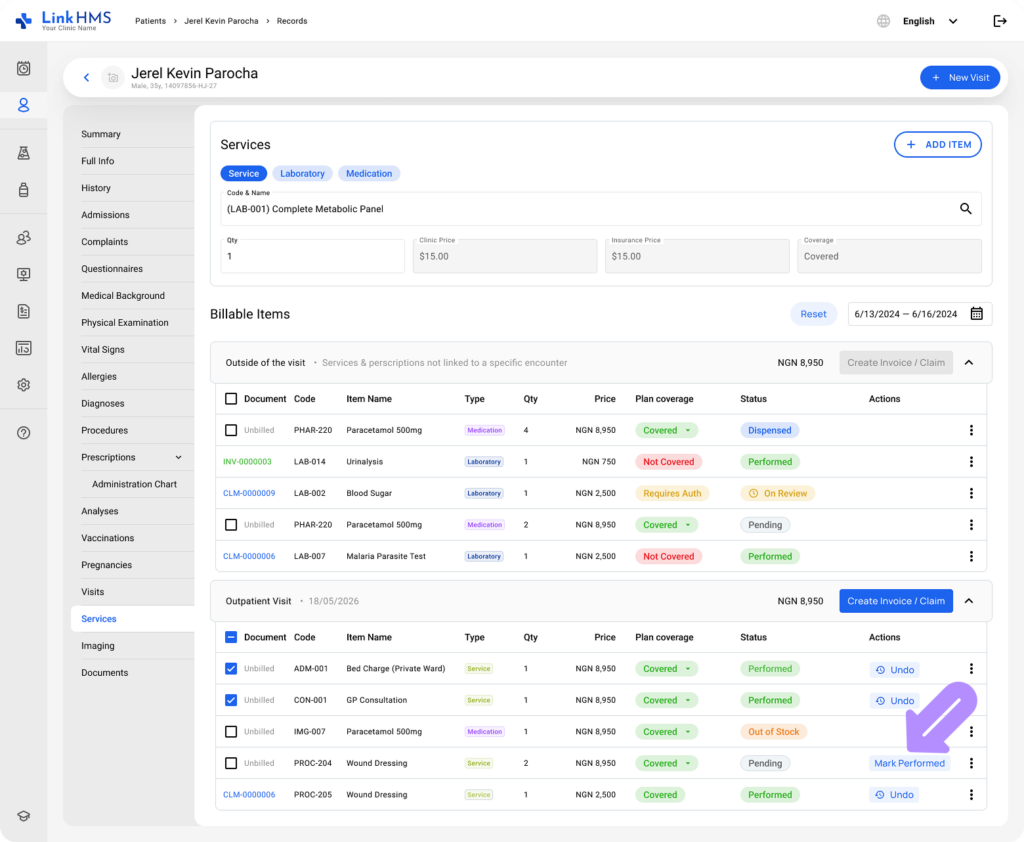
- Review the list of requested services, medications, and lab tests, and locate the service you are ready to mark as performed.
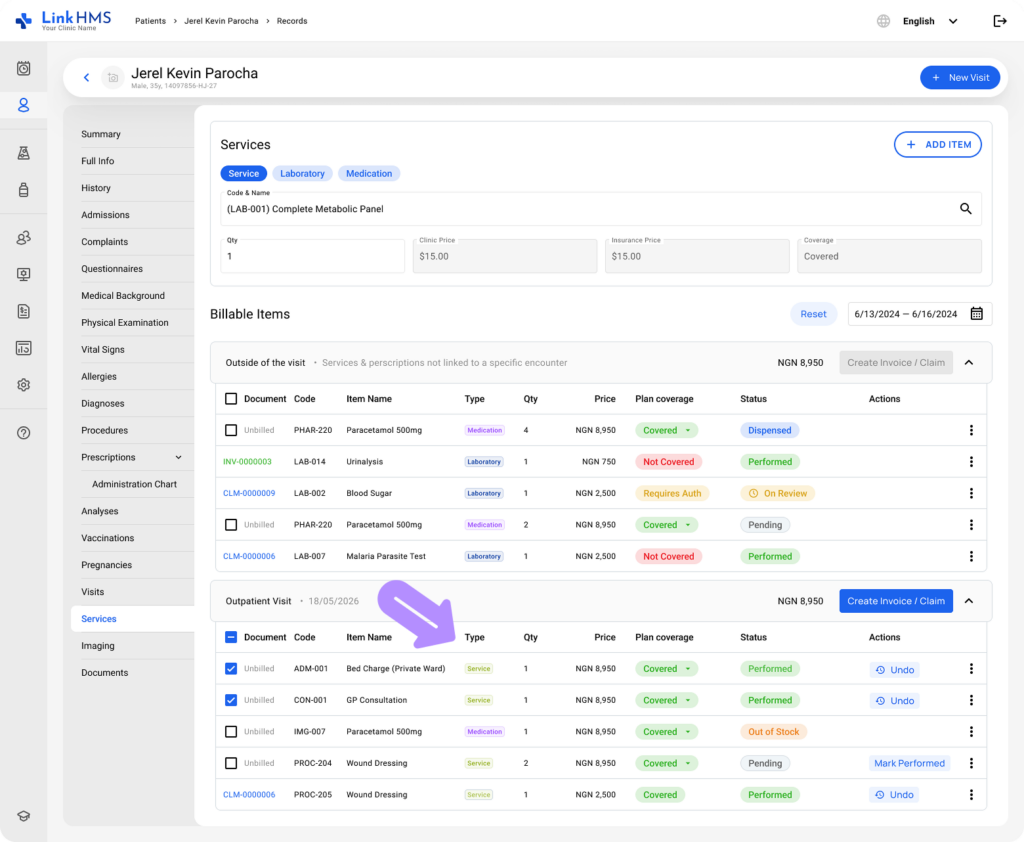
- Click the Mark Performed button.
💡Notes
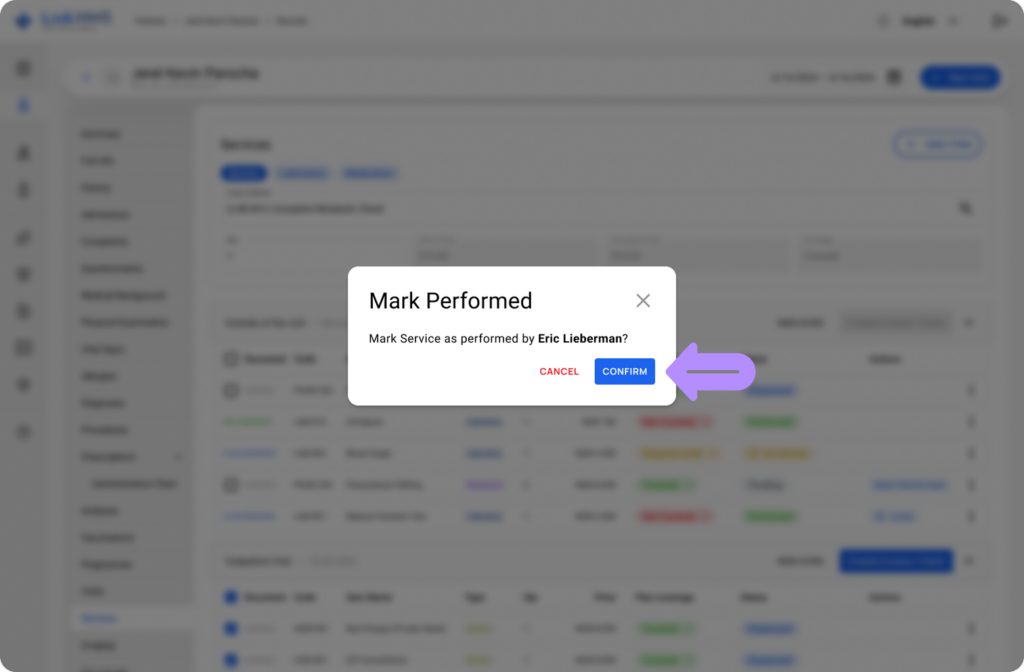
If the item is still On Review, you’ll first see a confirmation explaining that the insurer hasn’t decided yet and that the patient may be billed if it’s later denied.
- Confirm to record the provided service and update its status in the system.
💡Notes
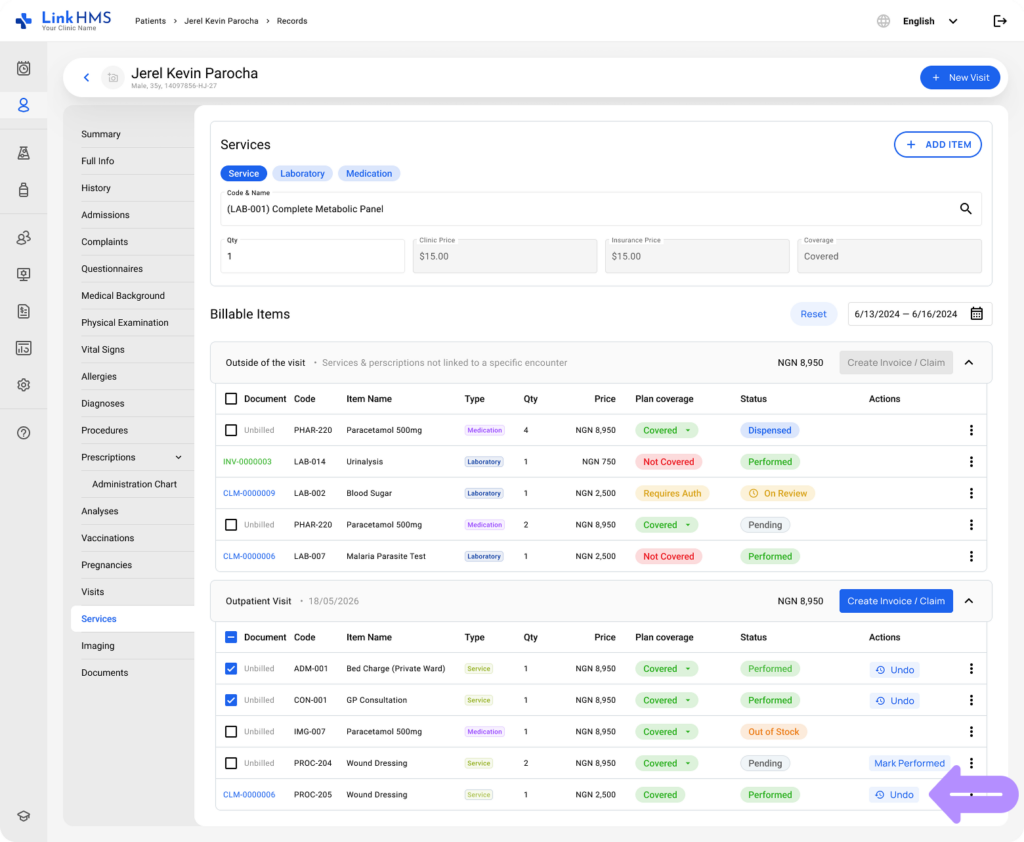
You can undo this if marked in error.
- Click Undo to revert the service back to its previous state.
💡Notes
Medication and laboratory statuses are updated by the pharmacist and lab specialists. As a doctor, you can view these statuses to track progress but cannot update them yourself.
Medication Statuses
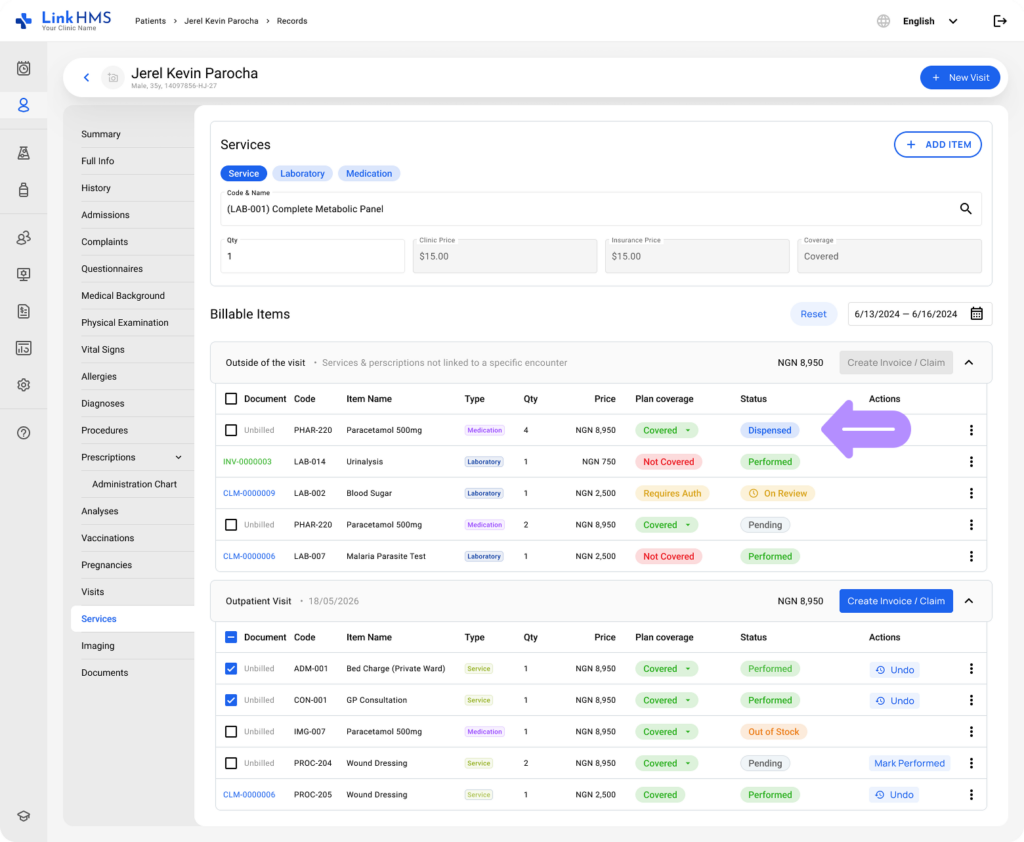
Beyond the coverage chip, each medication also carries a status indicating its step in the dispensing process.
- Pending. The item has been created, but nothing has happened to it yet.
- On Review. The item depends on a claim that’s still awaiting the insurer’s response.
💡Notes
Pending simply means no one has processed the item yet. On Review is specific to an open claim awaiting a decision.
- Ready to Dispense. The insurer has responded (Approved or Partial), and the pharmacy is clear to hand it over.
- Patient Pays. The cost falls to the patient, either because the item was never covered or because the insurer denied coverage.
- Dispensed. Already handed to the patient.
- Out of Stock. Currently unavailable to dispense.
Laboratory Statuses
Each lab test also carries a status indicating its current stage in the processing and results workflow.
- To Do: Newly assigned test orders waiting to be started.
- In Progress: Tests that are actively being processed.
- Waiting for Results: Tests that have been processed but results are not yet available.
- Ready for Review: Tests with completed results ready for the doctor to review.
- Validated: Tests with confirmed and approved results.
- Reverted: Tests returned for correction or reprocessing.
- Done: Completed tests with results available.
- Failed: Tests that have been marked as failed.