As a pharmacist, you can create claims and pharmacy invoices for medications directly, without needing an admin or receptionist to do it for you. This guide covers the steps to complete these tasks.
💡Notes
The pharmacists have full access to create medication-only claims. You can add medication items to these claims, but not services or lab tests. Claims that mix medications with services or lab tests are read-only; you can view and check their status, but any changes are handled by admin or receptionist staff.
Creating a Claim for Medications
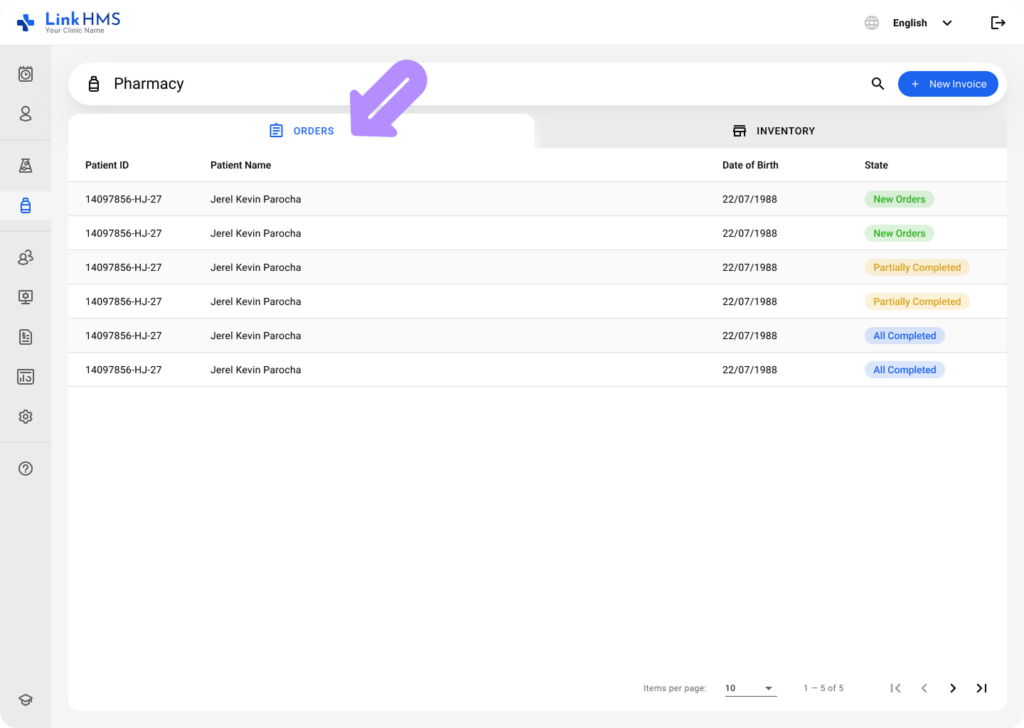
- Go to the Pharmacy module and open the Orders tab.
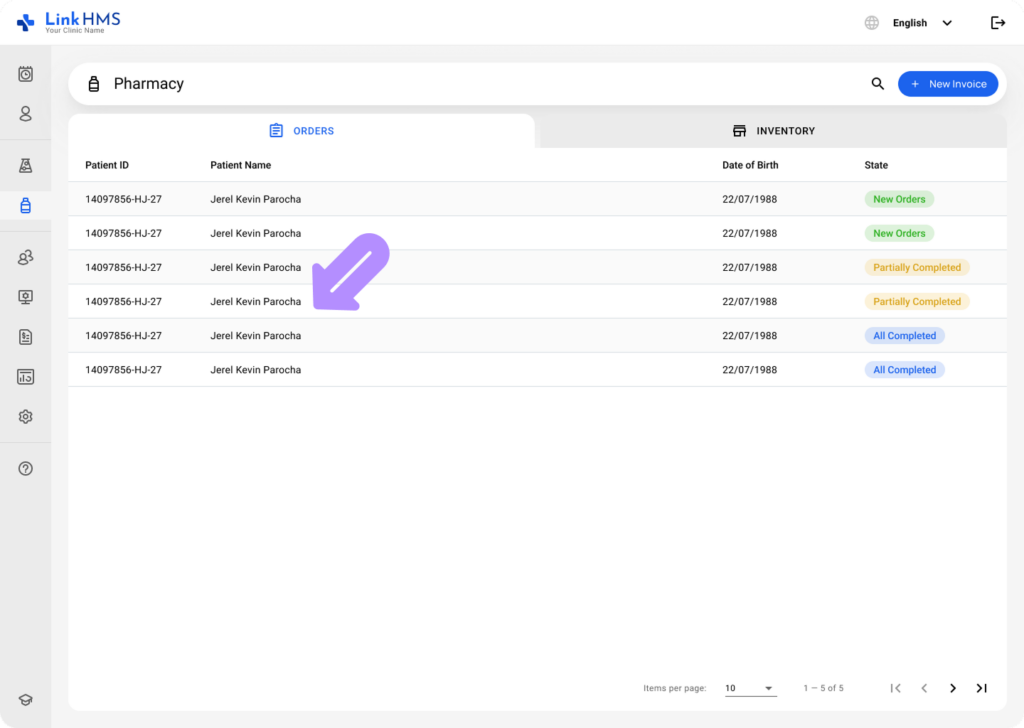
- Locate the patient for whom you are creating a medication claim and click it to open the order details page.
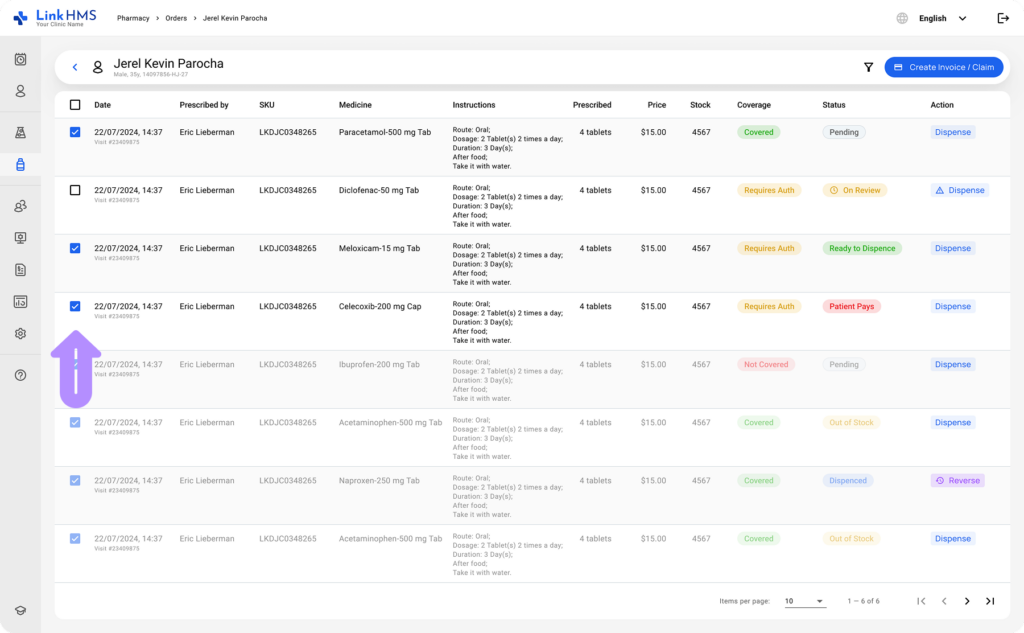
- Select the medication items to include in the claim using the checkboxes on each row.
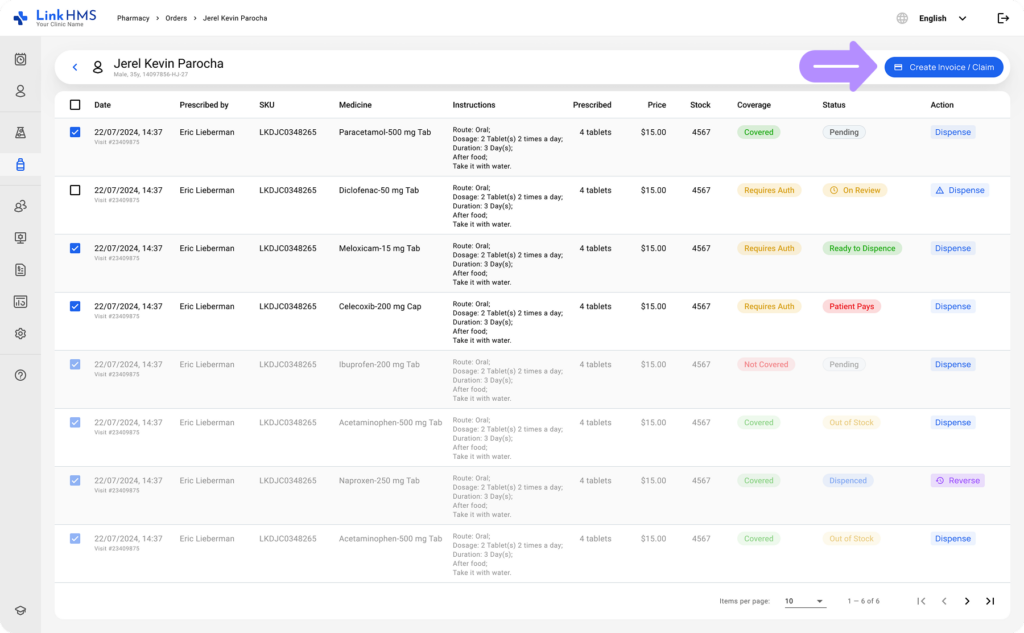
- Click Create Claim if all selected items are covered by the patient’s insurance plan.
💡Notes
A single claim can include only items from the same visit or items not linked to any visit. Items from different visits cannot be combined into one claim. In this case, Create Claim is unavailable, but you can still click Create Invoice to bill the patient directly.
- Add any additional medication items if needed.
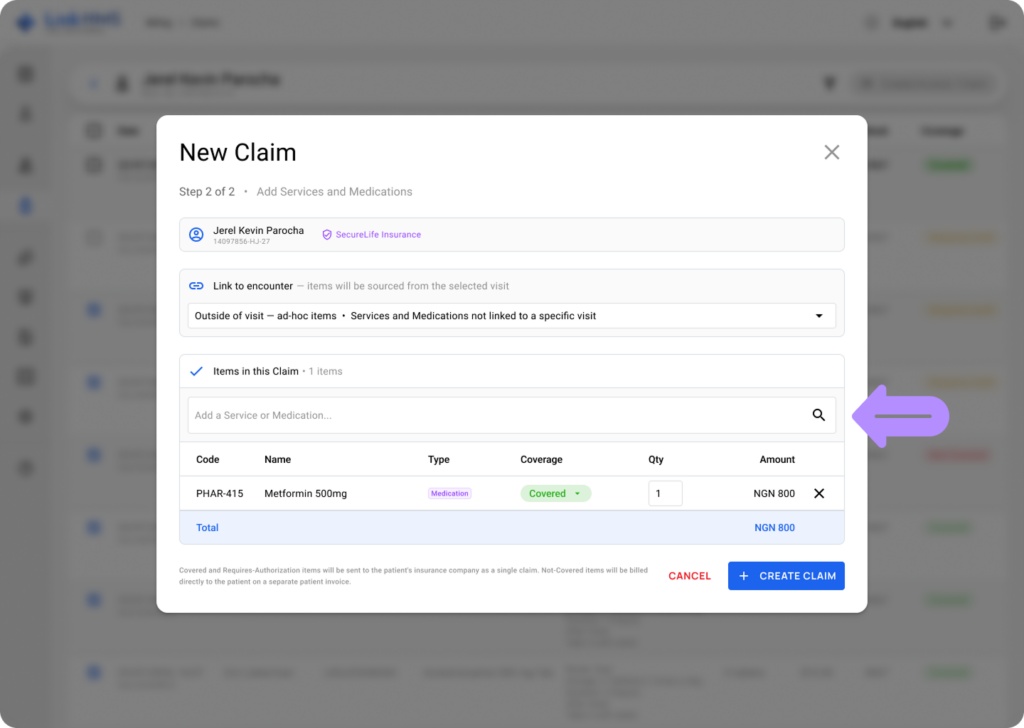
- Set each item’s coverage if it needs adjusting, or leave it at the plan default.
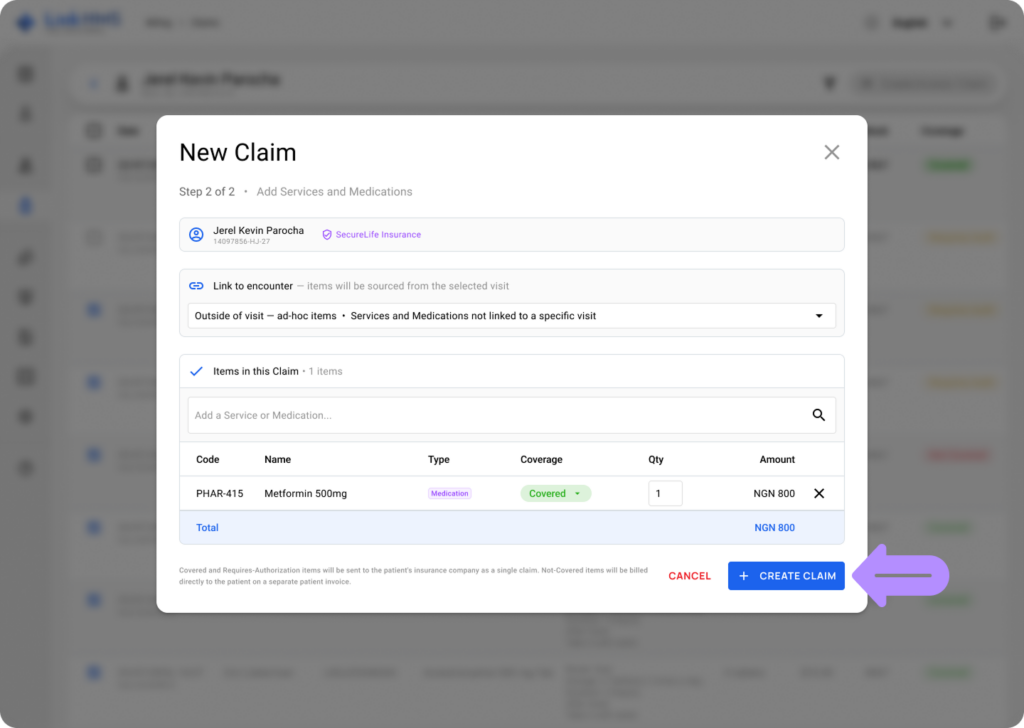
- Click Create Claim to complete the action.
💡Notes
Recording the insurer’s decision is handled by the HMO officer. Once the insurer responds, the HMO officer records the outcome: per-item decisions, an authorization code if one was issued, and any related notes. The LinkHMS system generates the insurer and patient invoices automatically once the decision is saved.
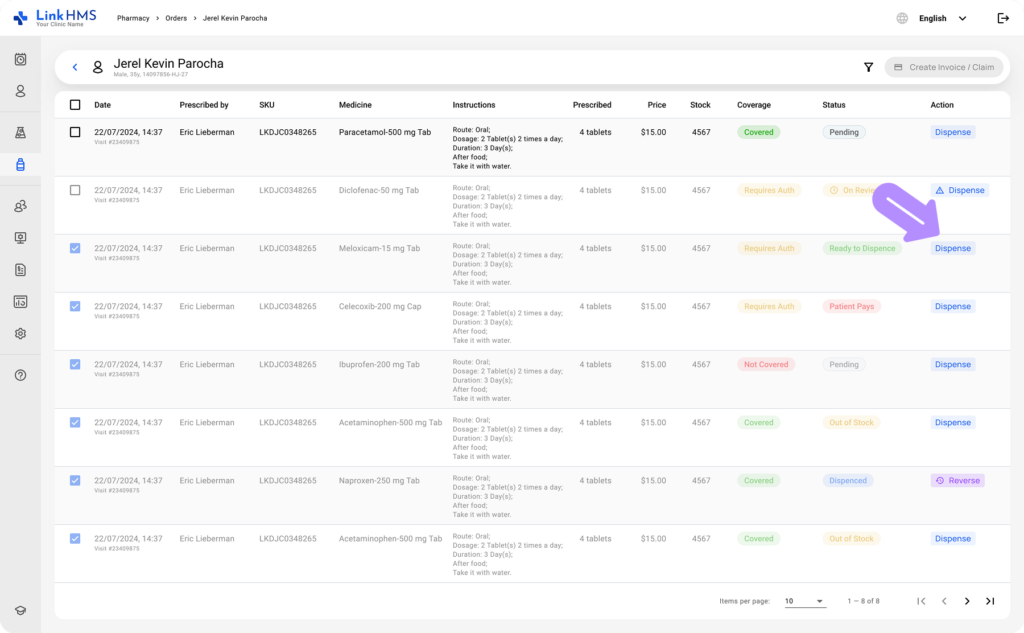
- To dispense a medication, click the Dispense button next to the relevant order.
💡Notes
Dispensing and claim creation are separate actions. You do not need to wait for the insurer’s decision before dispensing. If a medication item shows On Review, you can still dispense it after a quick confirmation. If the insurer later denies it, the system will automatically apply the cost to the patient’s invoice.