The Pharmacy Orders tab shows two statuses for every prescription: its coverage (set by the patient’s plan) and its processing status (its current status). This guide explains what each one means.
Coverage Chips
Each medication displays coverage indicating its insurance status based on the patient’s assigned insurance plan. Each plan has its own coverage rules defining which items are covered, require authorization, or are excluded, so the chips always reflect the exact terms of the patient’s specific plan.
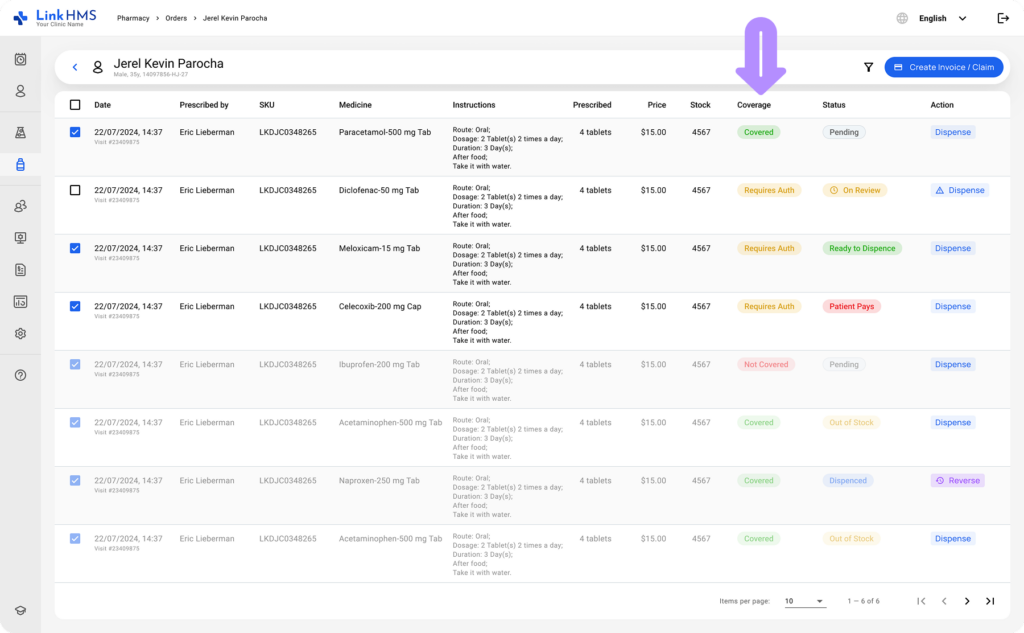
- Covered. The insurer pays the full negotiated price.
- Requires Authorization. The insurer needs to approve this item first.
- Not Covered. The patient pays for this item directly.
💡Notes
Use these chips to decide what belongs on an insurance claim versus a direct patient invoice. Refer to the guide on how to create medication claims.
Status Chips
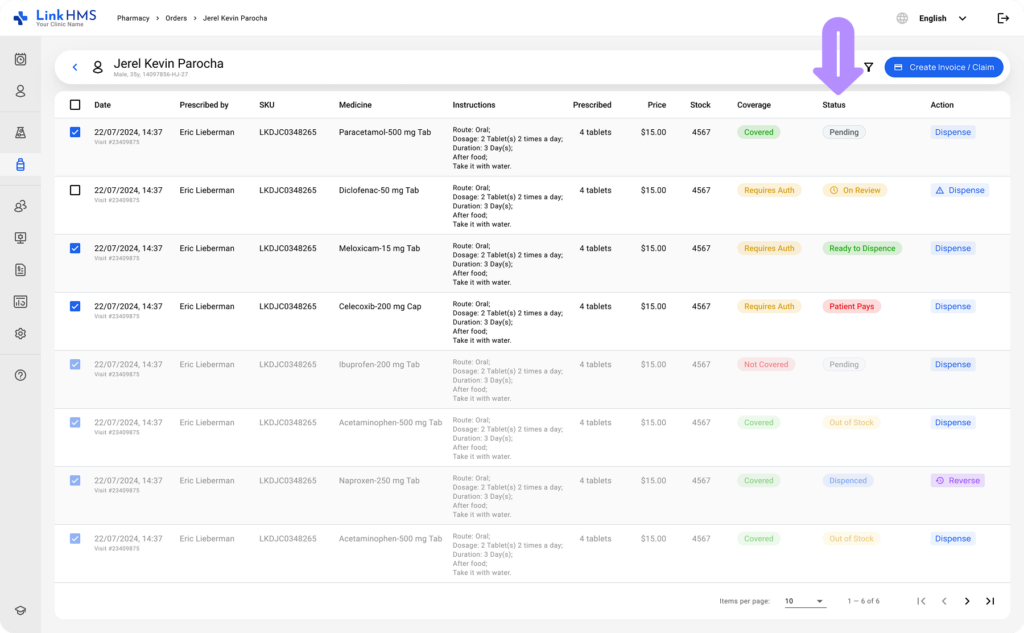
Alongside coverage, each medication also shows a processing status.
- Pending. Default status. Created, not yet processed or dispensed.
- On Review. The item is on an active claim still awaiting the insurer’s decision.
💡Notes
On Review is not the same as Pending. Pending means nothing has happened to the item yet. On Review means it’s specifically tied to a claim awaiting the insurer’s decision.
- Ready to Dispense. The claim has been decided, Approved or Partial, and the item is cleared to dispense.
- Patient Pays. The item has been routed to a patient invoice, either because it’s Not Covered or because the insurer denied it.
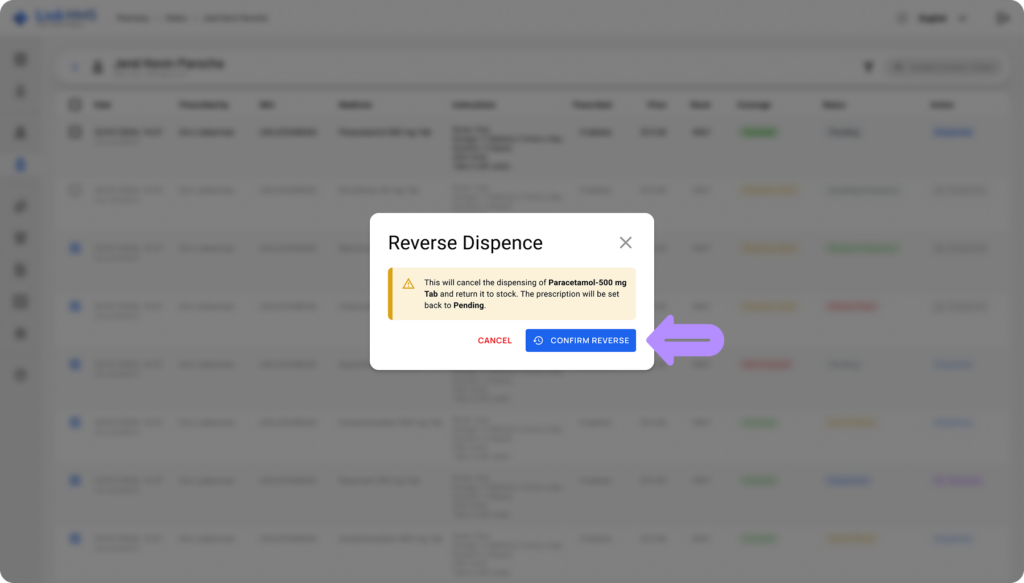
- Dispensed. Physically handed over to the patient.
💡Notes
Dispensed is a final status. The only way to change it back is the Reverse action; there is no direct edit.
- Out of Stock. Unavailable in inventory right now.
Dispensing While On Review
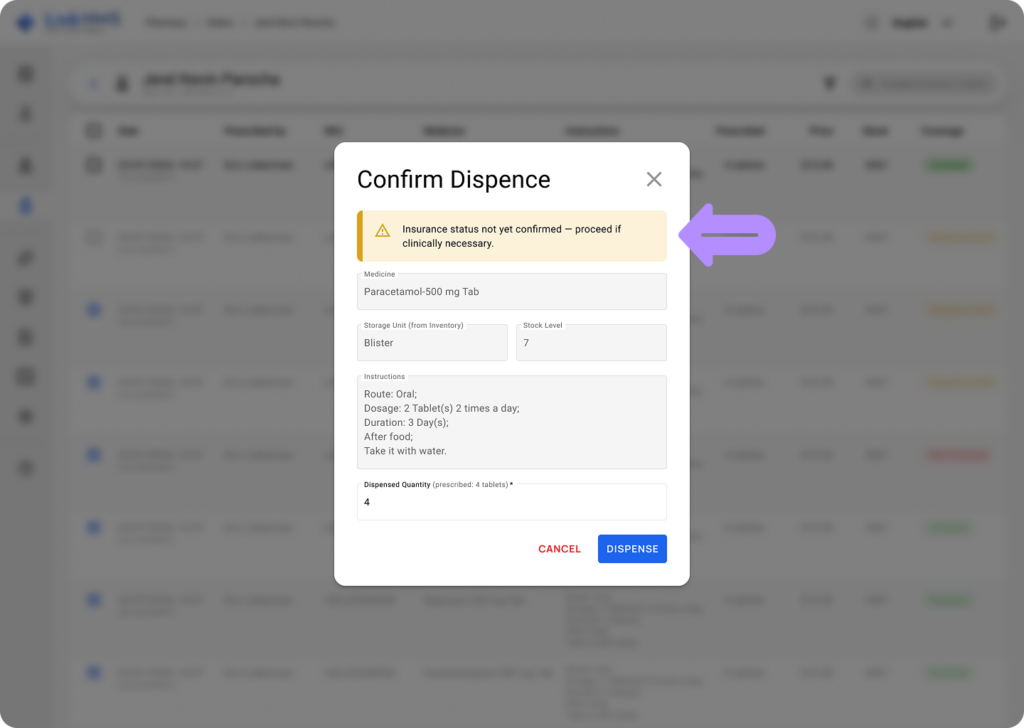
On Review status does not lock the Dispense button. You can dispense an item at any time, regardless of the claim decision status. LinkHMS will show a confirmation before proceeding, noting that if the insurer later denies the item, it will be automatically routed to the patient’s invoice.
💡Notes
The Dispense button is only inactive for out-of-stock items. Find the full guide on how to dispense the medications.