💡Notes
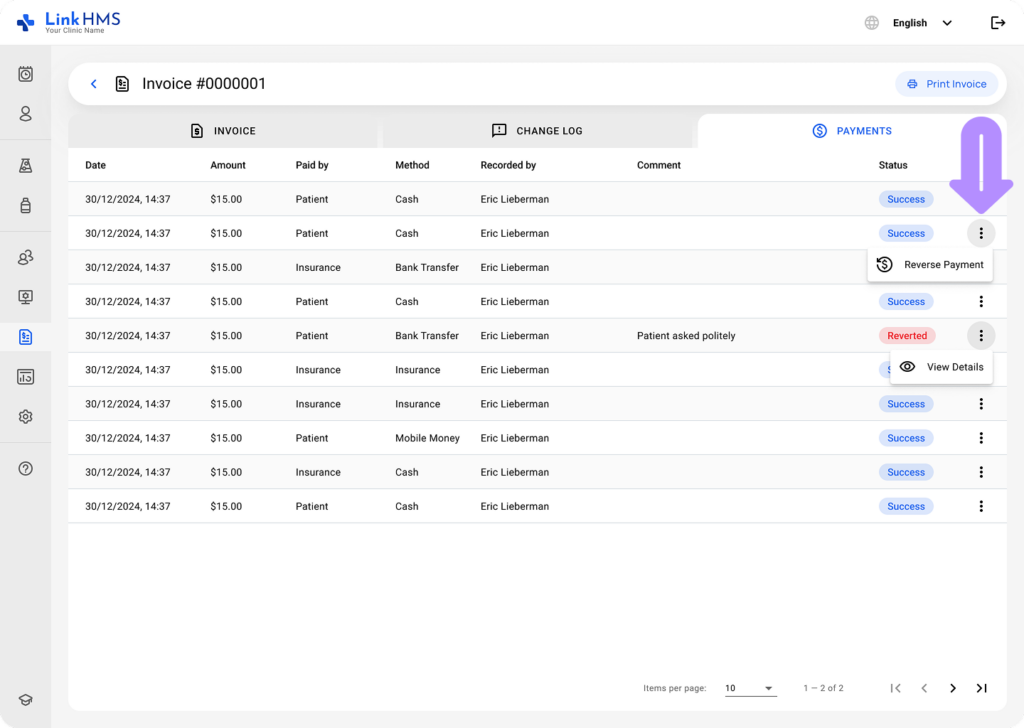
The system includes a reverse payment feature to correct mistakes, process refunds, or cancel incorrectly recorded payments.
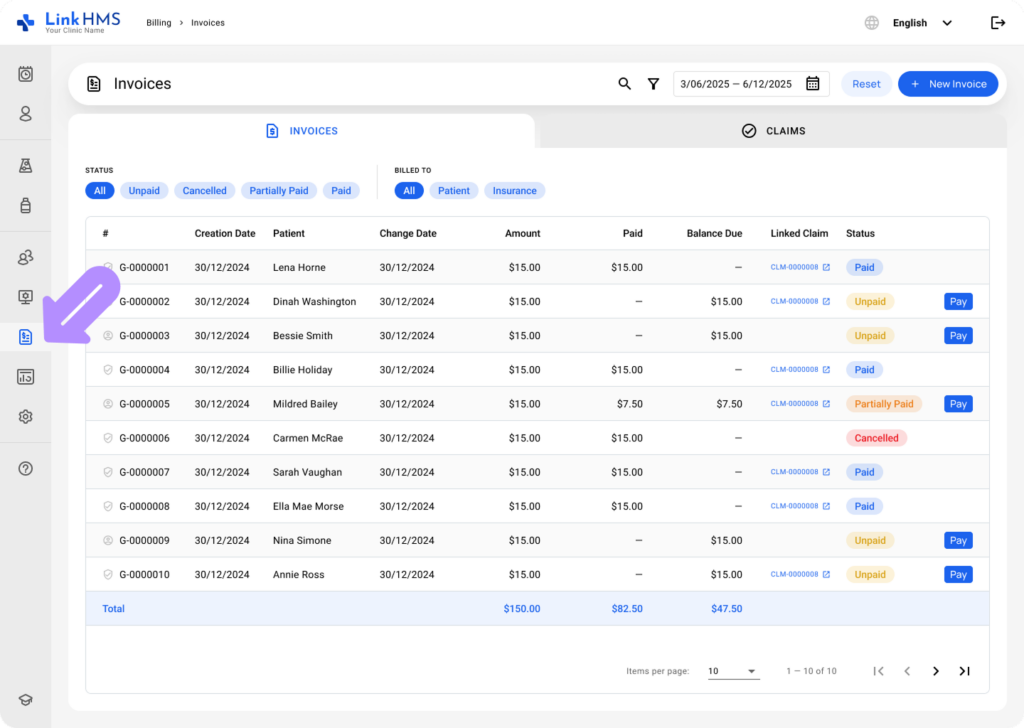
- Navigate to Billing from the left-side menu and open the Invoices tab.
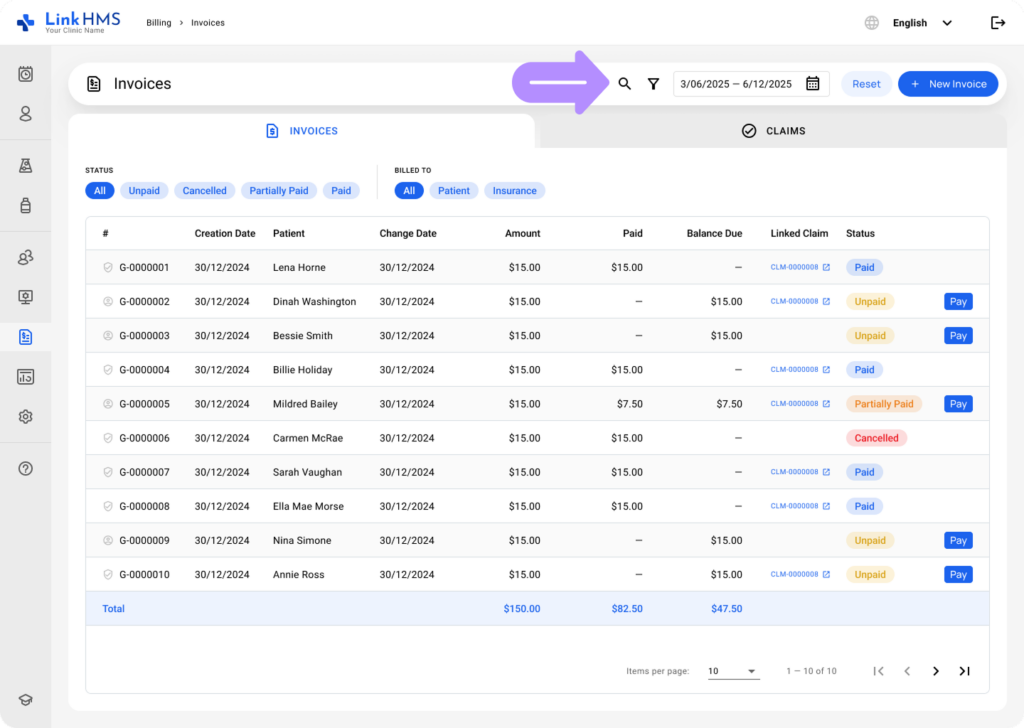
- Find the invoice quickly using search or filters. See the guide on how to browse and search for invoices for more information.
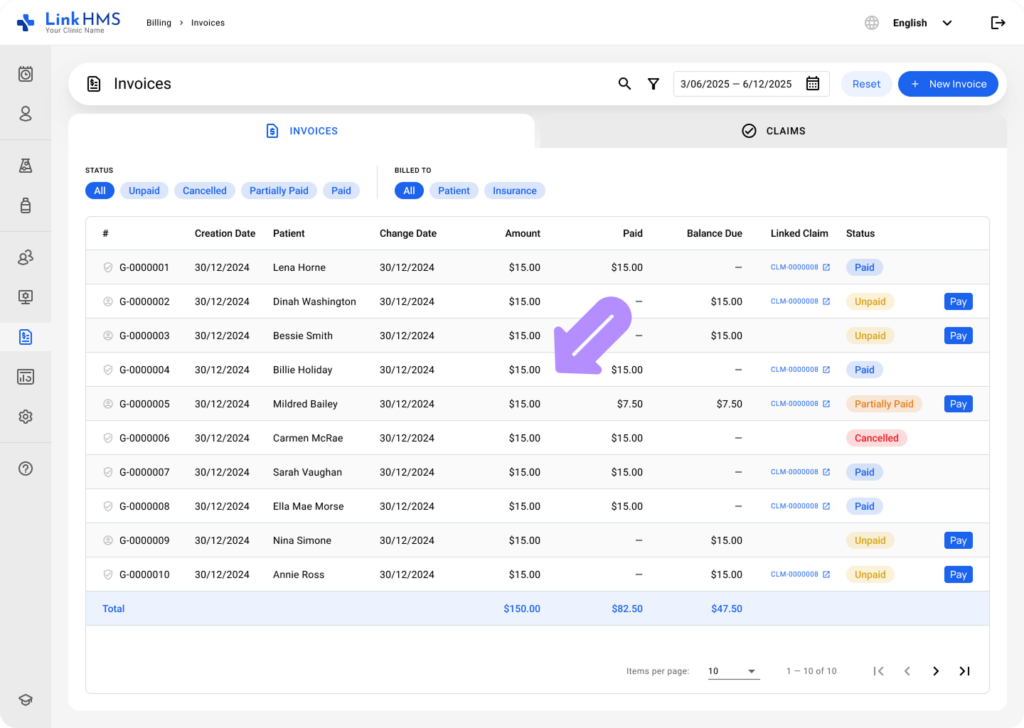
- Choose the necessary invoice to open it.
- Open the Payments tab.
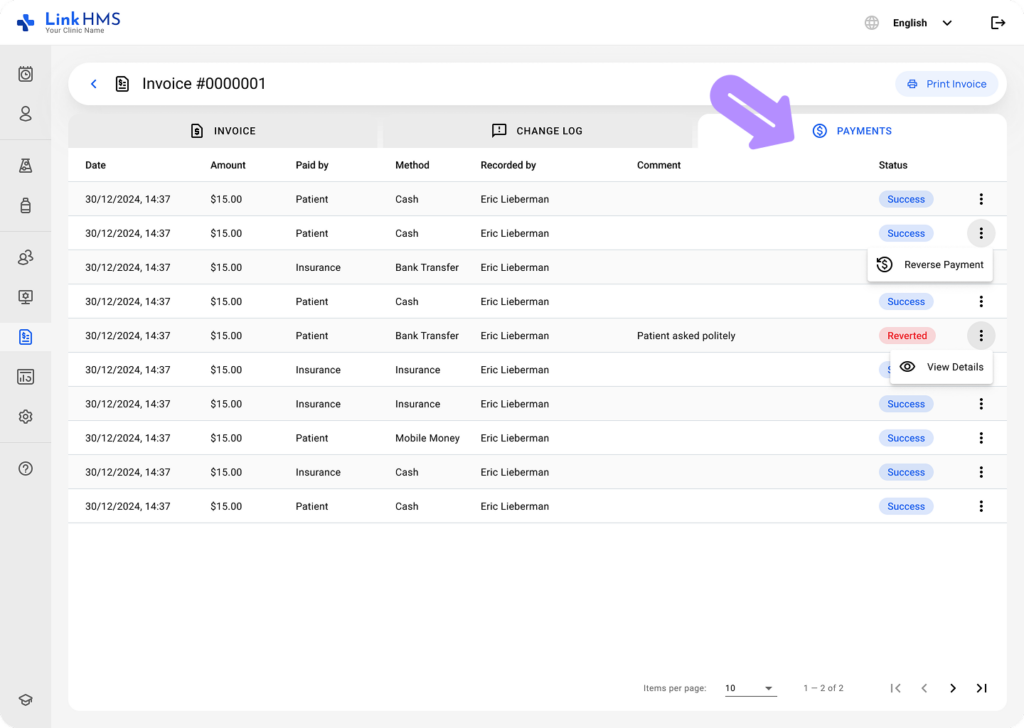
- Click the three dots next to the payment you want to reverse and select Reverse Payment.
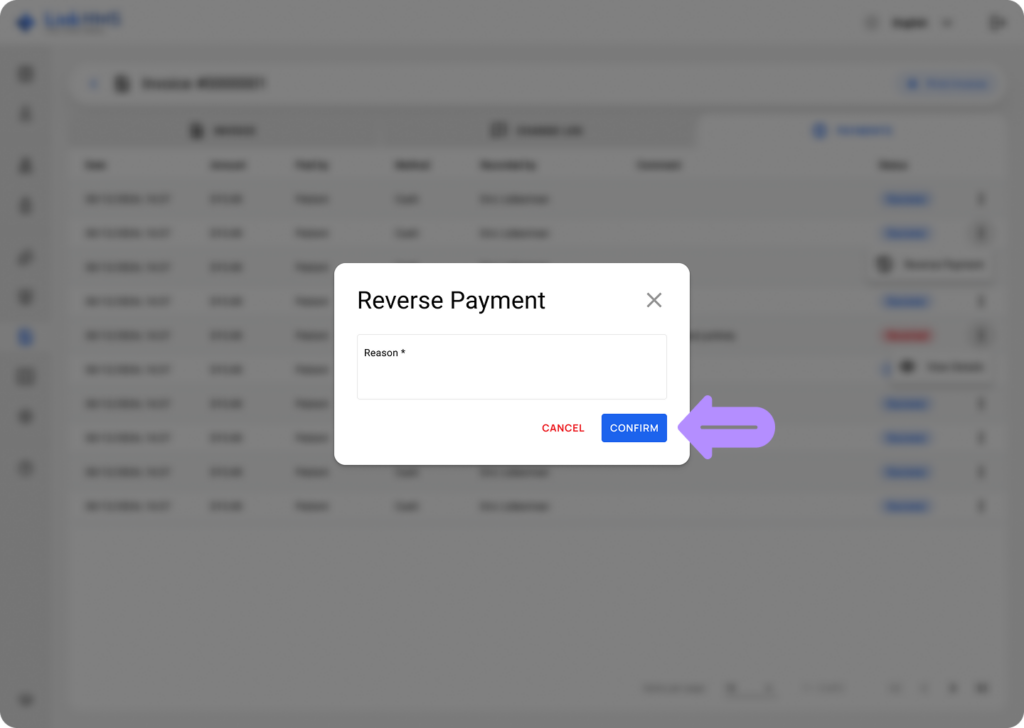
- Enter a reason for reversing the payment and confirm the action.
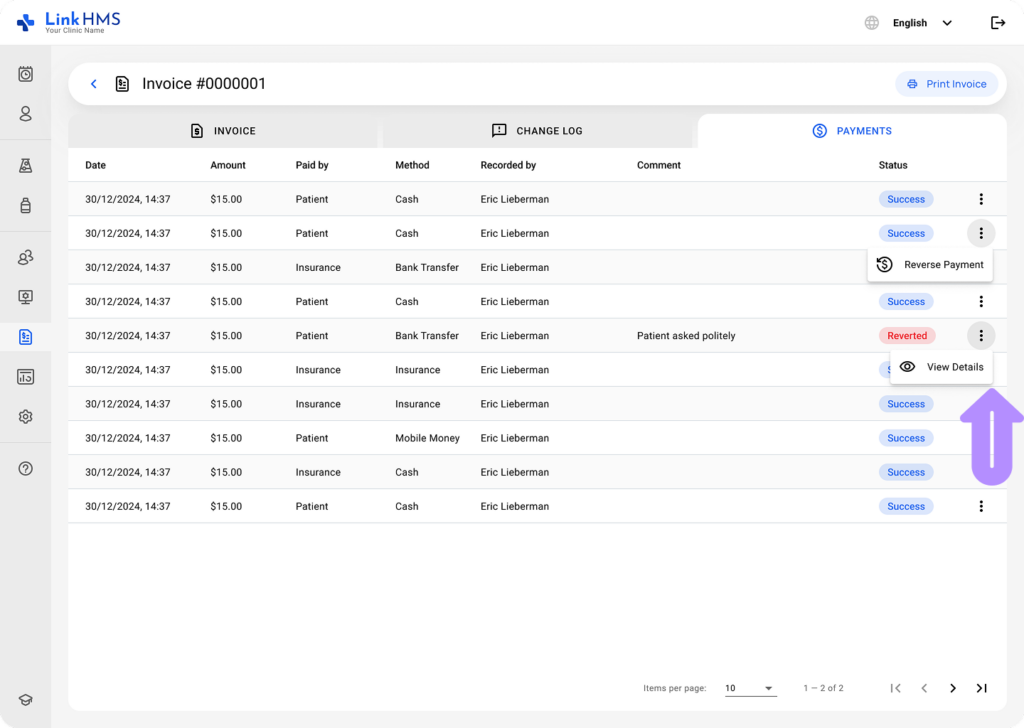
- Use the three-dot menu next to a reverted payment to view its details.
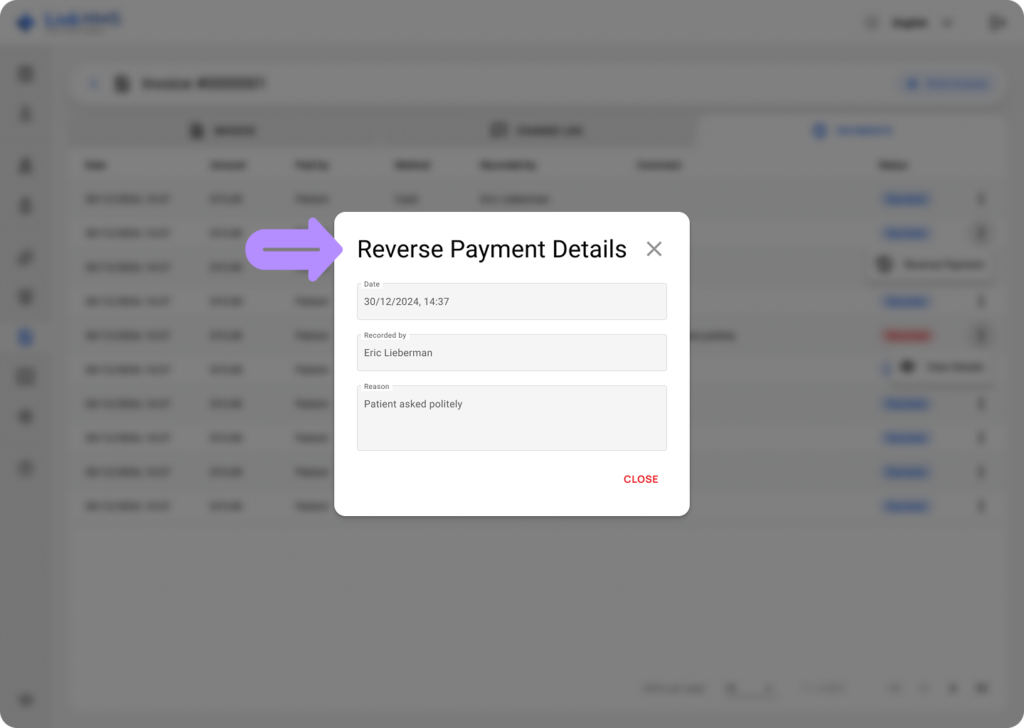
- Сheck the reverse payment details.
This functionality helps you undo a recorded payment for flexibility and accuracy in managing payment transactions.