After creating a new invoice for the provided services, you can find it in the Billing tab along with all other invoices.
Accessing Invoices
-
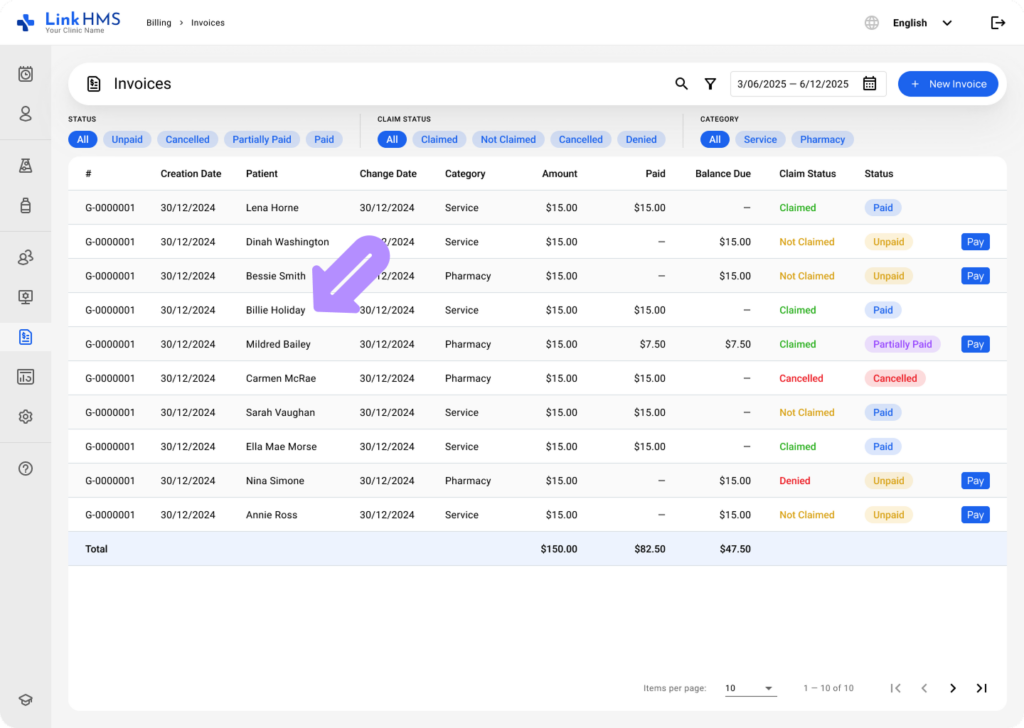
Navigate to the Billing tab from the left-side menu.
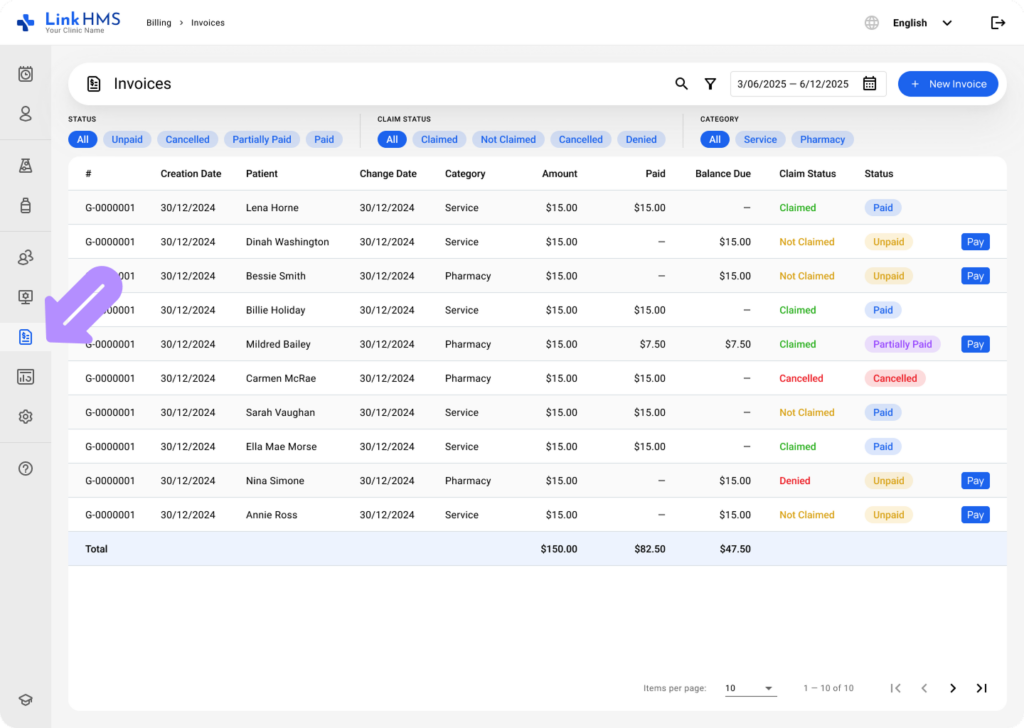
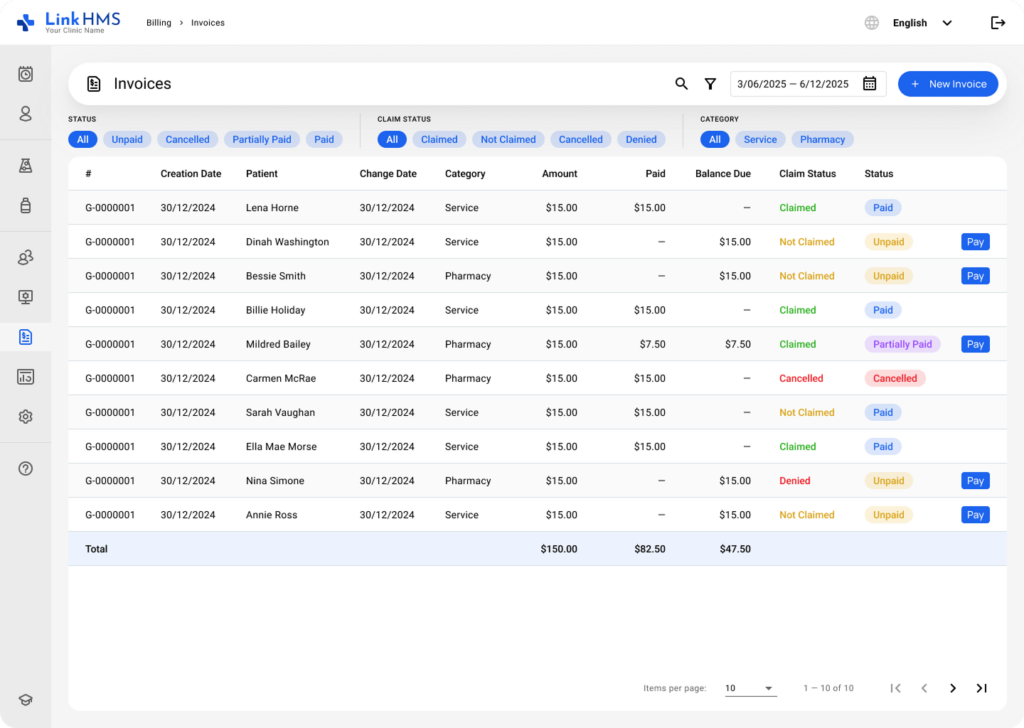
- The list of invoices will display invoice numbers, creation dates, patients, change dates, amounts, paid, balance due, claim and invoice statuses.
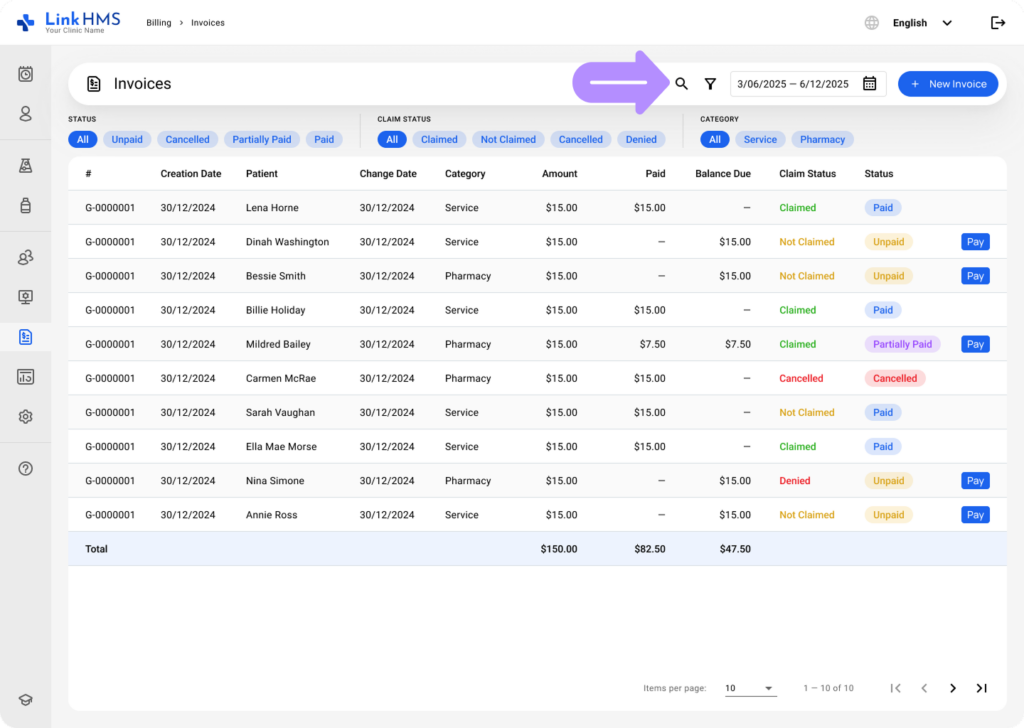
- Use the filters or the search bar to locate the necessary invoice faster. For additional instructions, check the complete guide on How to browse and search for invoices.
Viewing and Editing the Invoice
- Click the necessary patient’s invoice to open the detailed view.
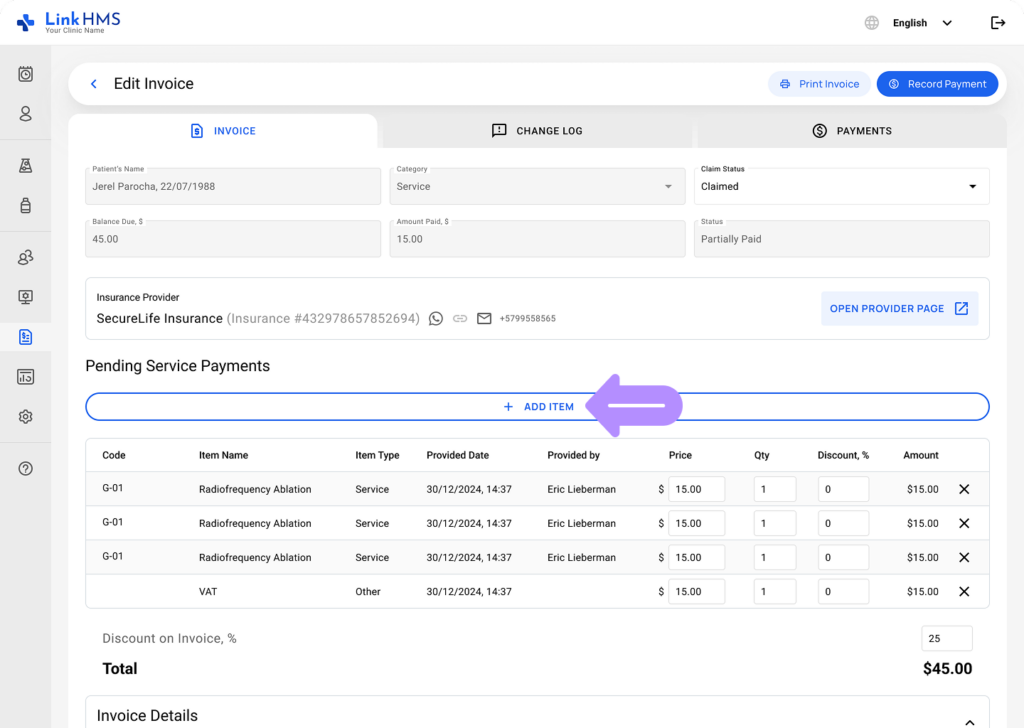
- If needed, make the following adjustments before finalizing the invoice.
Adding Services
💡Notes
LinkHMS allows you to bill additional charges to the existing invoice.
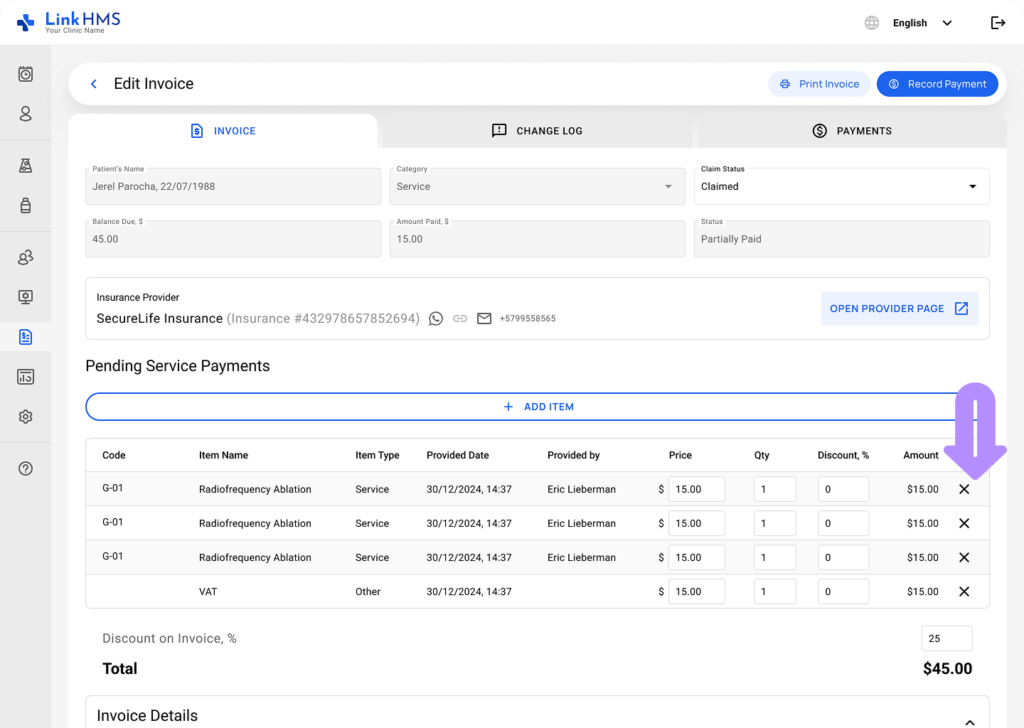
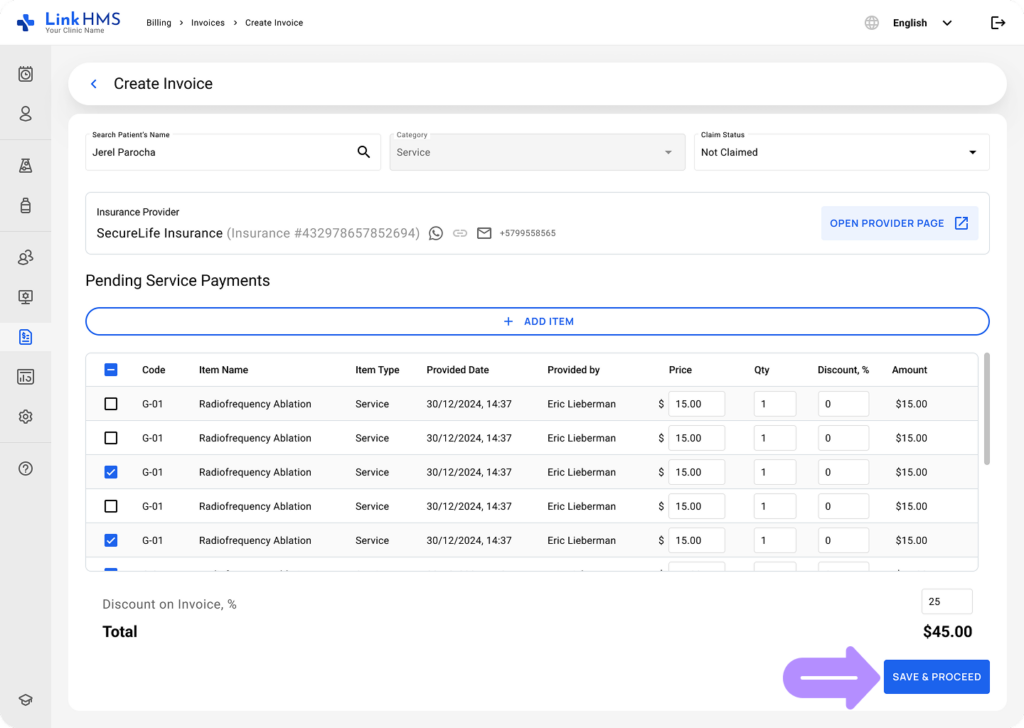
- Click the + Add Item button to include more service charges, lab tests, or extra fees if necessary.
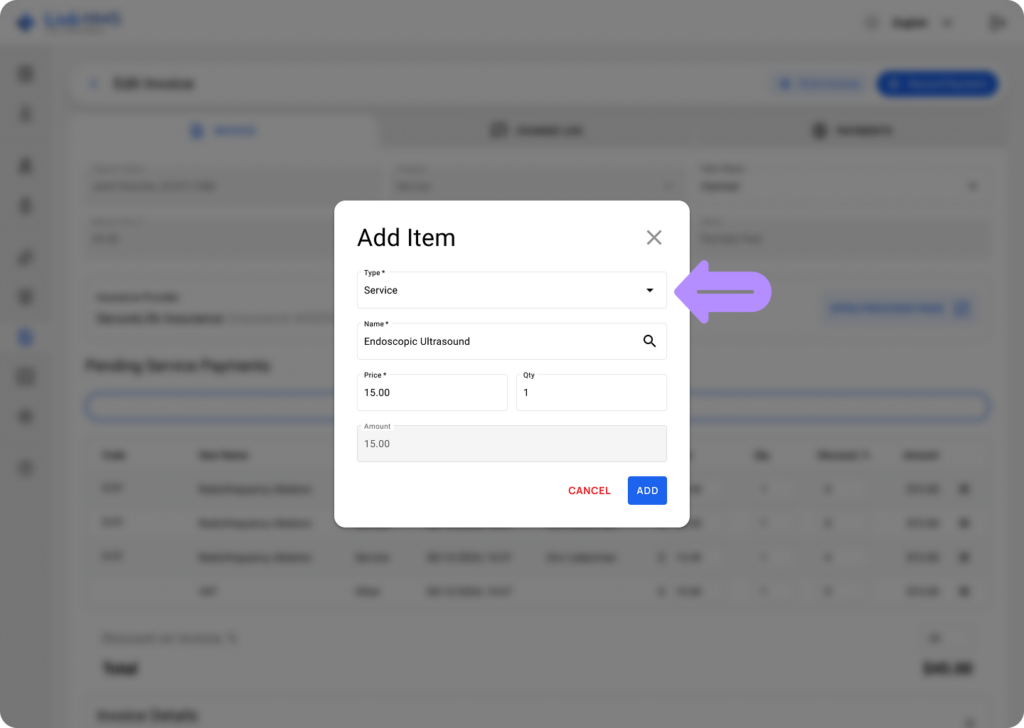
- Enter the required item type, service name, price, and required quantity.
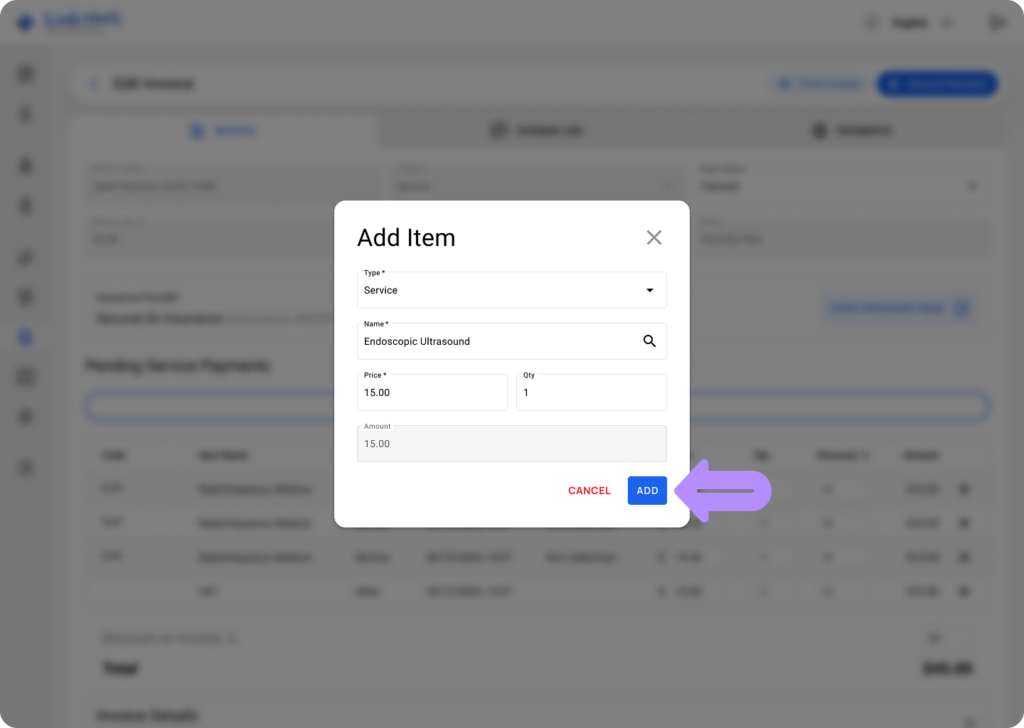
- After entering all the details, click the Add button to include the new service in the invoice.
- If needed, click X to delete a service item.
Changing Service Price or Quantity
- If required, you can change the quantity or update the price by applying a discount to the specific service or the entire invoice.
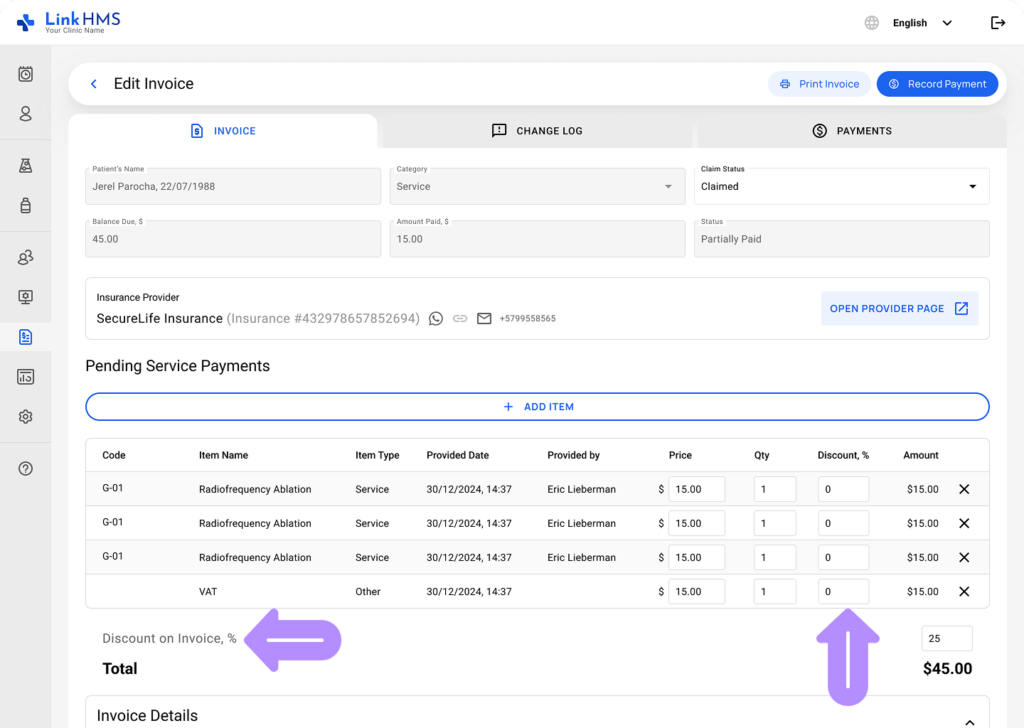
- Manually apply the discount or change the quantity of the service by entering the correct value in the corresponding field. For more details, check the guide on how to apply discounts to the invoices.
Changing the Invoice Status
- Use the dropdown menu to change the invoice status.
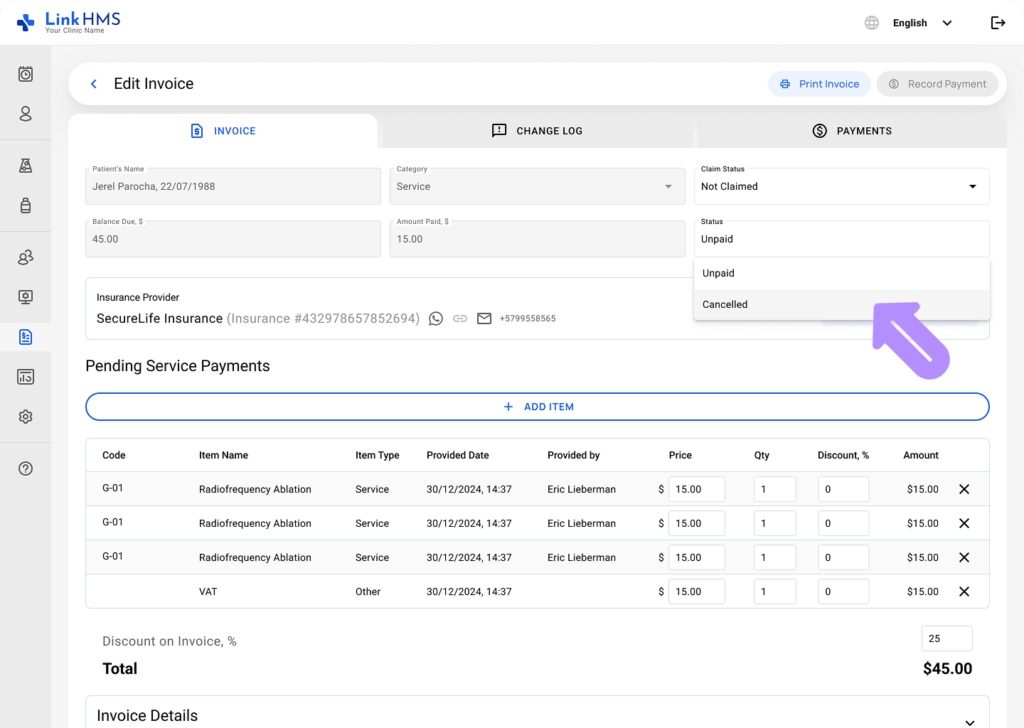
- Choose the relevant invoice status (Unpaid, Cancelled, Partially Paid, or Paid) to reflect its current state.
Updating the Claim Status
- Use the dropdown to update the claim status.
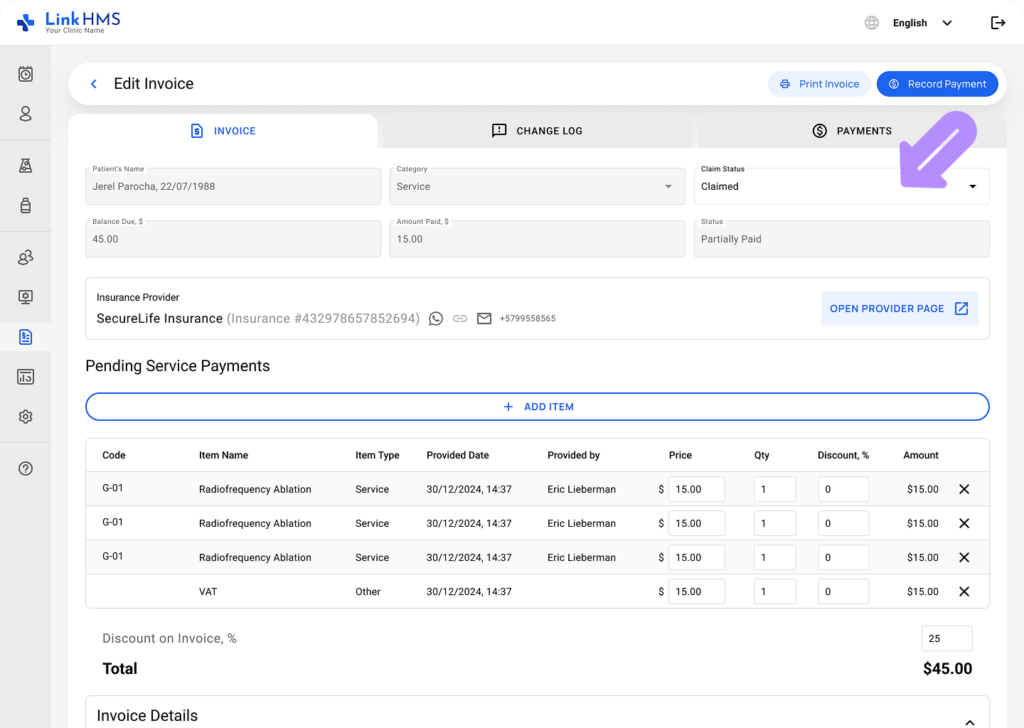
- Choose the relevant claim status (Claimed, Not Claimed, Cancelled, or Denied) based on its current progress.
Saving the Changes
- Review the applied changes and click the Save & Proceed button to save them.
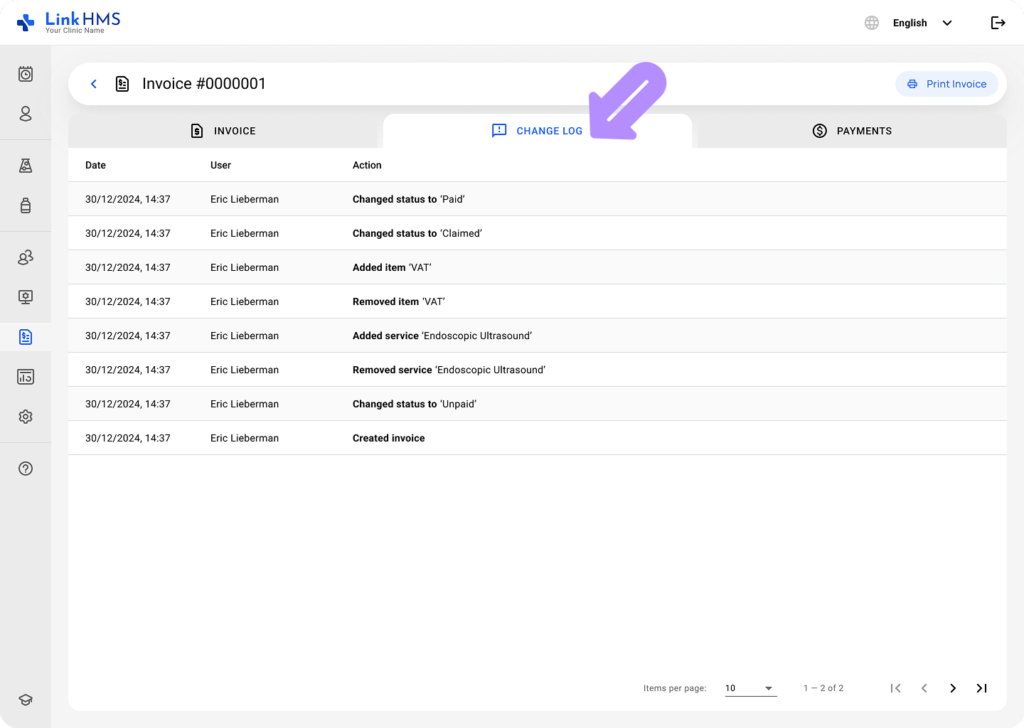
- Open the Change Log tab to view a record of all actions taken on the invoice.