The Reports section includes a detailed overview of diagnoses, helping you identify common conditions and gain insights into patient health patterns across your facility.
Review the Statistics on Diagnoses
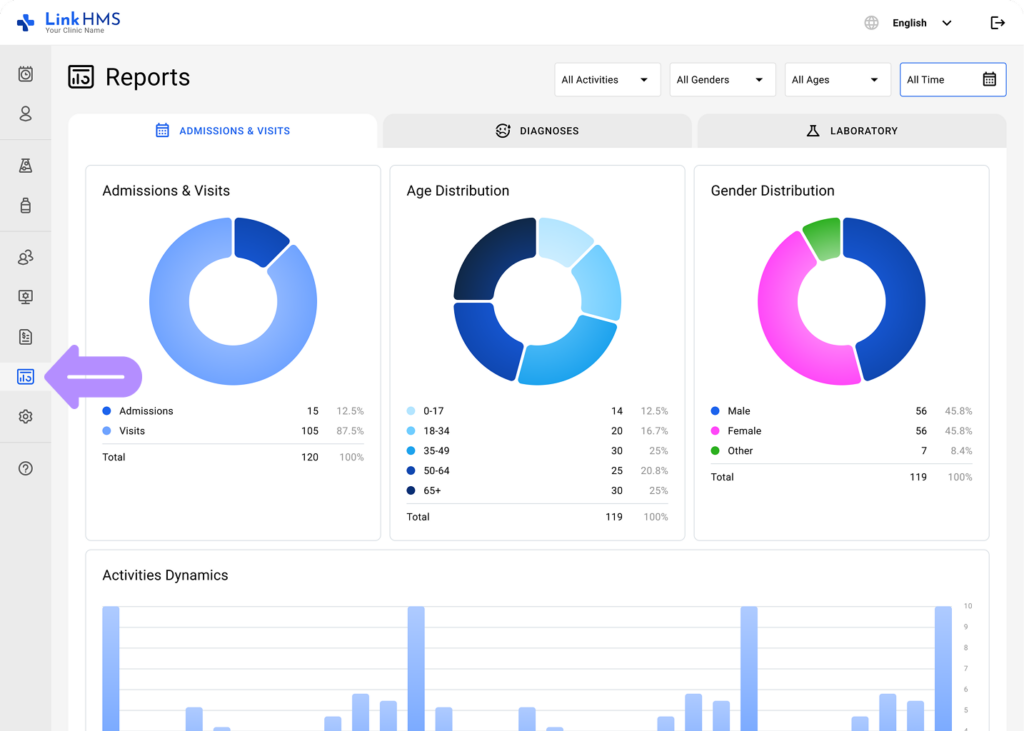
- Open the Reports tab from the left-side menu and select Operational Reports.
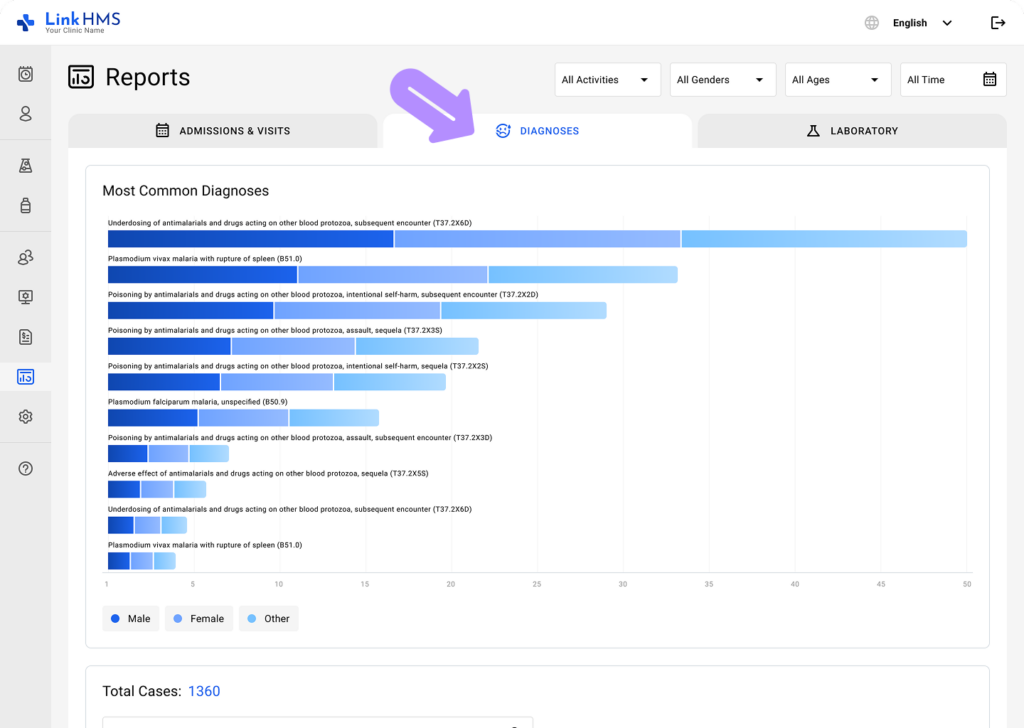
- Choose the Diagnoses tab.
- Select a time range, or choose All Time to view all data.
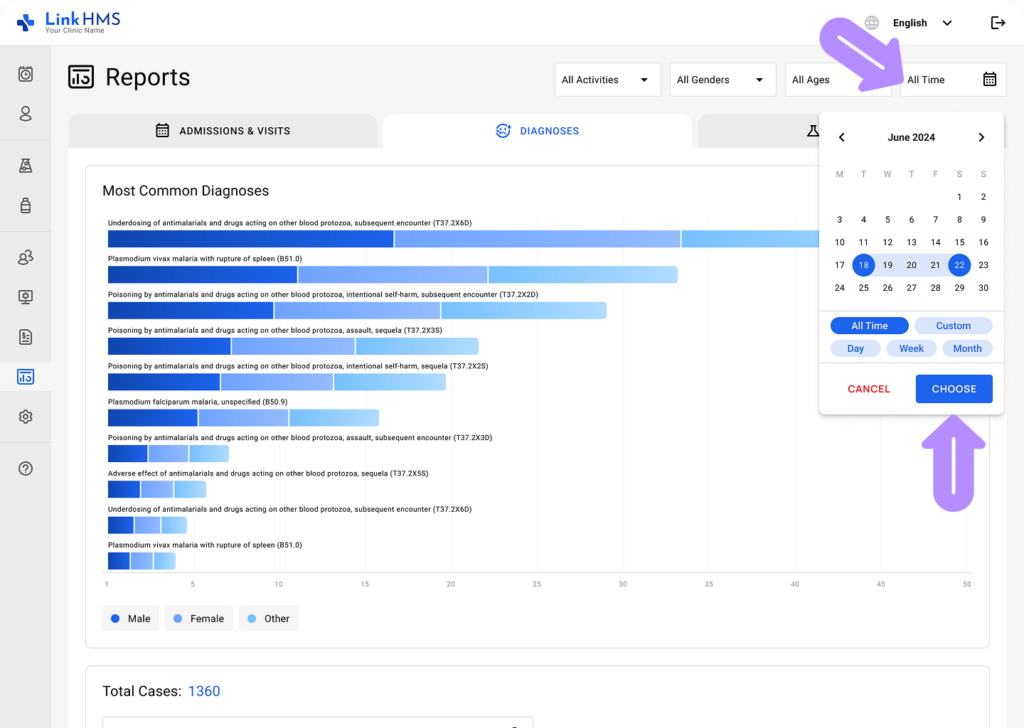
- Adjust additional filters to focus on other metrics most relevant to your request.
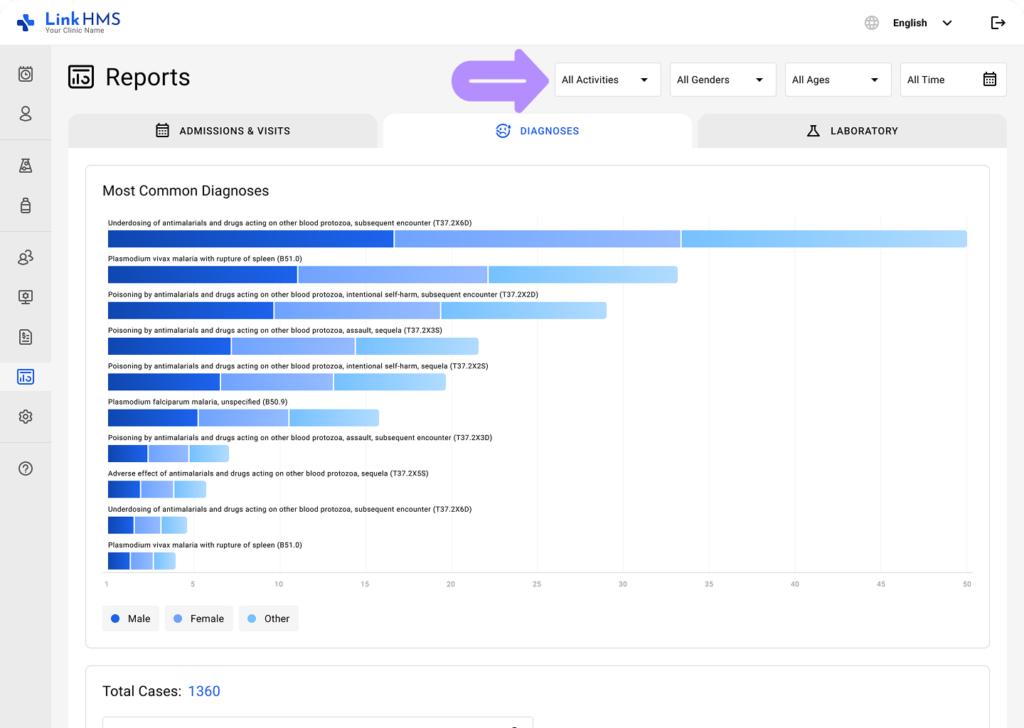
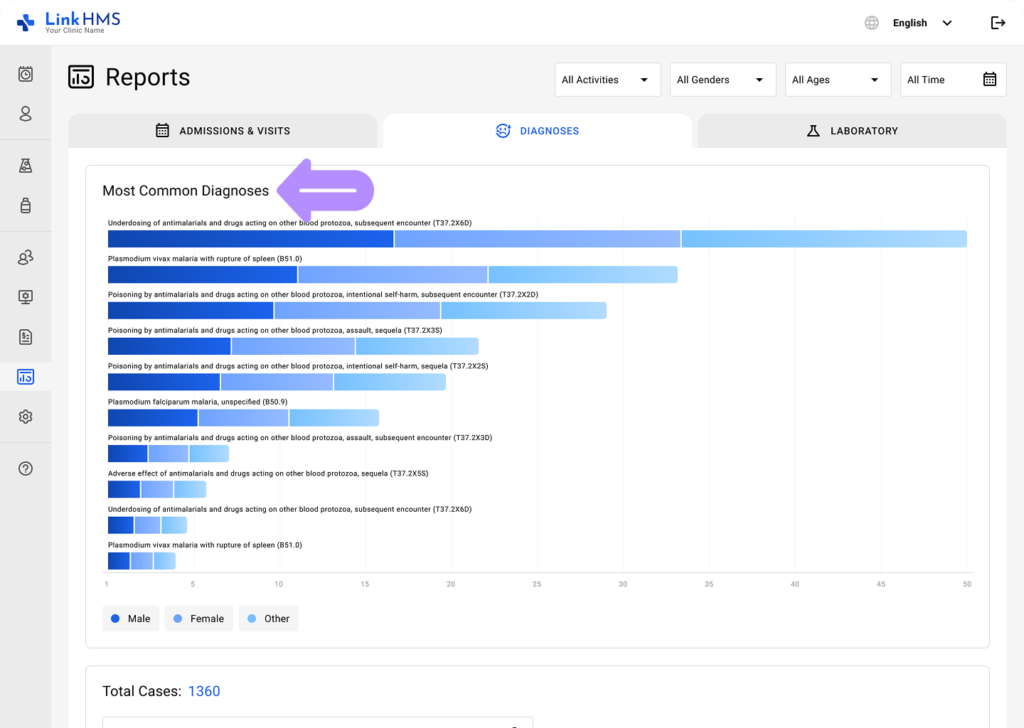
- Check the most common diagnoses over the selected period to identify frequently recorded conditions.
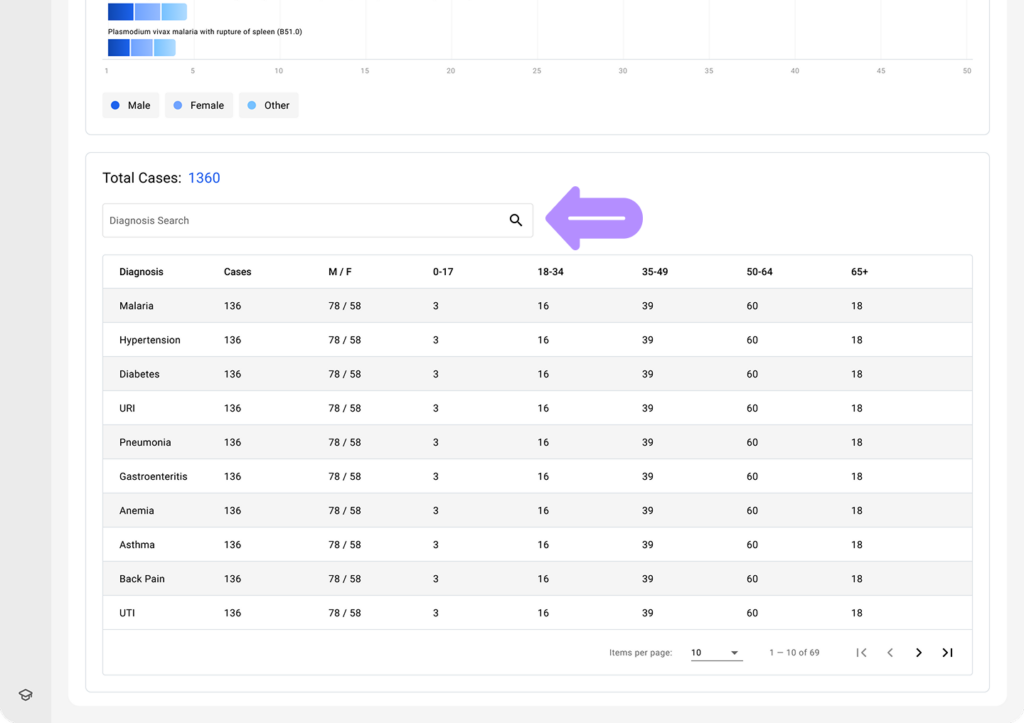
- View the total number of recorded diagnosis cases along with their age and gender distribution to gain deeper insight.
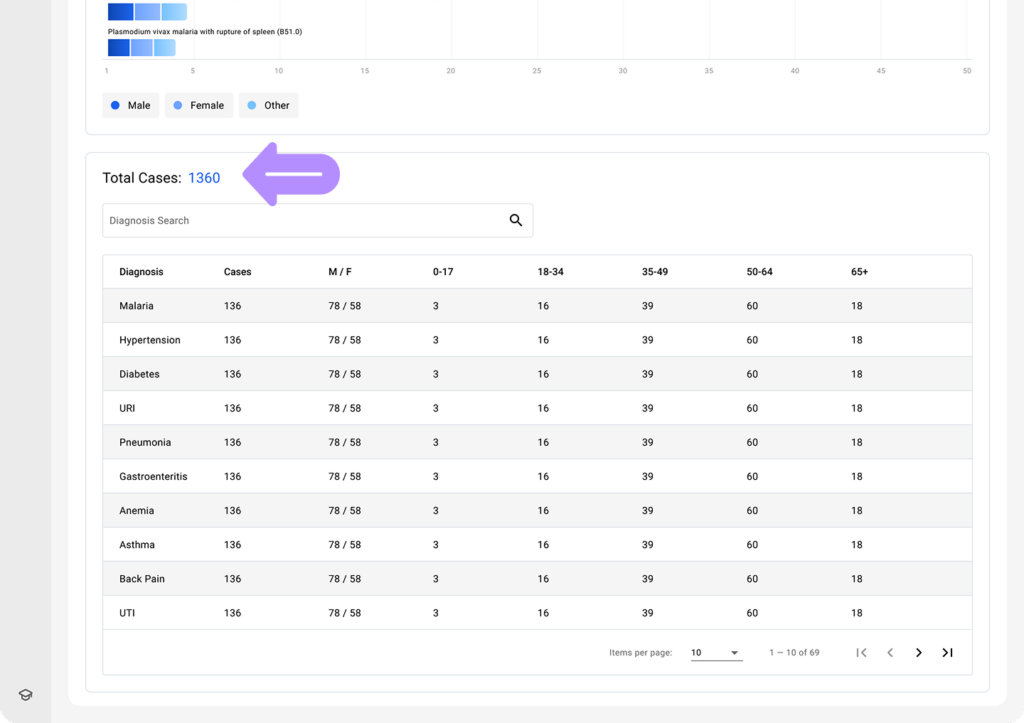
- Use the search to find a specific diagnosis and view its related data.