💡Notes
You may need to exclude an administration record when a dose was logged incorrectly or does not accurately reflect what happened during patient care. This can include logging the wrong medication, selecting the wrong status, or entering the record for the wrong patient. Instead of deleting the entry, excluding it preserves the full history while marking the record as no longer valid.
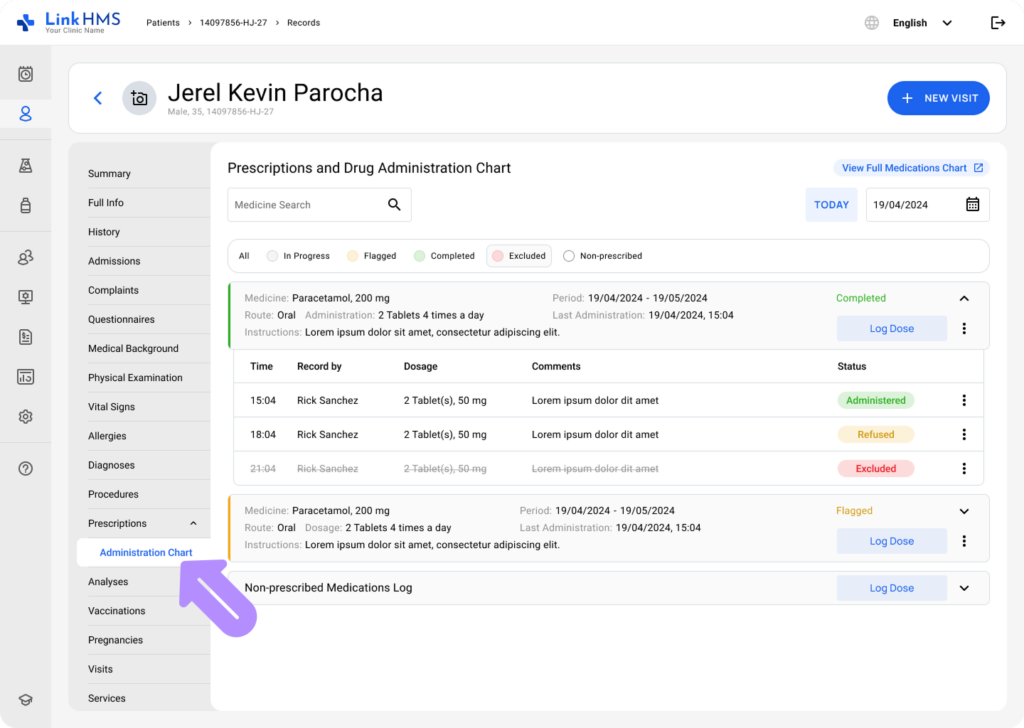
- Access the administration chart either from the patient’s profile or from the prescription tabs within an active admission or visit.
💡Notes
You can exclude the administration record from whichever tab you prefer, as the exclusion process remains the same. The administration chart subtab displays medication records for the current day, whereas the View Full Medications Chart option lets you see administrations across multiple dates. Check the guide below to learn How to use the full medications chart.
Excluding the Prescribed Medicine Administration
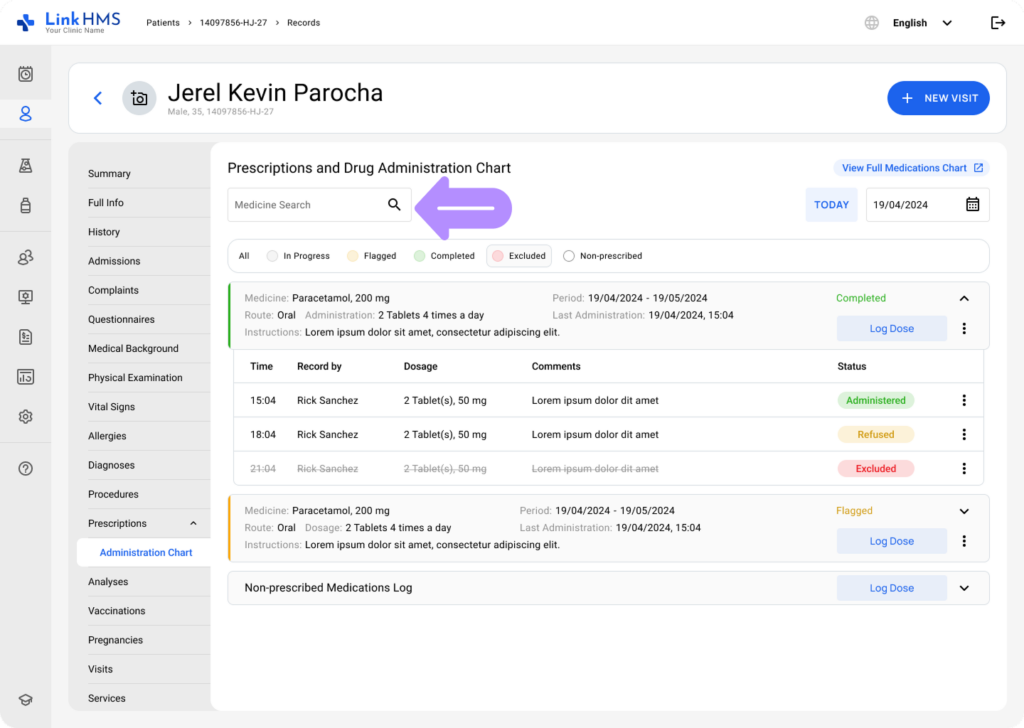
- Use the Medicine Search bar to match medication names from prescribed cards.
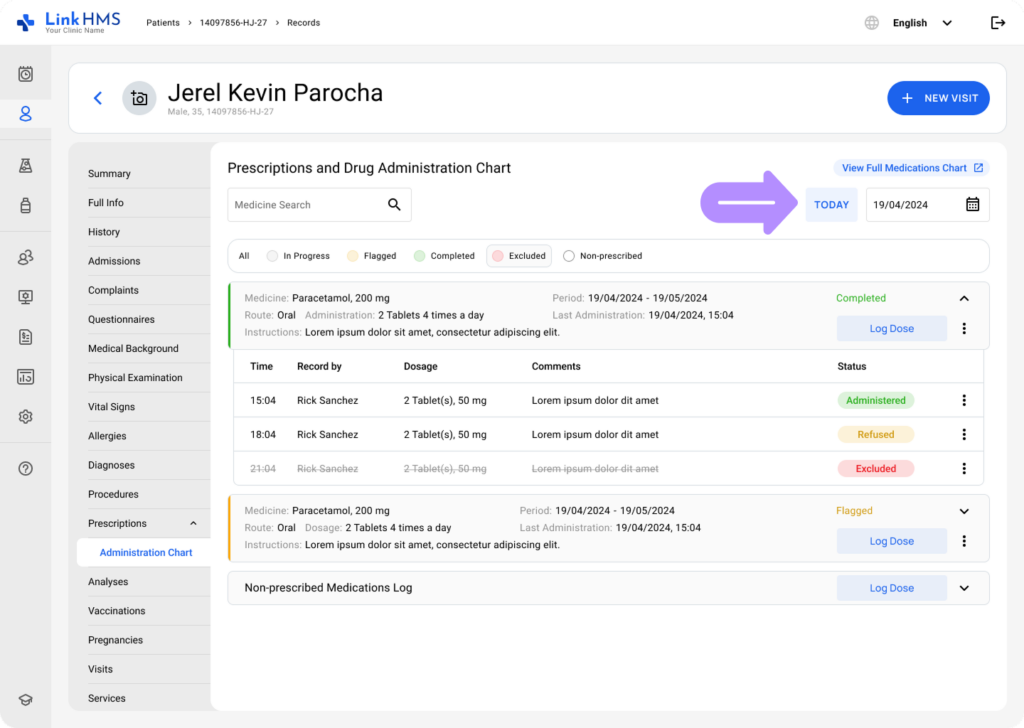
- Select a specific date to display only the medications administered on that day.
- Use the status in the legend to filter the list so only required medication cards appear.

- Locate the necessary prescribed medication card to exclude the dose record.
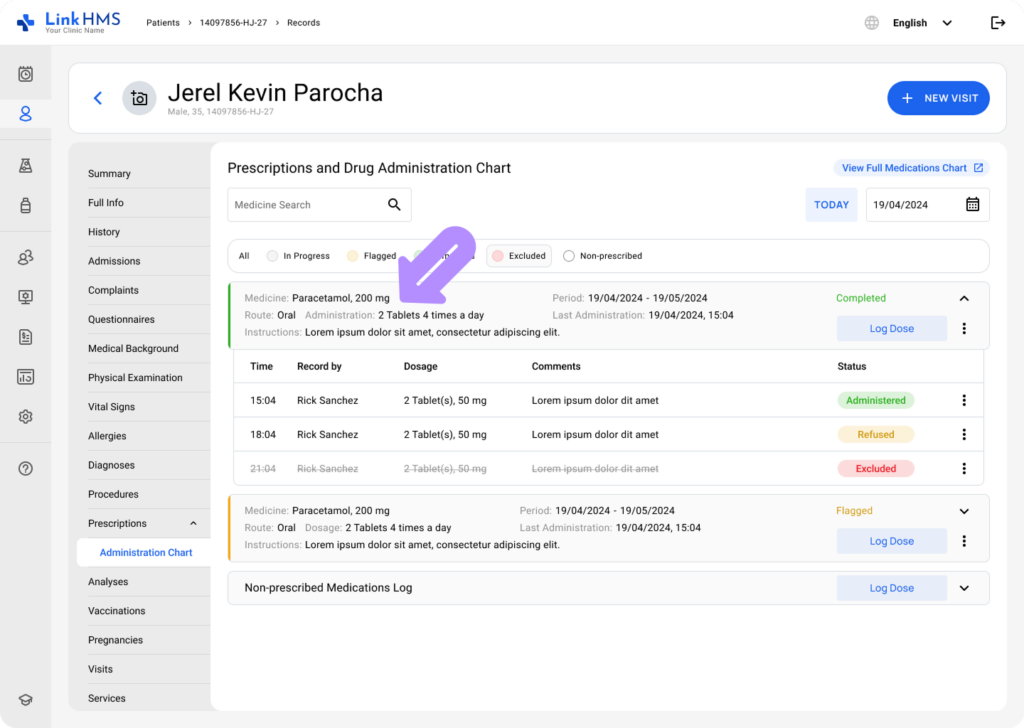
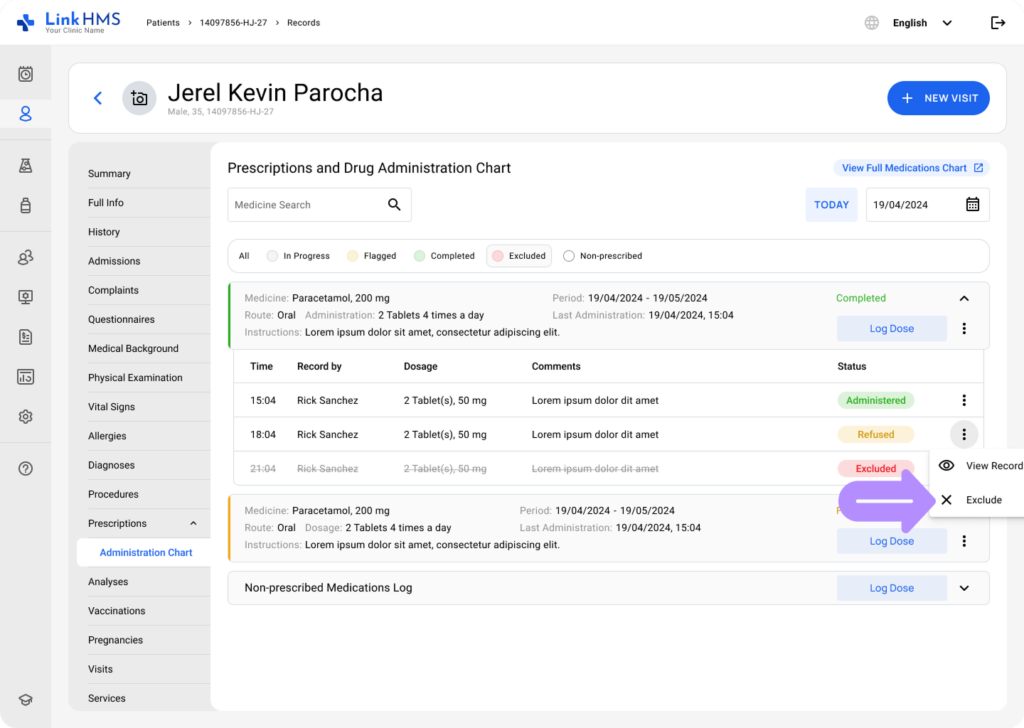
- Open the card, select the record you want to exclude, and then use the three-dot menu to choose the Exclude option.
- A drug administration record exclusion pop-up will appear to confirm the action.
- Click Exclude to apply the change and mark the record as excluded.
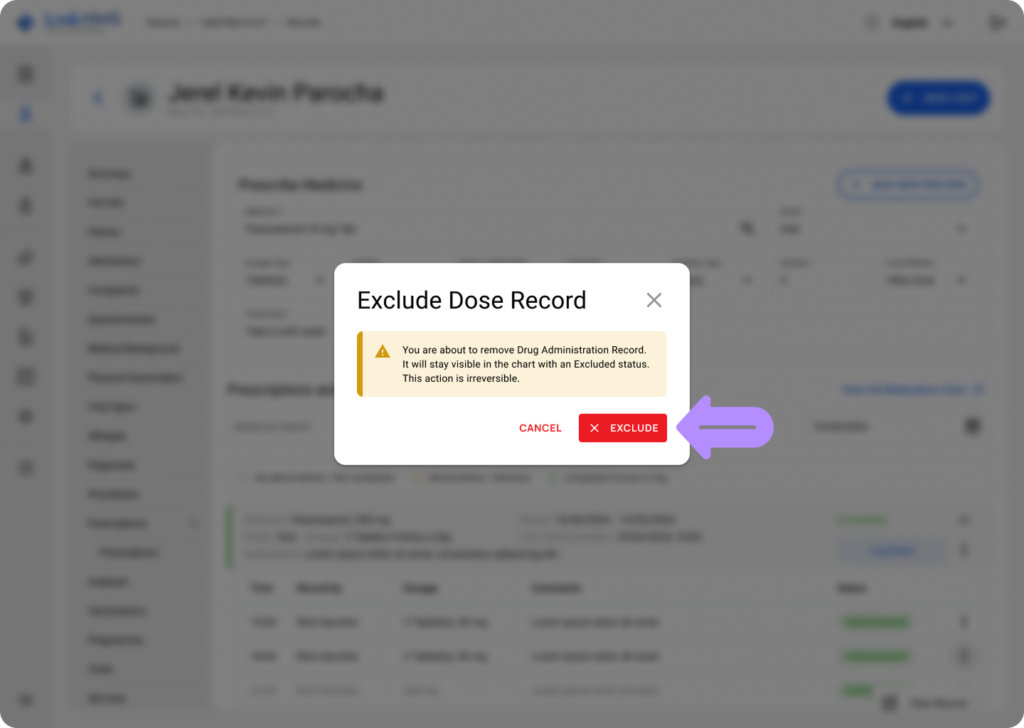
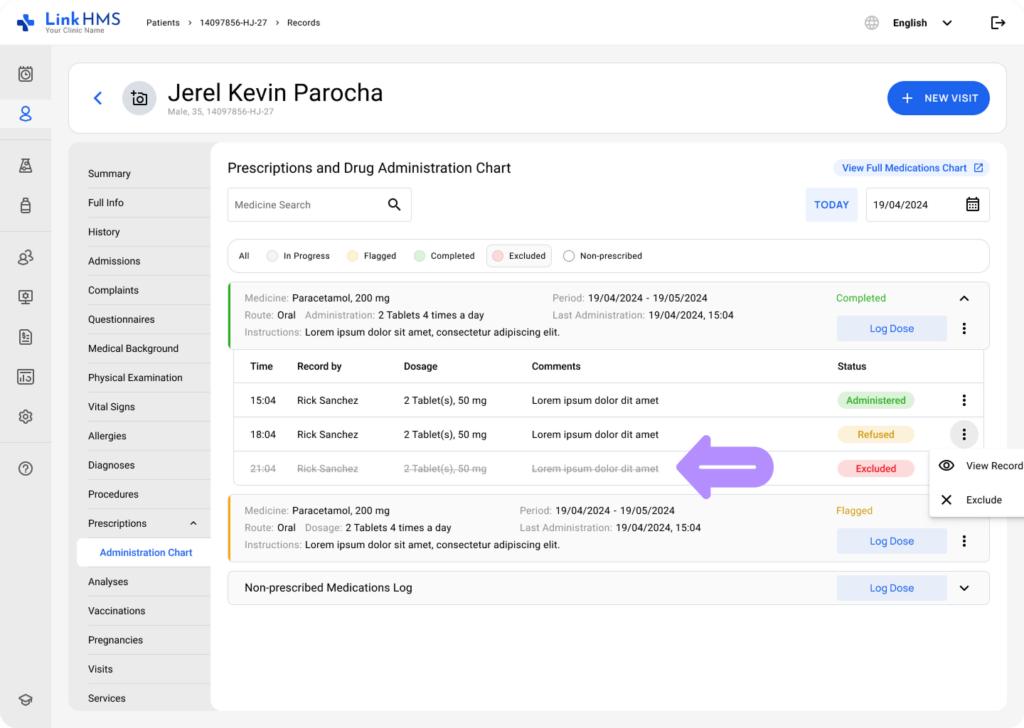
- This action is permanent and cannot be reversed. The dose record will remain visible on the medication card with an Excluded status and strikethrough formatting.
Excluding the Non-Prescribed Medicine Administration
- Locate the non-prescribed medication log card and open it.
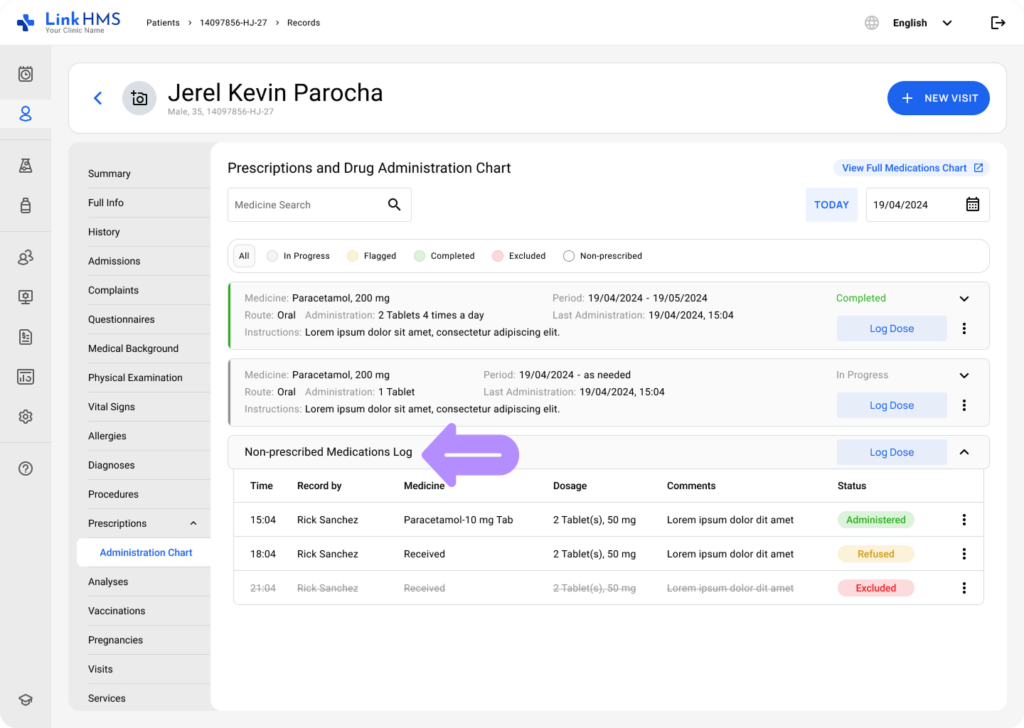
- Find the non-prescribed medication entry you want to exclude, then open the three-dot menu and select Exclude.
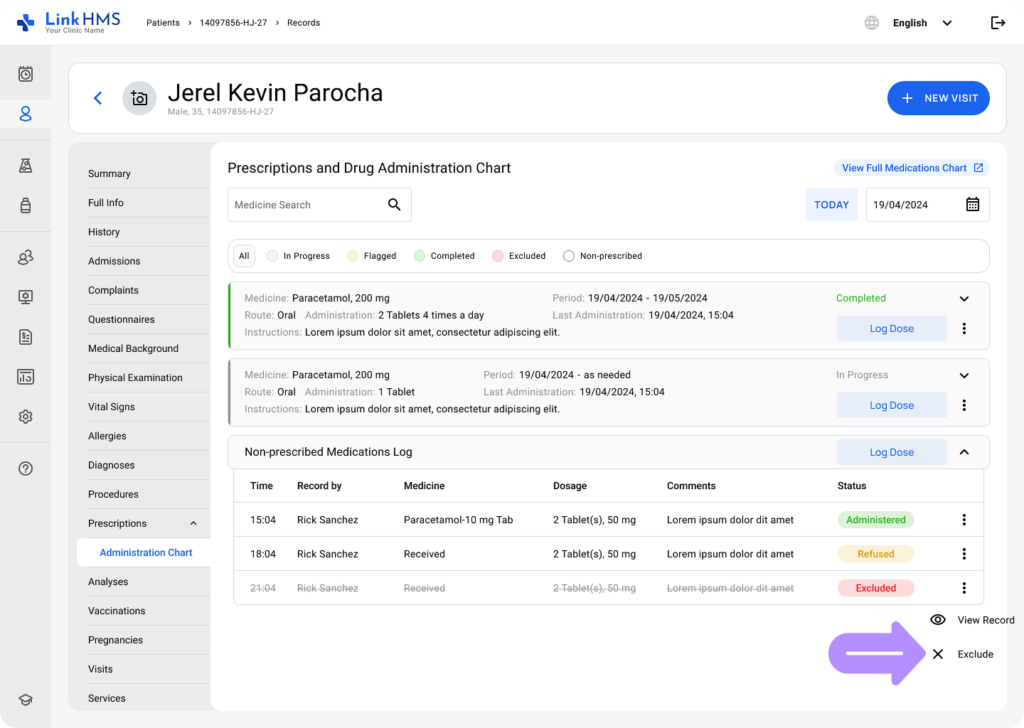
- A confirmation pop-up for excluding the drug administration record will appear.
- Click Exclude to confirm and finalize the non-prescribed medicine exclusion.
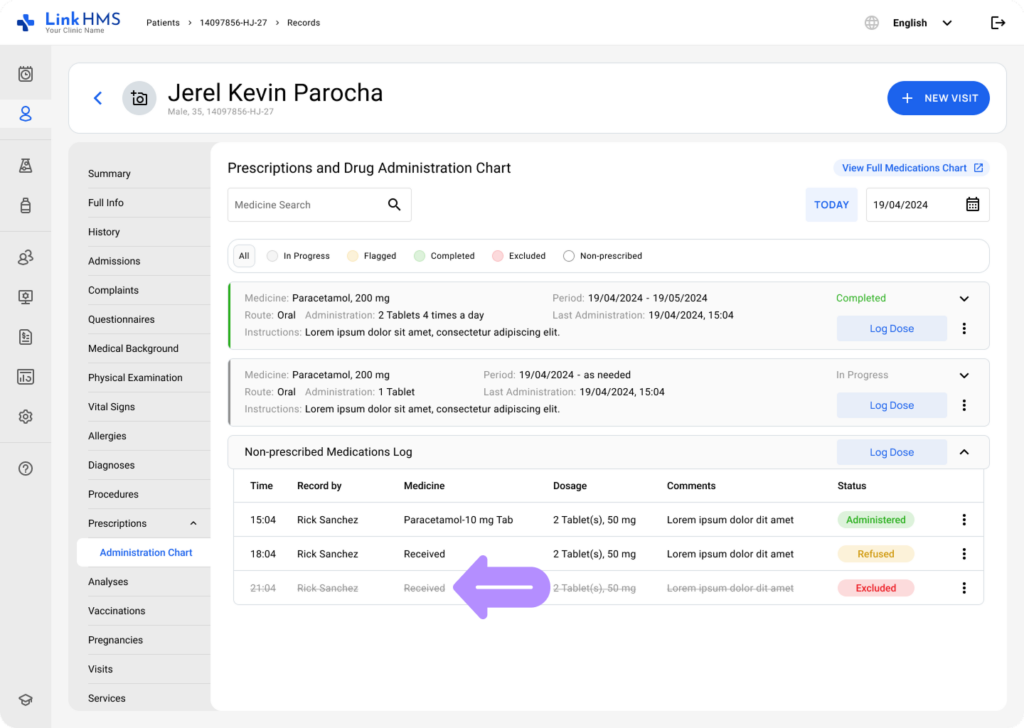
- This action is irreversible. The entry will remain visible in the chart with an Excluded status and a strikethrough.
💡Notes
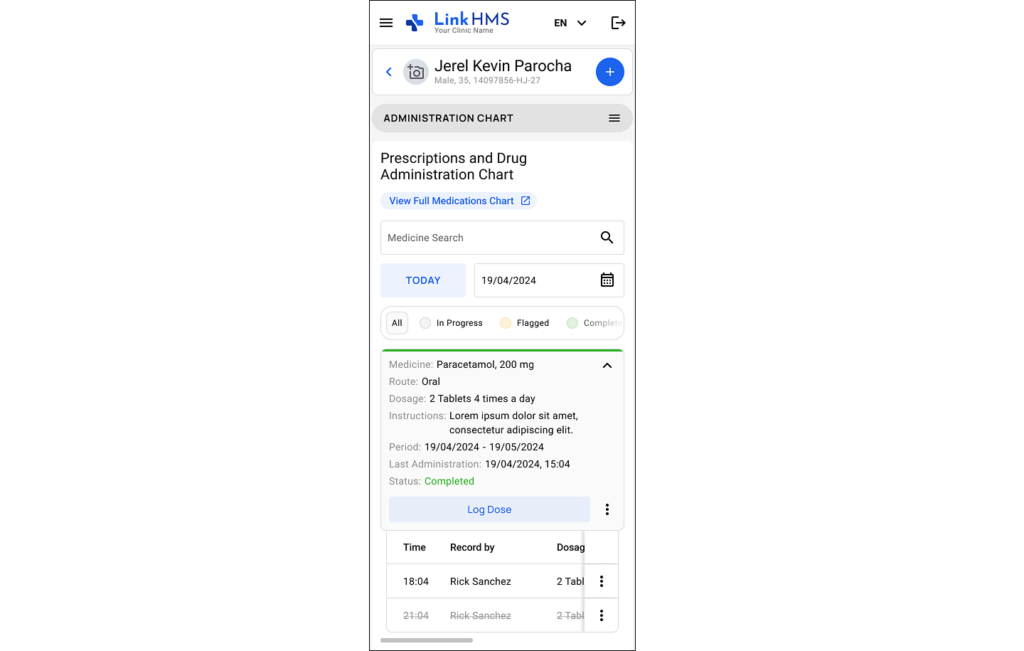
You can follow the same steps to exclude a medication record directly from your mobile device as well. This lets you manage and update administration records on the go, without needing to return to a desktop or nurse station.