💡Notes
The LinkHMS system supports full ICD integration and also allows you to add an uncoded diagnosis when a specific code is unavailable or not applicable. Diagnoses can be added during outpatient visits, inpatient admissions, or directly from the patient’s EMR.
Adding the Uncoded Diagnosis
- Access the patient profile and open the Diagnoses tab.
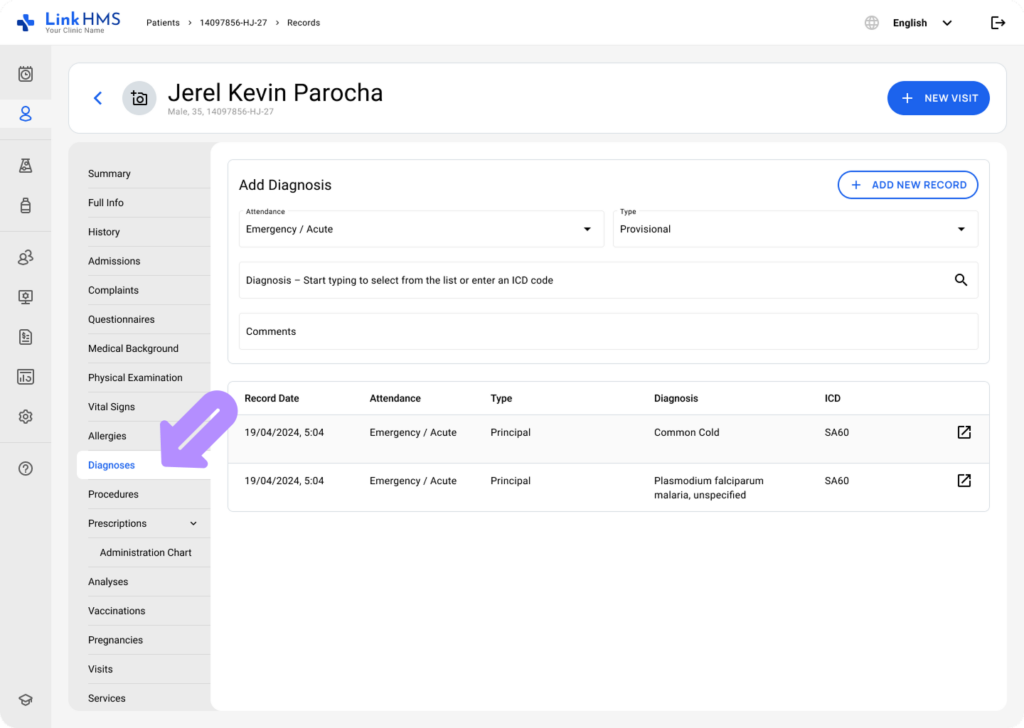
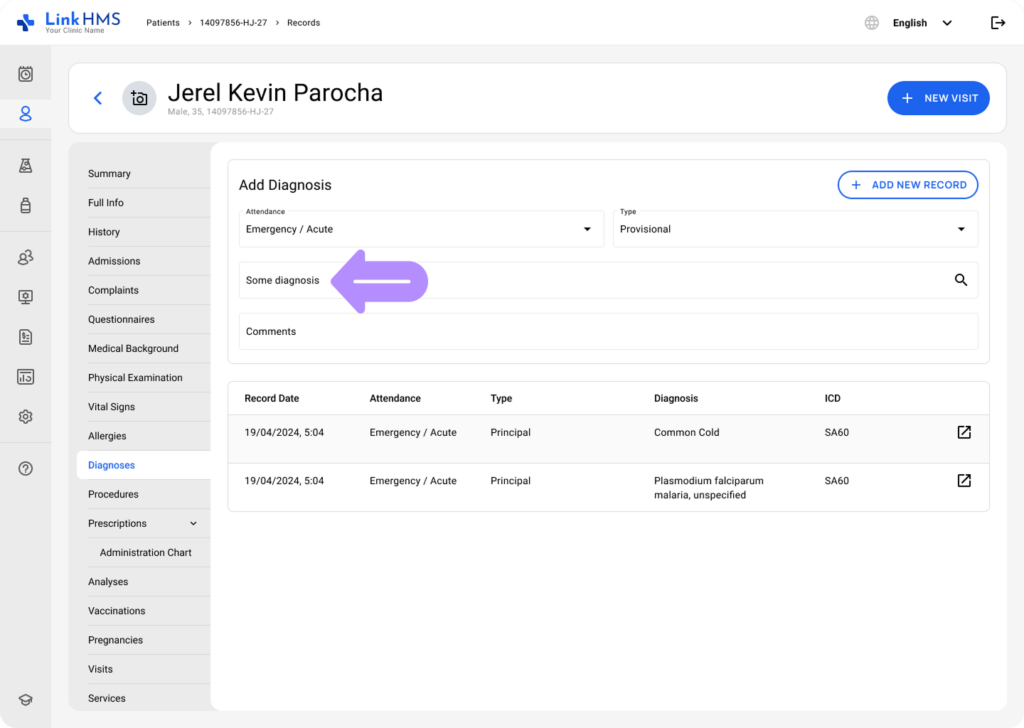
- To add an uncoded diagnosis, skip the ICD code selection from the available diagnoses list and start typing the diagnosis directly.
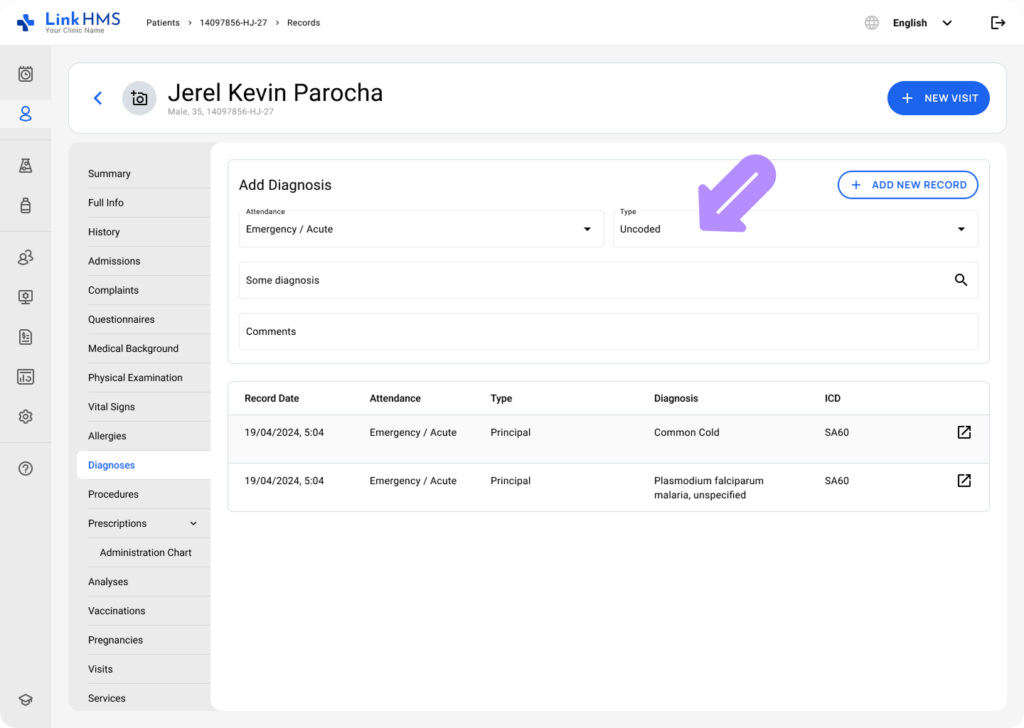
- Record the current diagnosis by selecting the attendance from the dropdown and specifying the type – Uncoded.
💡Notes
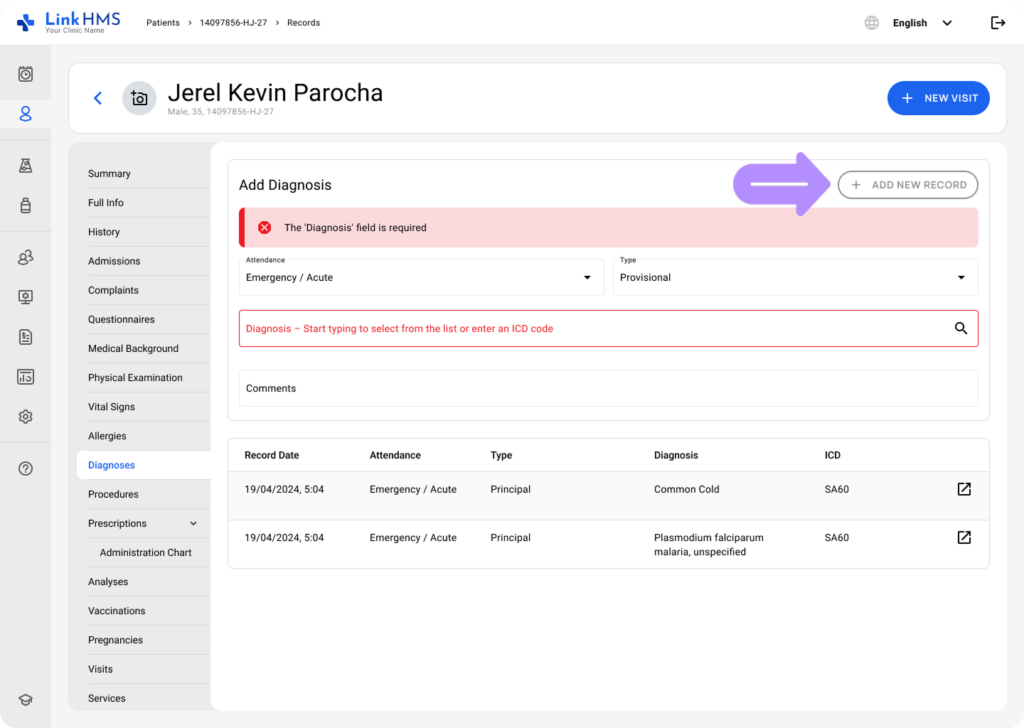
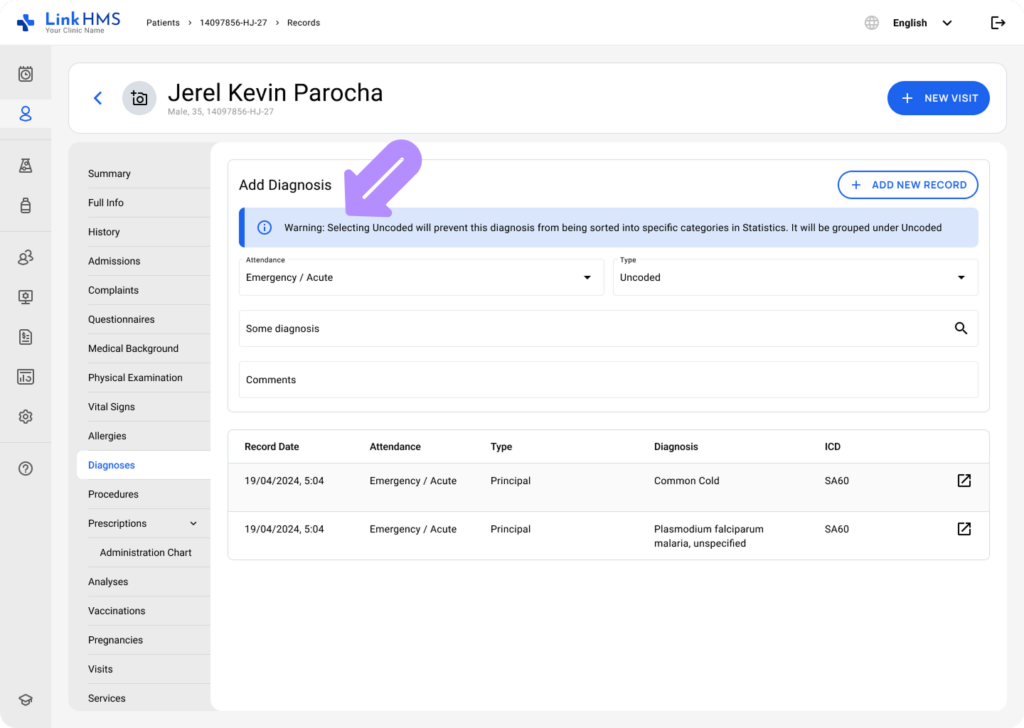
It is necessary to enter the diagnosis and select Uncoded as the diagnosis type to avoid notifications and enable the + Add Record button.
- Add comments if needed to include any relevant details or explanations about the diagnosis.
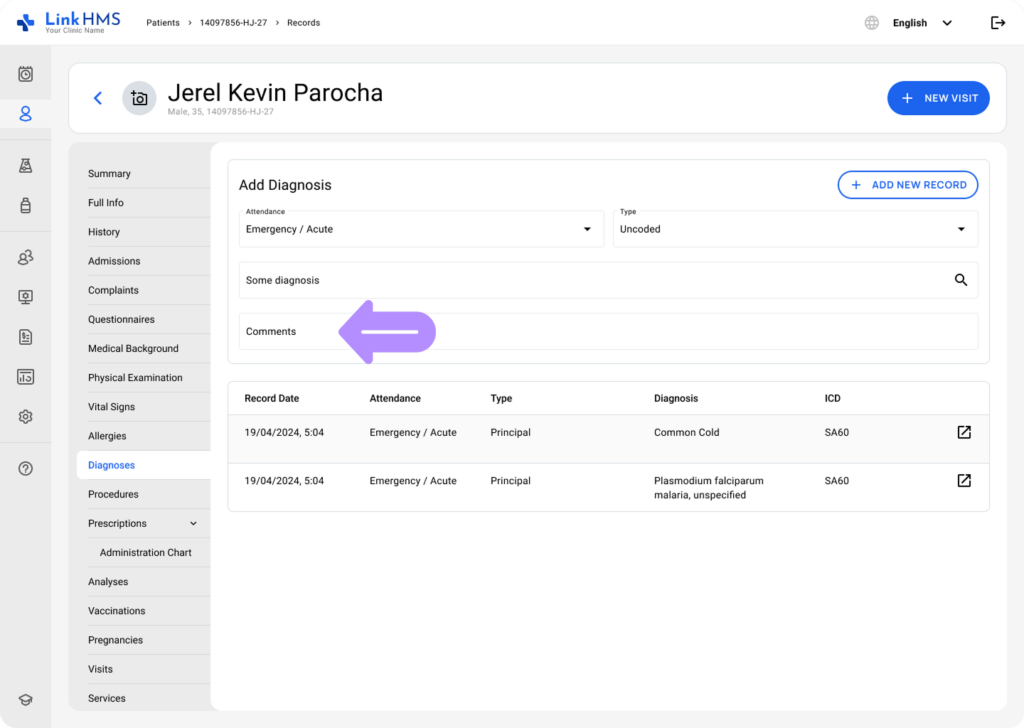
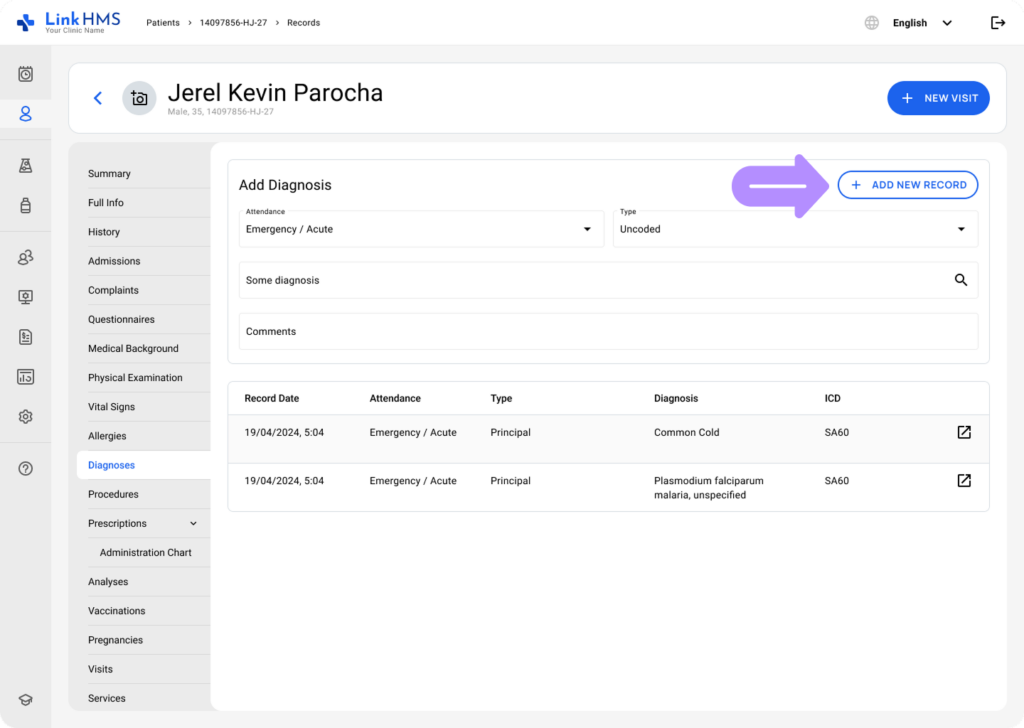
- Once all required fields are completed, click the + Add New Record button to save the patient’s diagnosis.
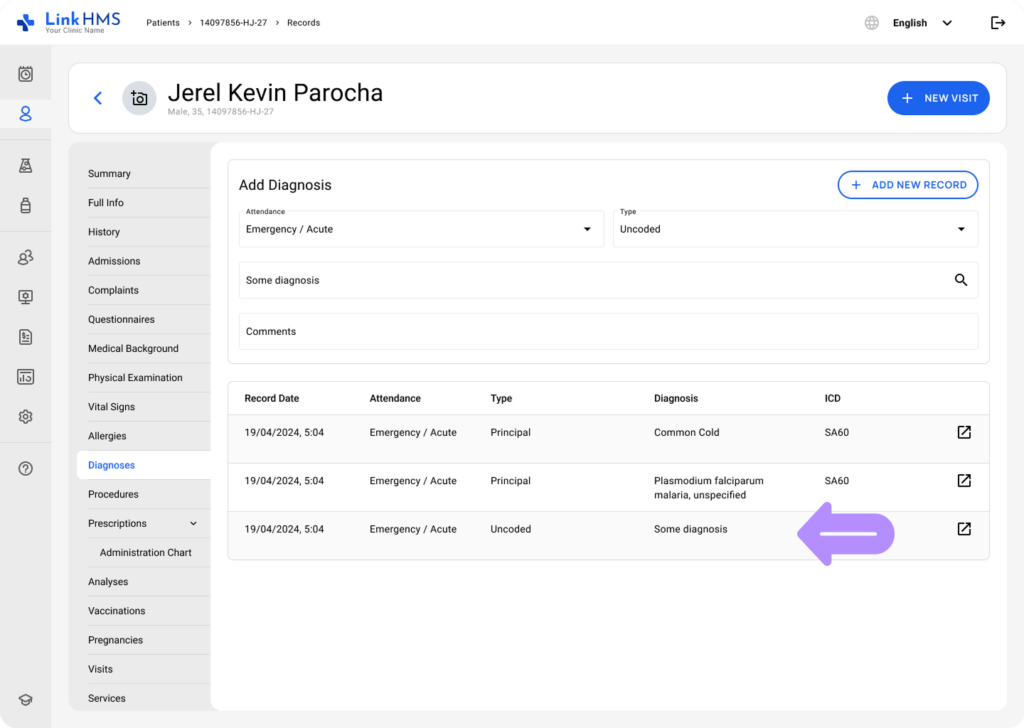
- The uncoded diagnosis will appear in the recently added diagnoses section below and will also be recorded in the complete diagnosis history.
💡Notes
The uncoded diagnoses are not sorted into specific categories in Statistics; instead, they are grouped under Uncoded.
Refer to the detailed guides, How to Manage Outpatient Visits in LinkHMS and How to Manage Inpatient Admissions, for instructions on using other available tabs.