LinkHMS connects each patient’s services to their profile for efficient tracking and accurate invoicing, regardless of the type of service provided.
Patient Profiles and Services
Every patient has a profile that stores all the services they receive across visits, admissions, and any additional charges. Services added to the EMR during the visit or from the patient’s profile, but not yet added to the paid invoice, are automatically displayed to the receptionist in the patient’s record, providing an organized and consistent foundation for clinical tracking, invoicing, and future reference.
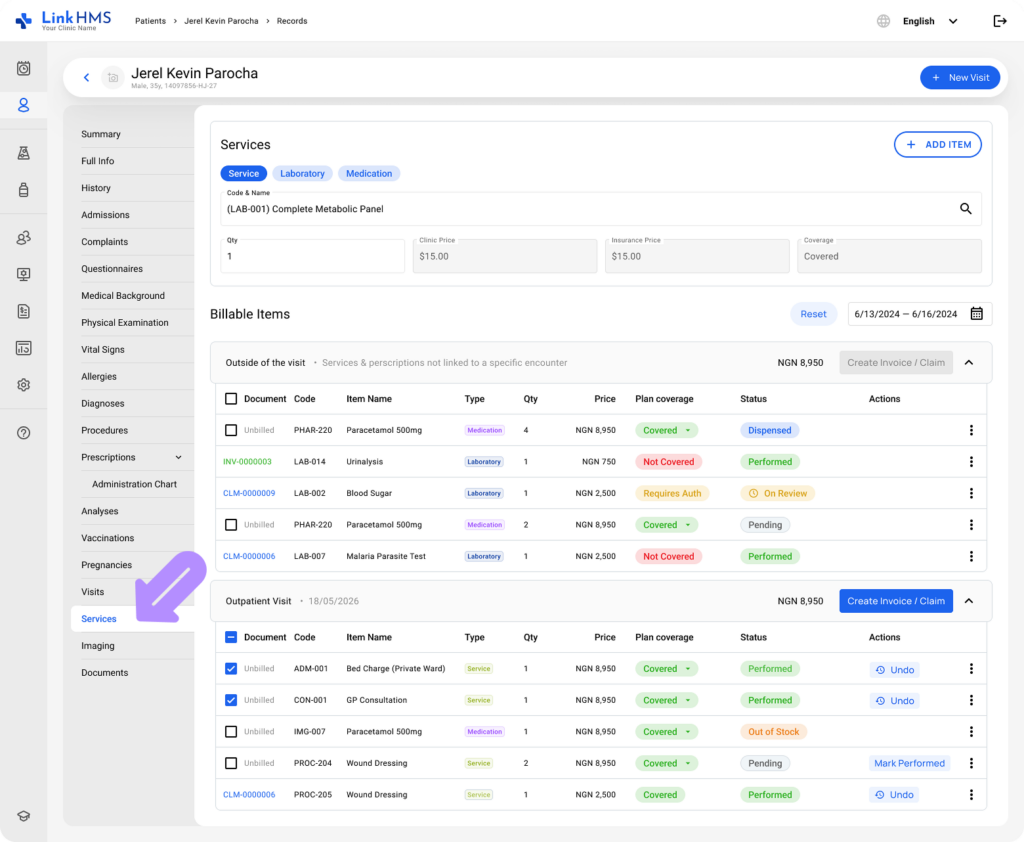
Adding Services to the Profile
Services can be recorded in the patient’s profile in the following ways:
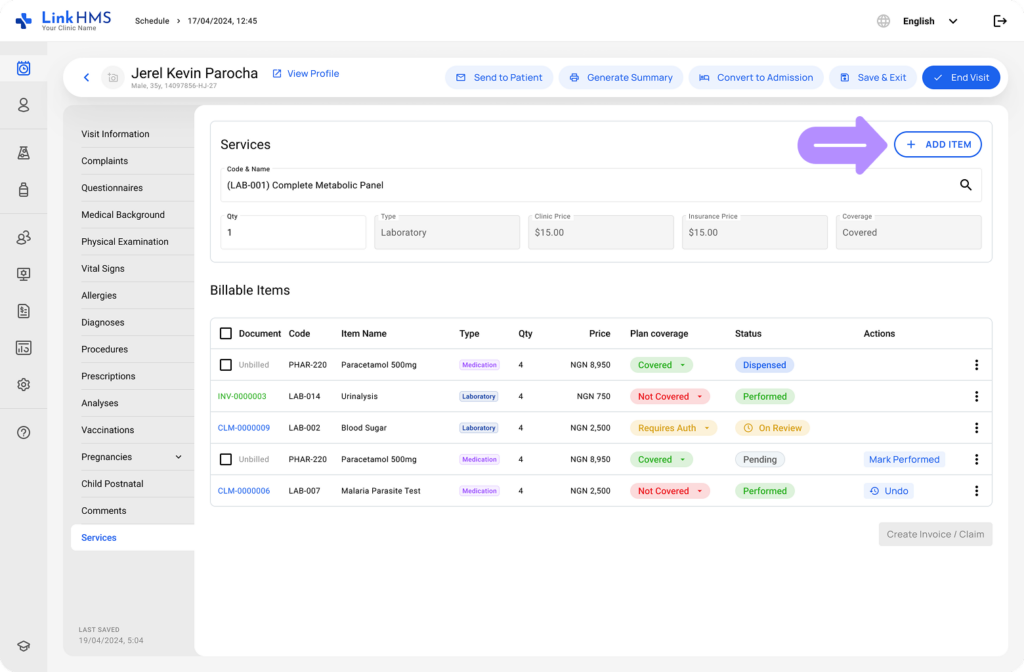
- During visits:
Doctors can add medical services, procedures, or tests under the services tab. The visit fee is included automatically once the appointment is scheduled and confirmed.
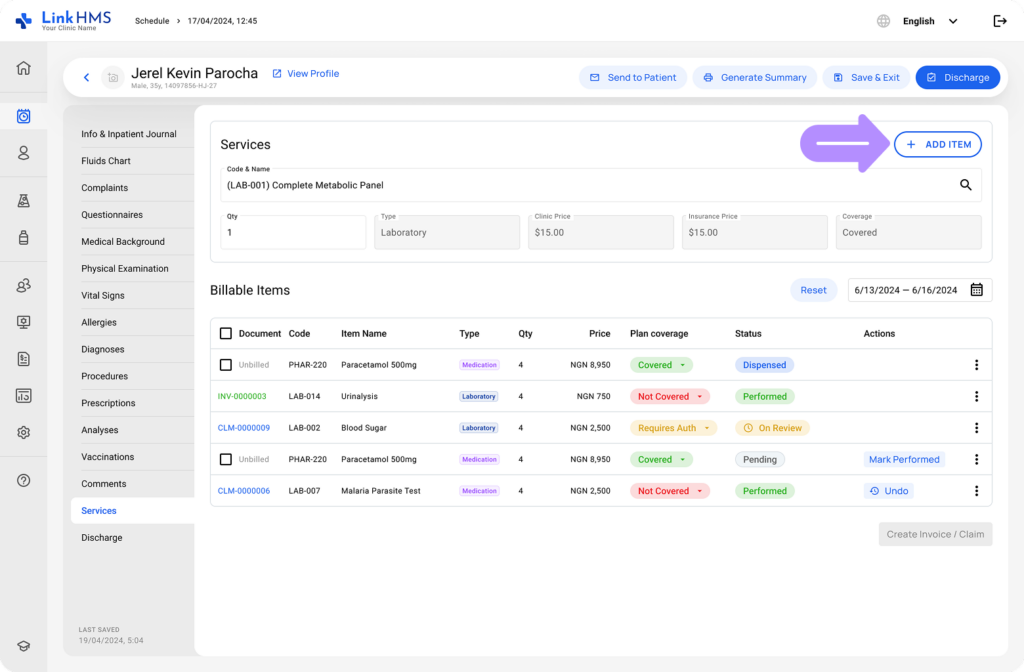
- During admissions:
Doctors record medical services, procedures, and tests provided throughout the hospital stay directly within the patient’s admission tab.
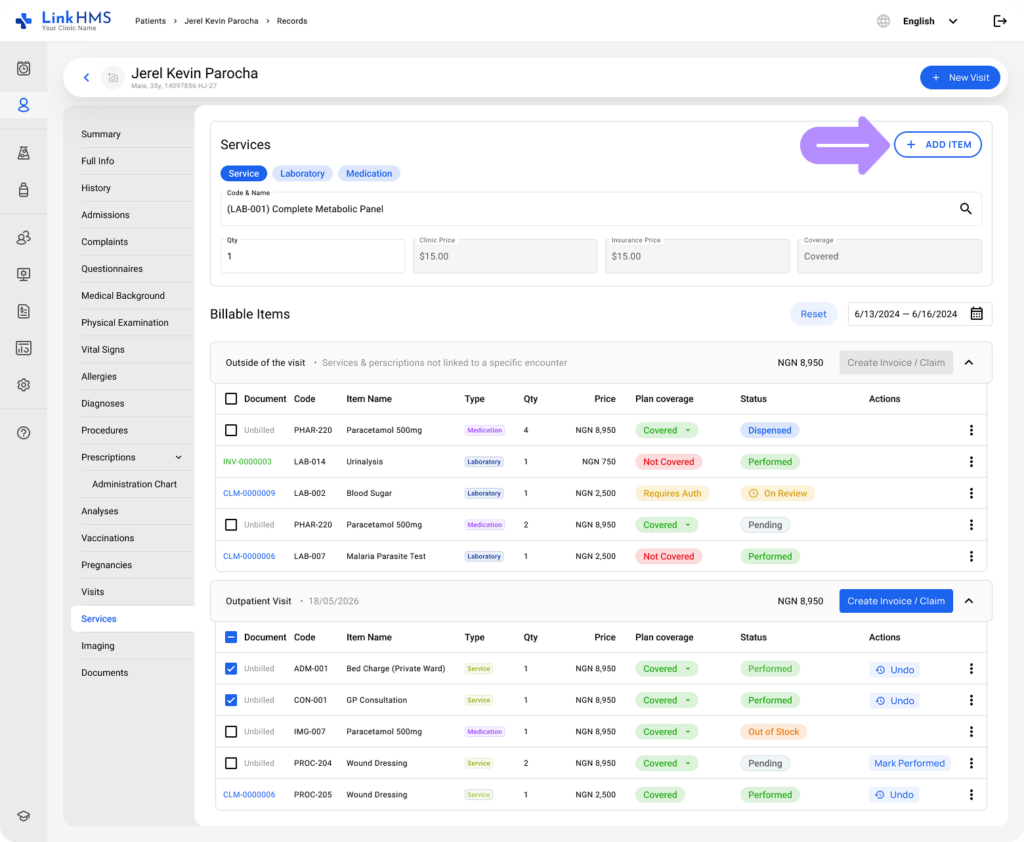
- From EMR:
For one-time services (e.g., lab tests), clinic staff can record additional services directly from the patient’s profile and start a separate invoice outside the visit or admission flow.
Linking Services to Invoices
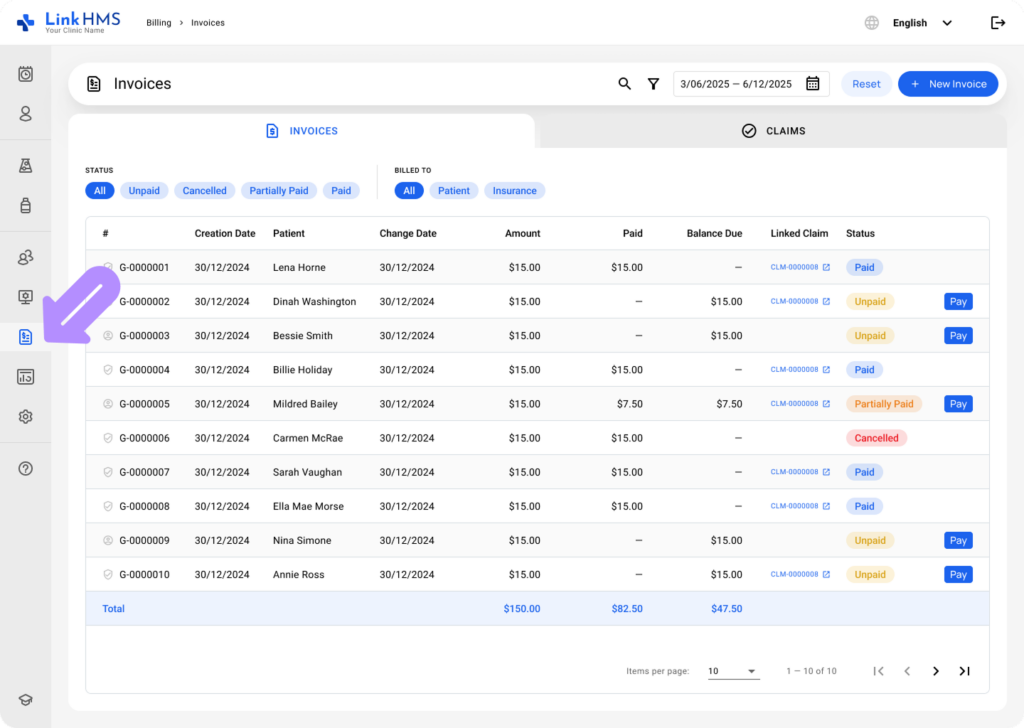
All services added to a patient’s profile are automatically captured and prepared for invoicing. This makes all charges readily available for invoicing, eliminating the need for manual tracking or data duplication. Receptionists and clinic admins have access to the separate Billing tab to create, view, edit, finalize, and manage invoices.
Creating the Invoices
In LinkHMS, the invoicing process is designed to be flexible and efficient, accommodating both automated and manual workflows. Whether services are recorded during a patient’s visit or provided outside of the standard workflow, the system enables you to handle invoicing with ease.
Receptionists typically use two primary methods to create invoices.
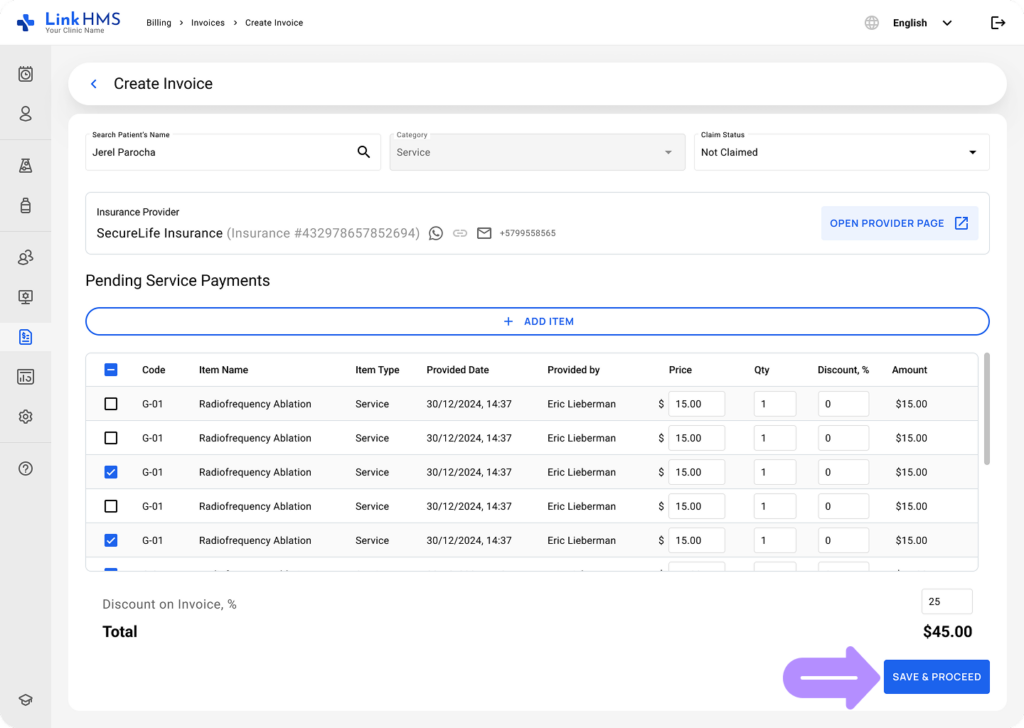
- Edit an invoice based on the provided services.
All billable items from services are captured for invoicing. Relevant details are included for a faster, error-free process.
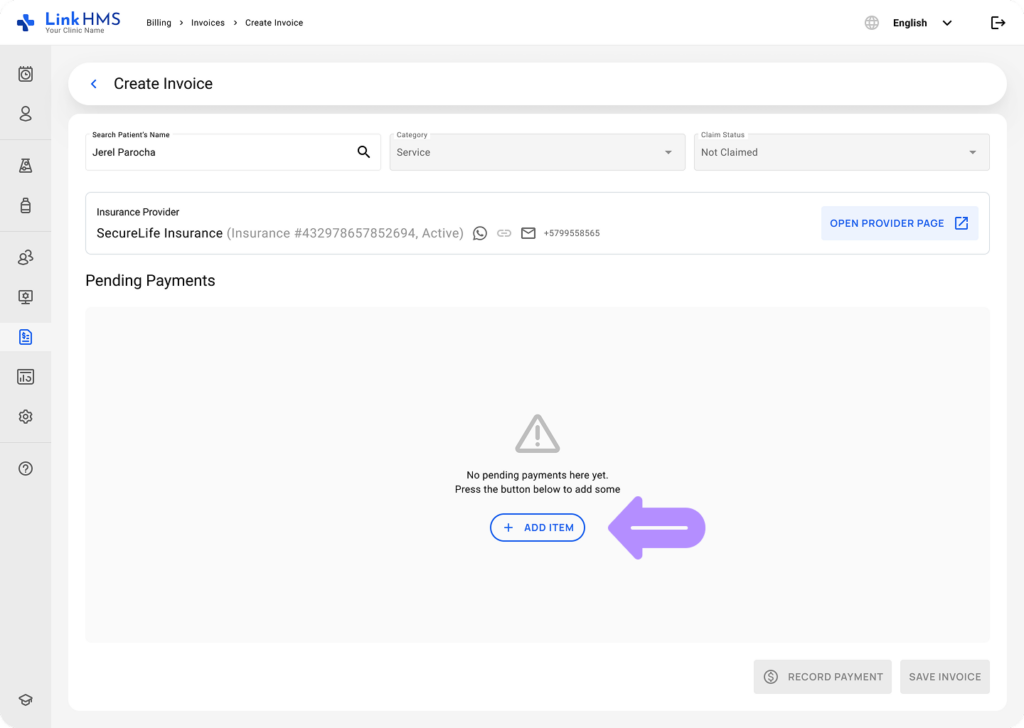
- Manually create a new invoice for non-visit or extra services
Receptionists can generate a separate invoice for extra services not linked to a visit or admission, or ones not entered by the doctor.
💡Notes
Receptionists and clinic admins can edit service and invoice details, adjust pricing, and modify quantities if needed.
Editing Invoices and Recording Payments
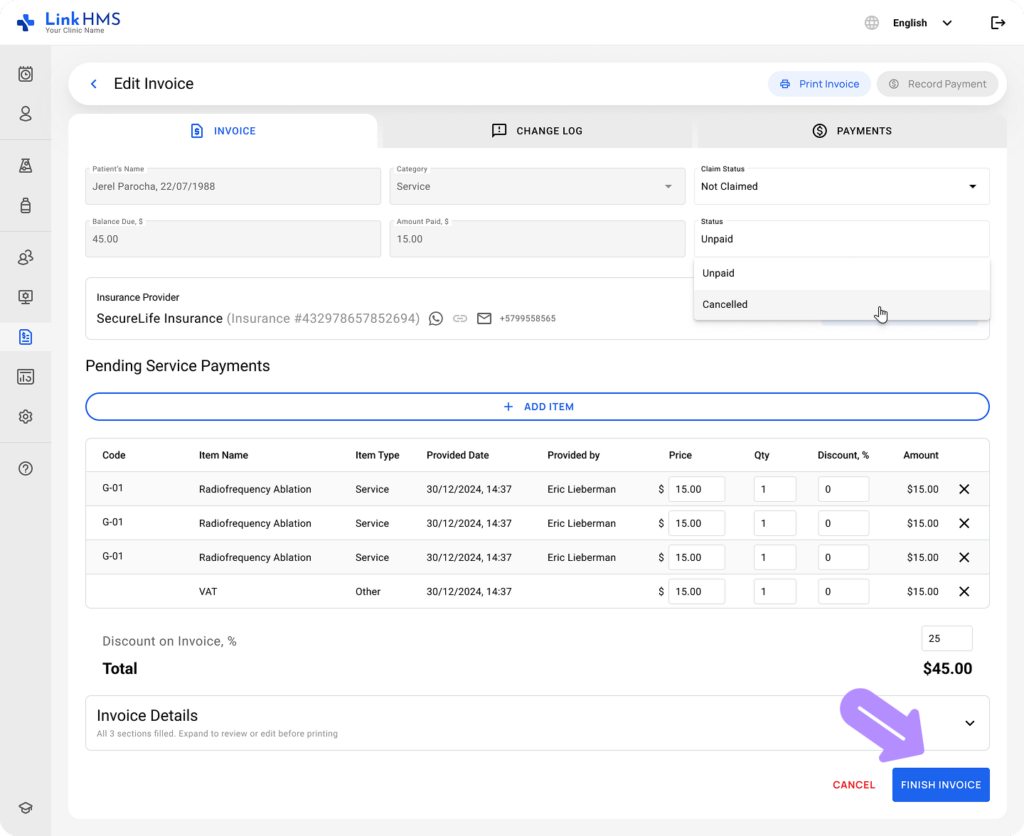
Once created, invoices can be reviewed, edited, and made available for download or printing.
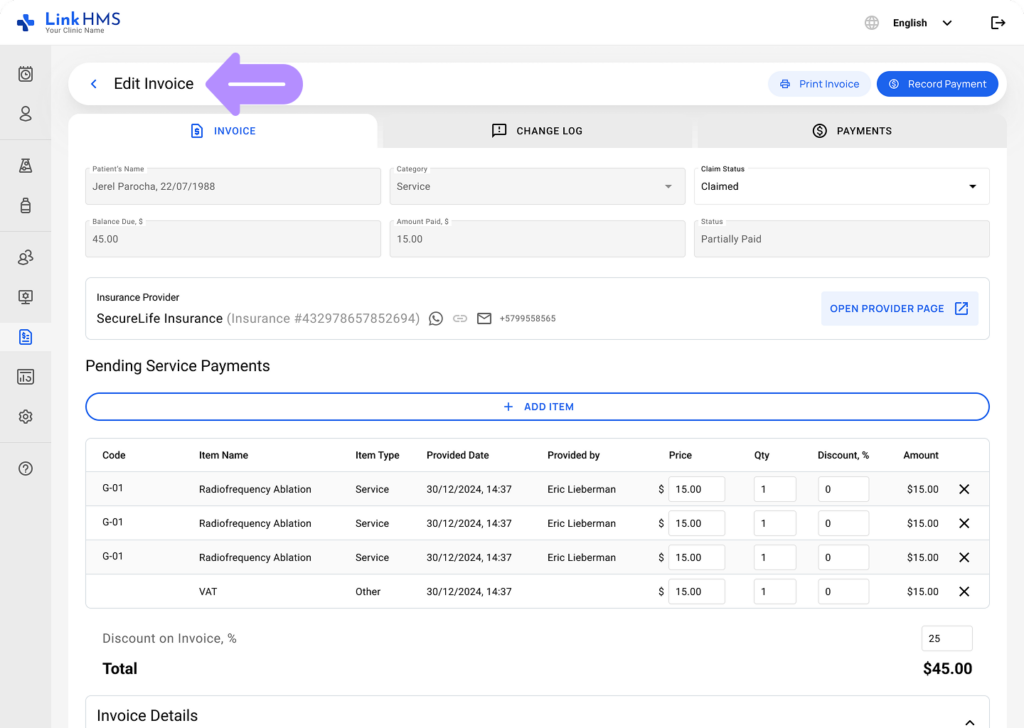
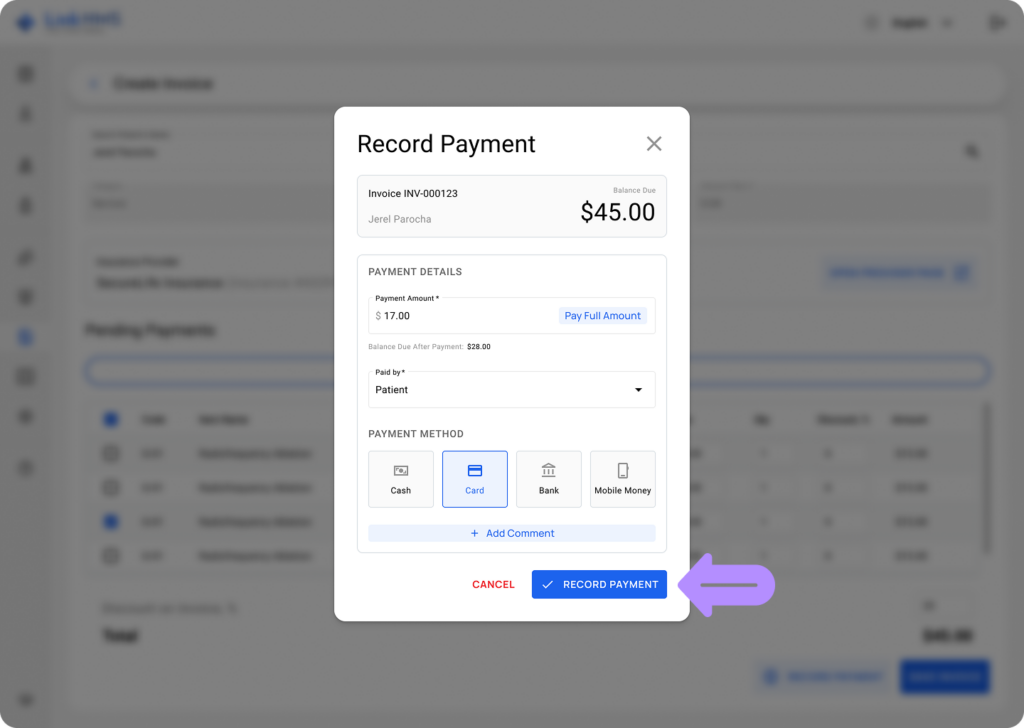
Clinic staff can record payments directly against invoices and maintain a complete history of all payment transactions, including amounts paid, methods used, and balances. It helps to manage pending or partial payments and stay updated on payment progress.
Tracking and Managing Invoices
The Change Log tracks any updates made to the invoice, while the Payments tab shows all recorded transactions, including amounts, methods, and payment statuses. This helps you verify details and confirm everything is correct before finalizing.
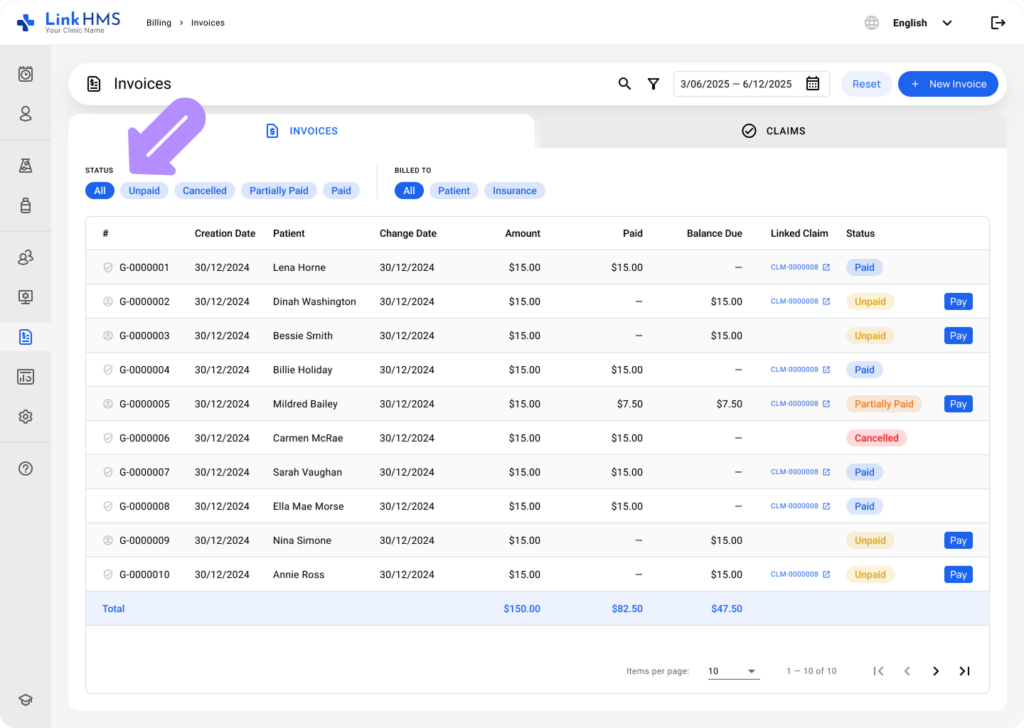
All the invoices are securely stored and accessible. LinkHMS uses color-coded statuses and filters, and automatically calculates the balance due, enabling efficient invoice management and effective payment monitoring.
LinkHMS prepares all patient services for invoicing and manages payments, supporting accuracy and efficiency from the service record to final payment.