💡Notes
Statuses update automatically as soon as you log medicine doses. No additional steps are required from the clinic staff. Each time a dose is marked as Administered or Not Administered, the system recalculates the status based on the recorded activity, the prescribed frequency, and the medication’s active period.
Daily Drug Administration Progress Statuses
💡Notes
The drug administration chart subtab displays medication records for the current day. If you want to view the full prescription period, use the View Full Medications Chart option.
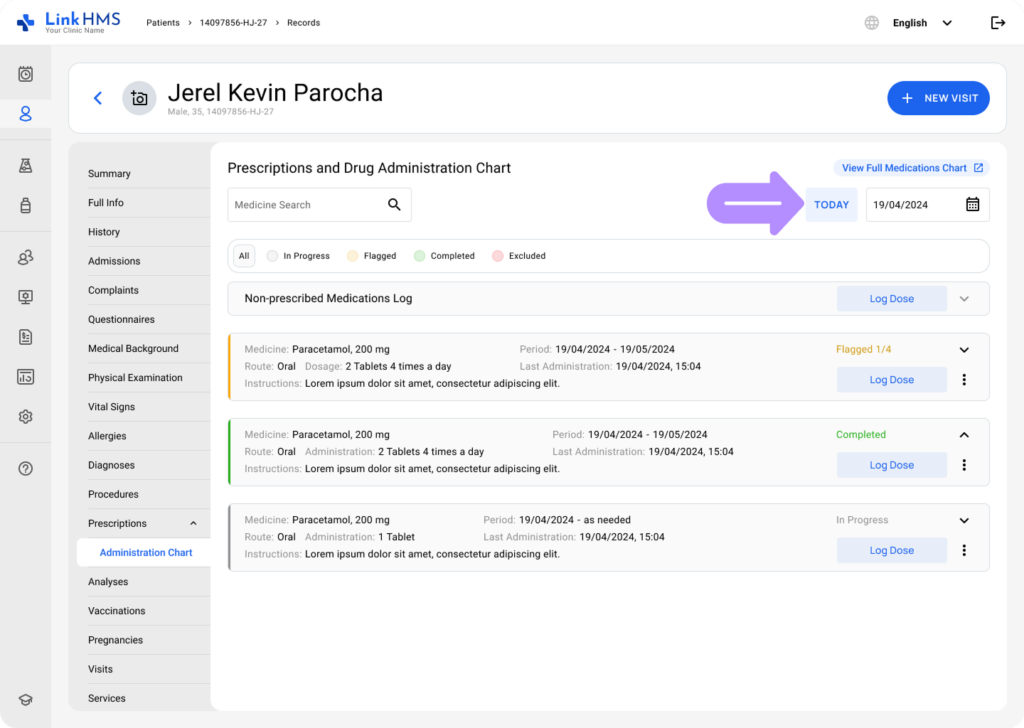
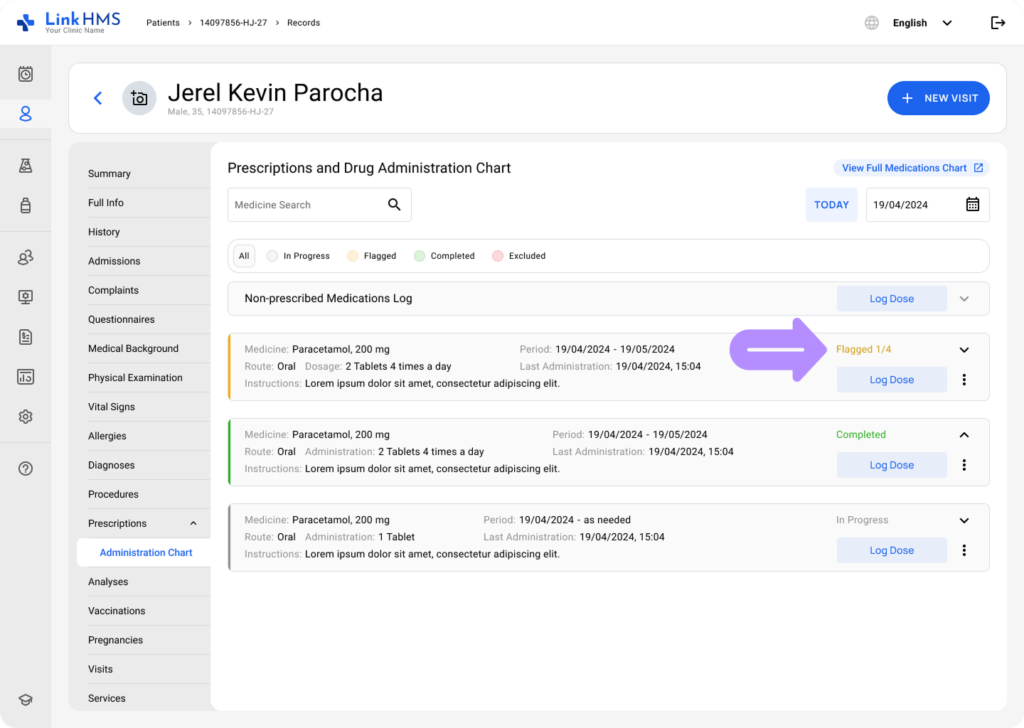
- Every prescribed medication card presents the daily status to show the progress of drug administration.
- In Progress appears when the medication is still within its administration period, has a defined daily frequency, and no doses in the current date violate the prescription.
- Flagged appears when something needs attention. For example, a not administered record, extra doses logged beyond the daily frequency, or doses entered after the end date.
- Completed is displayed when the number of doses logged for the current day matches the prescribed frequency exactly.
- Excluded appears only when the entire prescription has been excluded from the Prescriptions tab, and the prescription medication card remains visible but marked as such.
- You can use statuses to filter the list. Click a specific status in the legend, and only the medicine cards matching that status will be displayed.
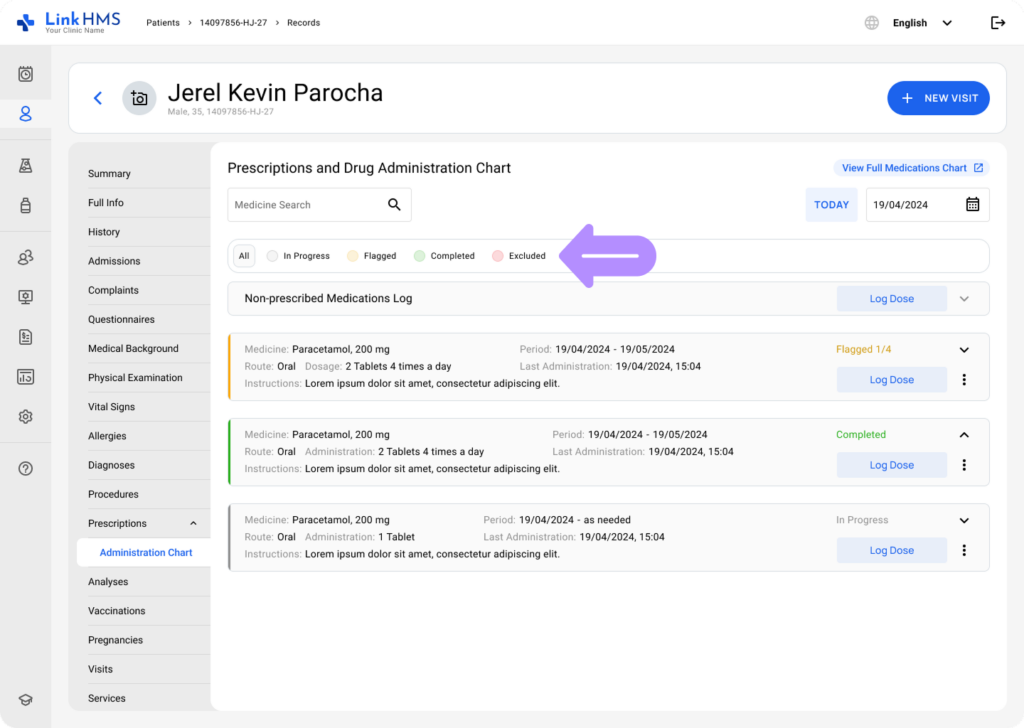
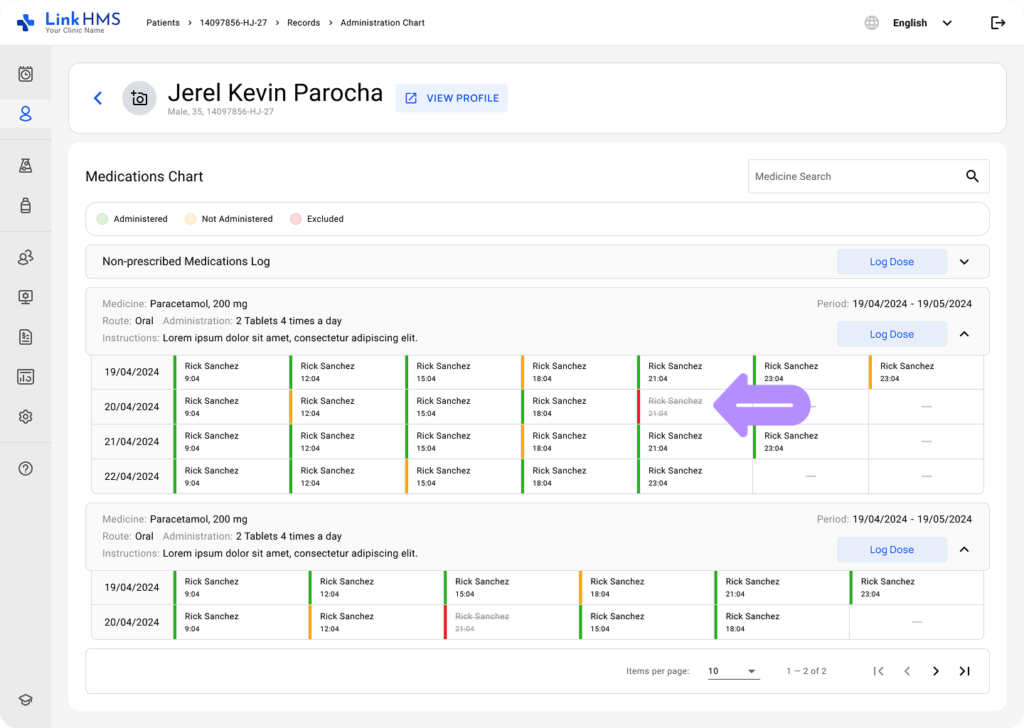
- The administration chart includes color-coding to make medication progress easy to understand. It uses gray for doses still being administered, green for completed administrations, amber for marking some issues, and red for exclusions. Each status is visually highlighted so you can immediately see how a medication is being handled throughout the day.
| In Progress | Flagged | Completed | Excluded | |
| In Progress | In Progress 0/3
In Progress 1/3 |
Flagged 4/3 | – | – |
| Completed | – | Flagged 3/3 (includes not administered record) | Completed 3/3 | – |
| Excluded | – | – | – | Excluded |
💡Notes
The non-prescribed medications log does not display a daily status on the card itself. Statuses only appear on individual drug administration records when you open the card.
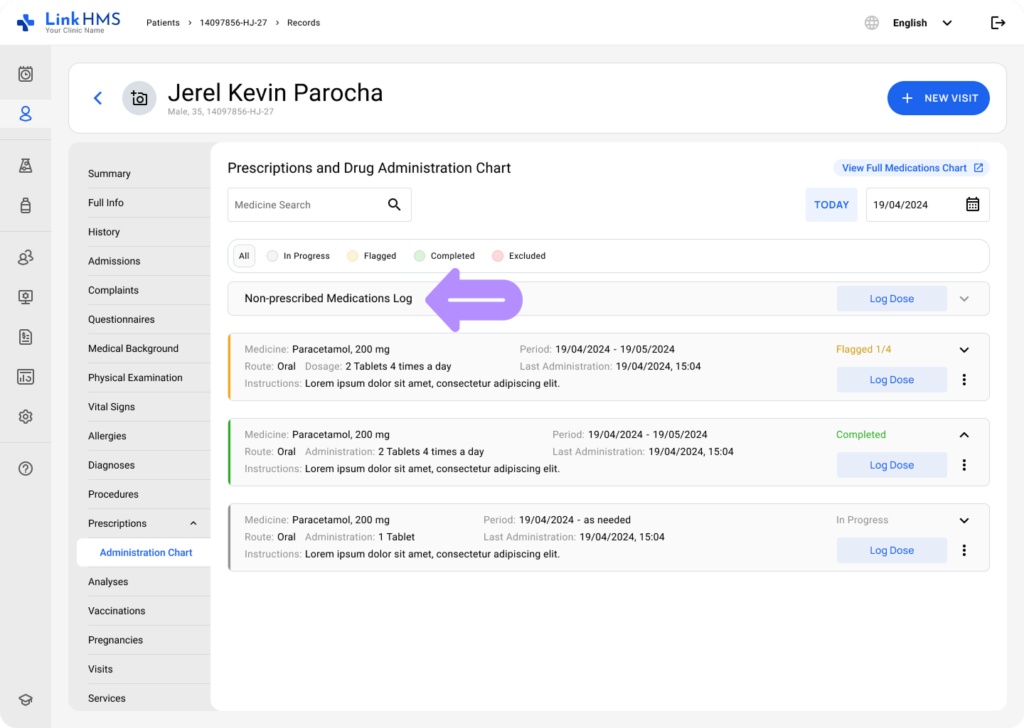
Individual Medicine/Dose Administration Statuses
- You can also open both prescribed and non-prescribed medication cards to view the additional status for each logged dose.
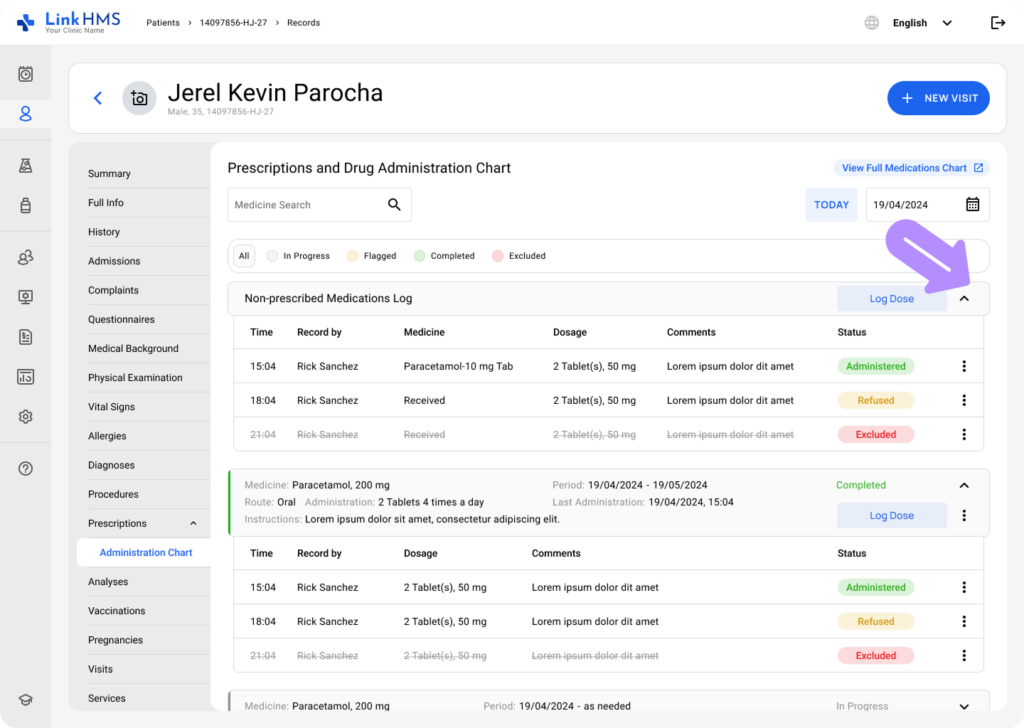
- These statuses are assigned based on dose logging.
- Administered is displayed when the dose was successfully given to the patient.
- Hold, Refused, Missed, or Other appear when the dose was not administered, each indicating the reason.
- Excluded is shown when the dose has been intentionally removed.

- Color coding helps distinguish statuses: green for administered doses, amber for not administered, and red for excluded records.
💡Notes
The same status color-coding is applied throughout the full medications chart, making it easy to spot unadministered and excluded doses. Refer to the guide for details on How to use the full medications chart.
LinkHMS gives your clinic a clear, real-time view of medication statuses, showing exactly how each drug is being managed. Automatic updates make workflows more transparent and easier to control.