In this article, you will know how to create and edit patient records in LinkHMS, helping you manage patient data efficiently.
Creating the Patient
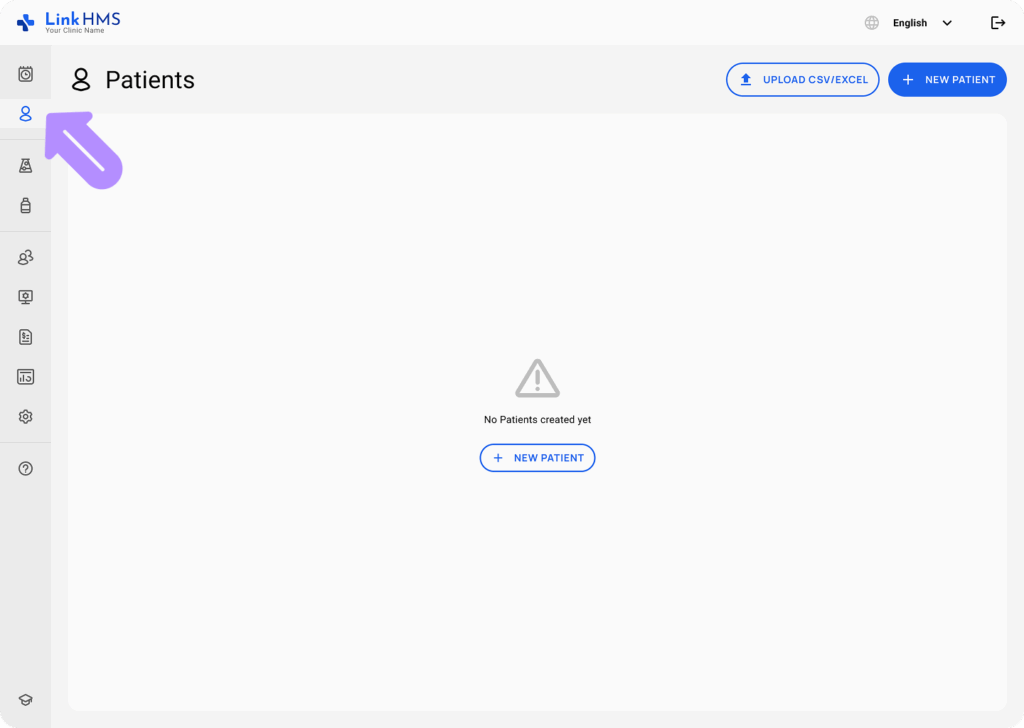
Access the Patients Tab
-
Navigate to the Patients section from the sidebar.
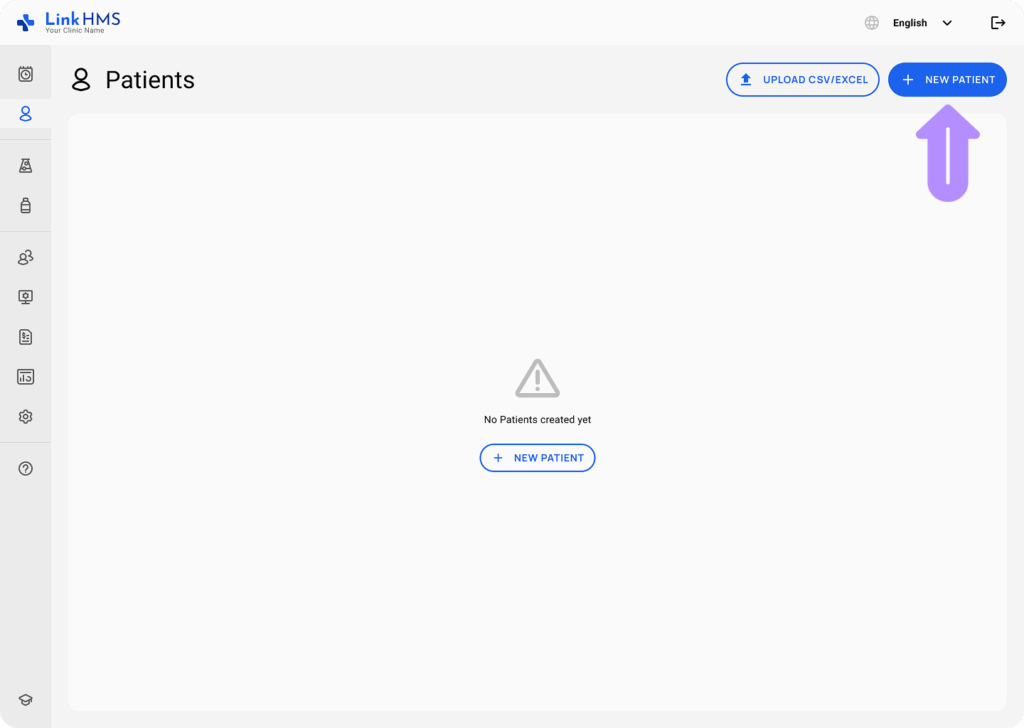
Click the New Patient
-
In the top right corner, click the New Patient button.
Fill Patient Information
-
Enter the required details such as name, general information, insurance, medical info, contact details, emergency contact, and referrals.

Save Patient Record
-
After filling in the necessary fields, click Save to create the patient record.

Upload Patients from CSV/Excel
Import Patients from CSV/Excel
- Click the Upload CSV/Excel button to import the existing patient list.
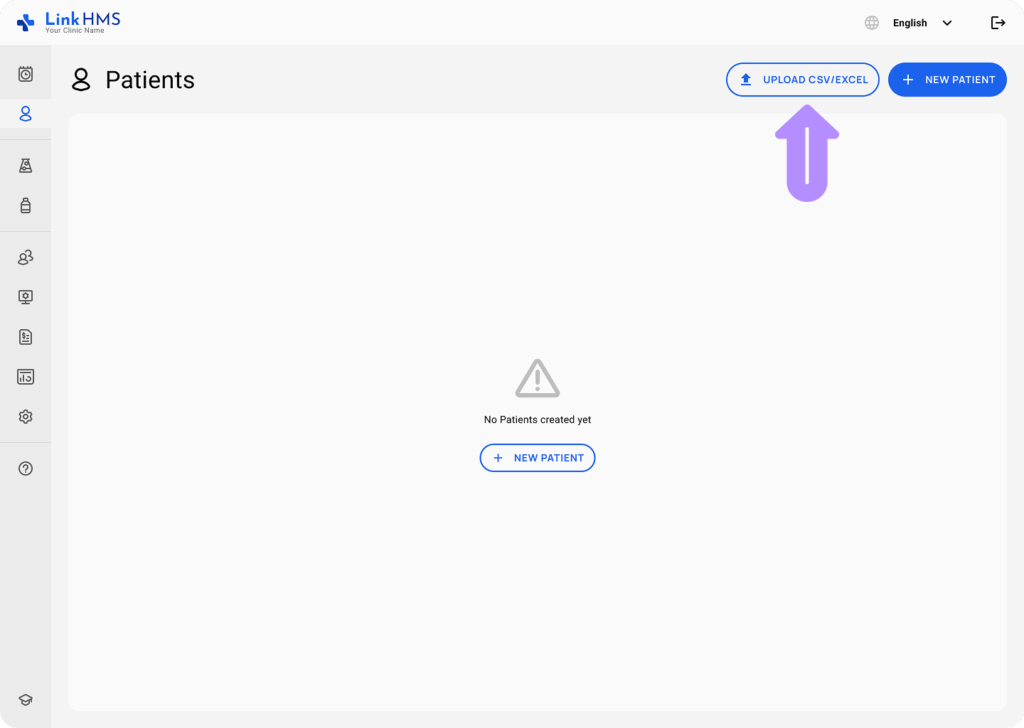
- As a pop-up window appears, choose a file from your computer to upload. Make sure the file meets the required format and size limits.
- Formats: CSV, XLS, XLSX.
- Size: max 50 MB

- You can click Download Template to get a sample file showing the correct format for uploading patient information in bulk.
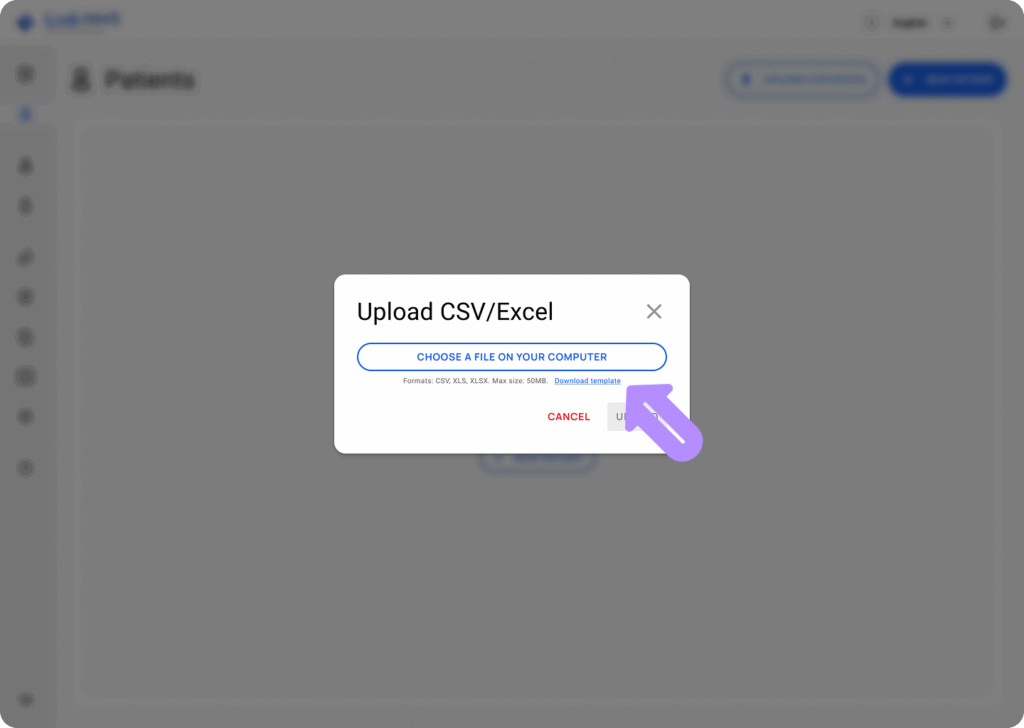
- After the file is uploaded, click the Upload button to continue.

Editing the Patient
Select a Patient
-
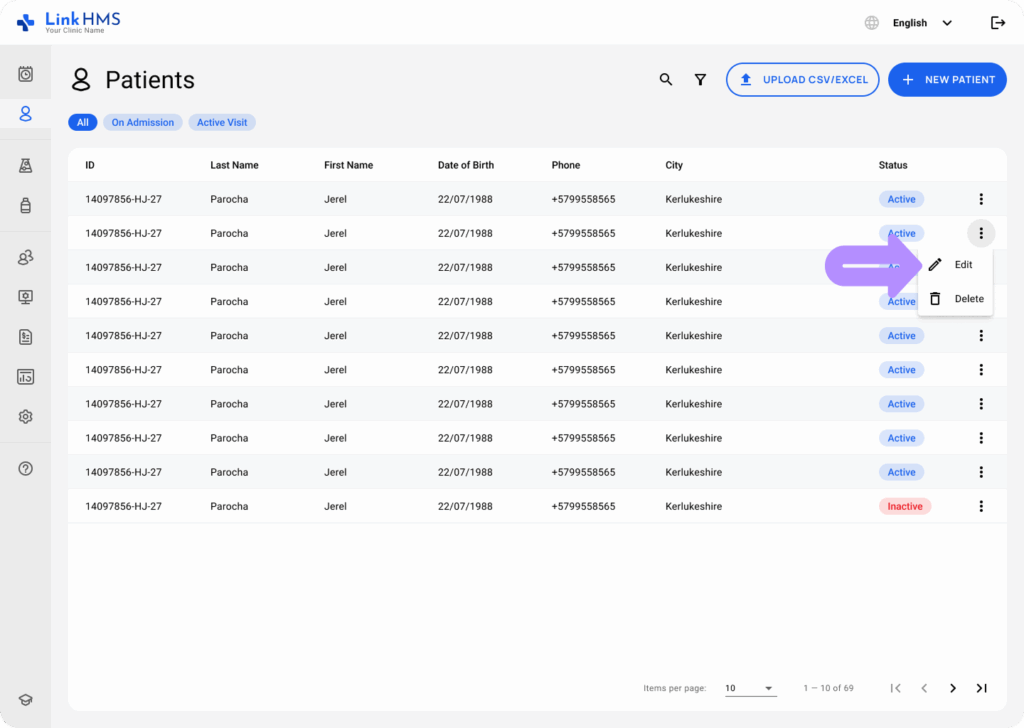
From the patient list, select the three-dot menu next to the patient you wish to edit.

Click Edit
-
Choose Edit from the dropdown to open the patient’s details.
Update Information
-
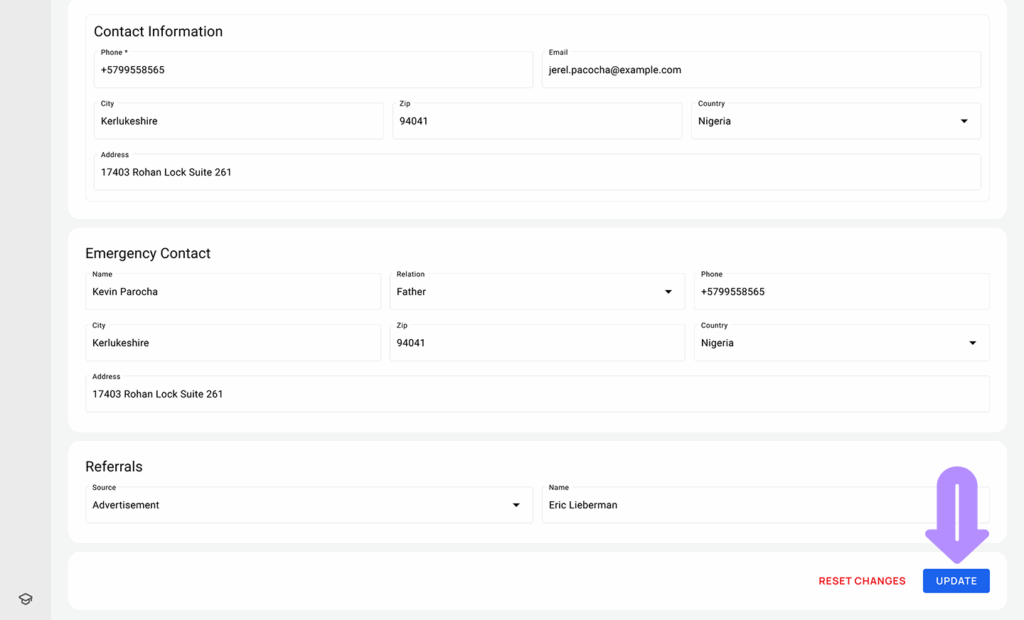
Modify the required fields like contact info or medical details.
Click Update
-
Once the updates are made, click Update to save the changes to the patient record.
This guide ensures proper management of patient data through creating new records and editing existing ones effectively.