Once you record an insurer decision for a claim, LinkHMS generates the invoices for you. You do not need to calculate splits by hand. This guide explains how the invoices are generated and what to know about this functionality.
When invoices are created
Invoices generate automatically as soon as a claim moves out of Submitted status into a decided status:
- Approved
- Partial
- Denied
- Cancelled
💡Notes
Not Covered items do not wait for an insurance decision at all. They go straight to a patient invoice as soon as the claim is created.
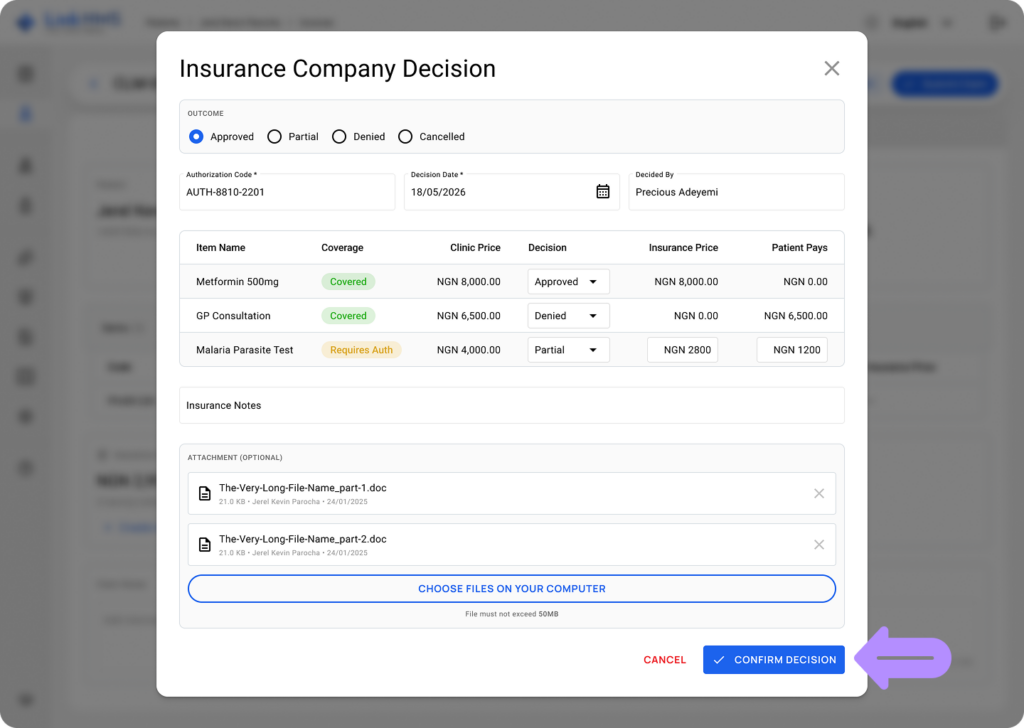
The two-invoice split
Every decided claim can produce up to two invoices:
- Insurer invoice. Covers all Covered items, plus the insurer’s share of any Partially Approved items. Priced at the negotiated rate agreed with that insurer.
- Patient invoice. Covers Not Covered items, the patient’s share of Partially Approved items, and anything Denied.
💡Notes
If every item on a claim is fully covered, only an insurer invoice is created. If nothing is covered, only a patient invoice is created.
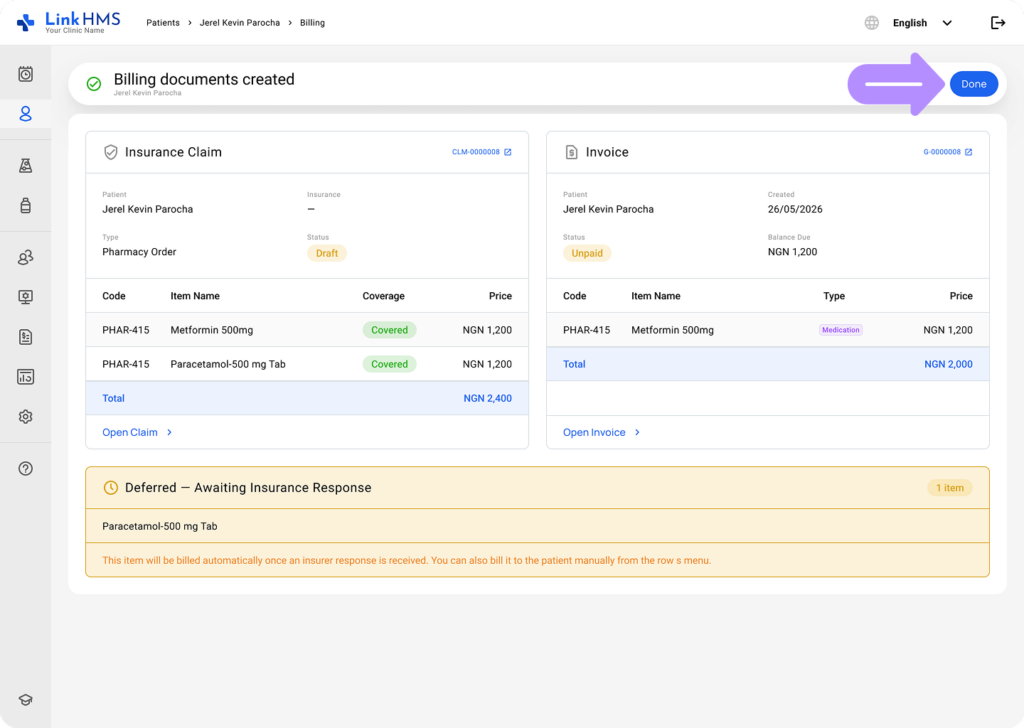
How partial approvals are split
When the insurer approves part of an item, LinkHMS splits the billed amount using the per-item decision recorded on the claim. The approved portion goes to the insurer invoice, and the remaining portion goes to the patient invoice. If needed, you can manually adjust the amounts for specific items that require it. This only affects the selected item and does not change the overall plan coverage.
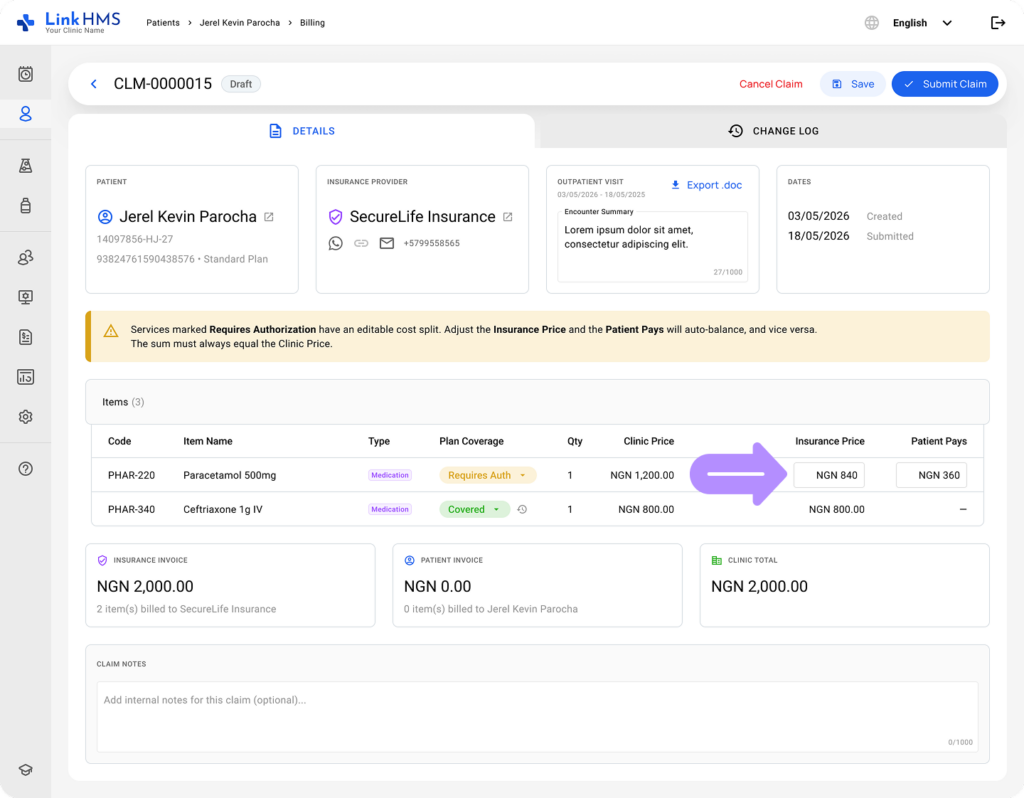
What happens on denial
If an item is denied after it was already dispensed or performed, LinkHMS moves it to the patient invoice automatically. Your team can keep working while the claim is still being decided, and billing catches up once the insurance decision is in.
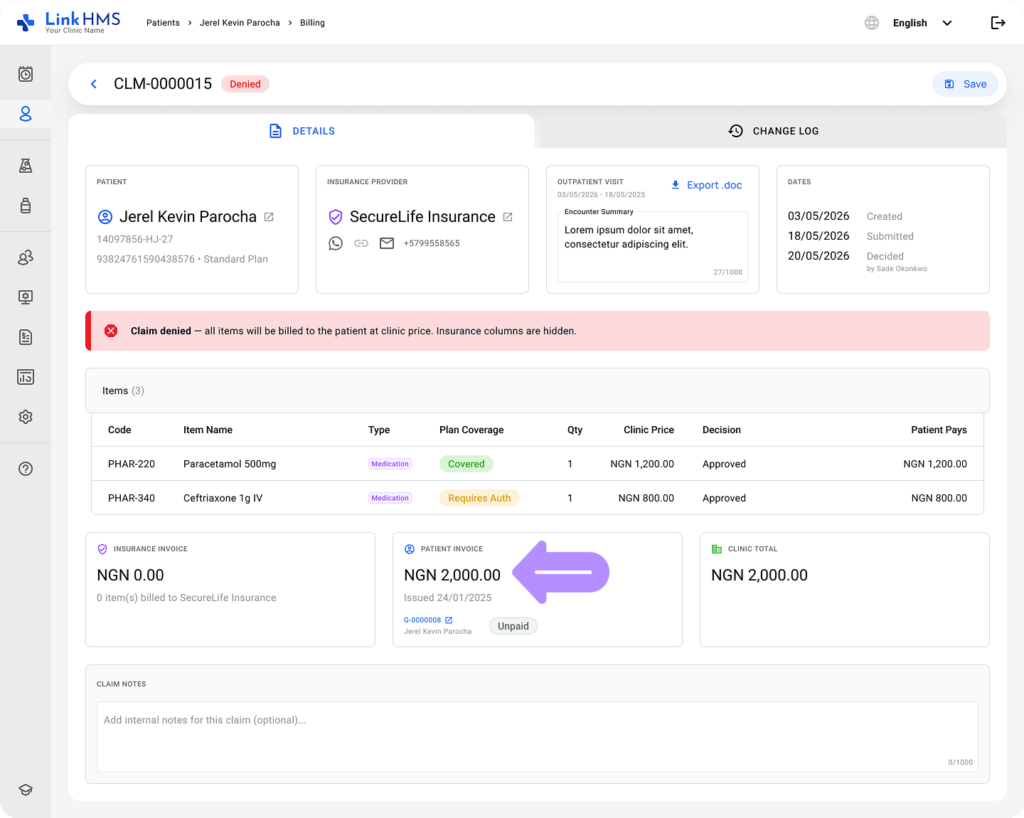
Accessing the invoices
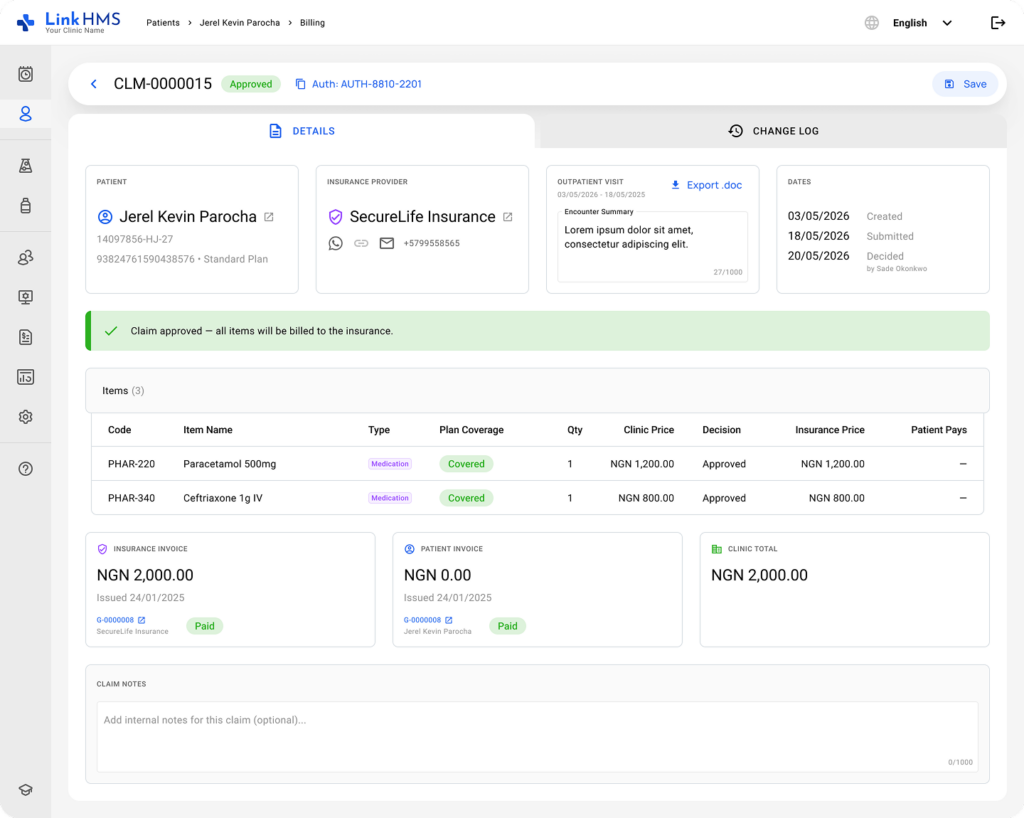
You can access invoices from the Invoices tab or directly from within the claim, to see both insurer and patient invoices side by side, along with:
- The amount
- The current status
- A direct link to each invoice
Editing an invoice
While an invoice is in Draft, you can freely edit it by adding new items, removing existing ones, or making any adjustments before finalizing and sharing it with the insurer or the patient.
💡Notes
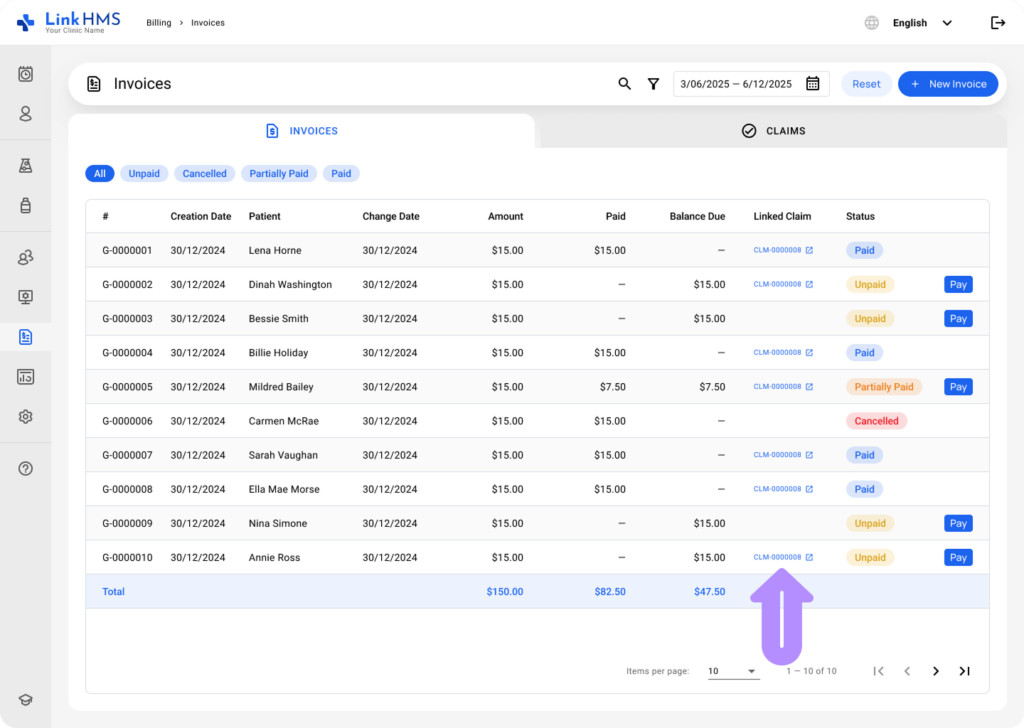
Also, each invoice includes a link back to the related claim for easy reference.
Sending invoices to the insurance company
💡Notes
Invoices are not automatically transmitted to the insurer. Instead, the clinic uses the records generated in LinkHMS to submit them through the insurer’s required channel.
- Invoices to the insurance company are submitted in monthly batches rather than individually. See How to Batch-Submit Insurer Invoices at Month End for the full walkthrough.