When a doctor prescribes medication, the order is automatically sent to the pharmacy, where it can be reviewed and dispensed without manual handoff or delays.
- Open the Pharmacy module and select the Orders tab.
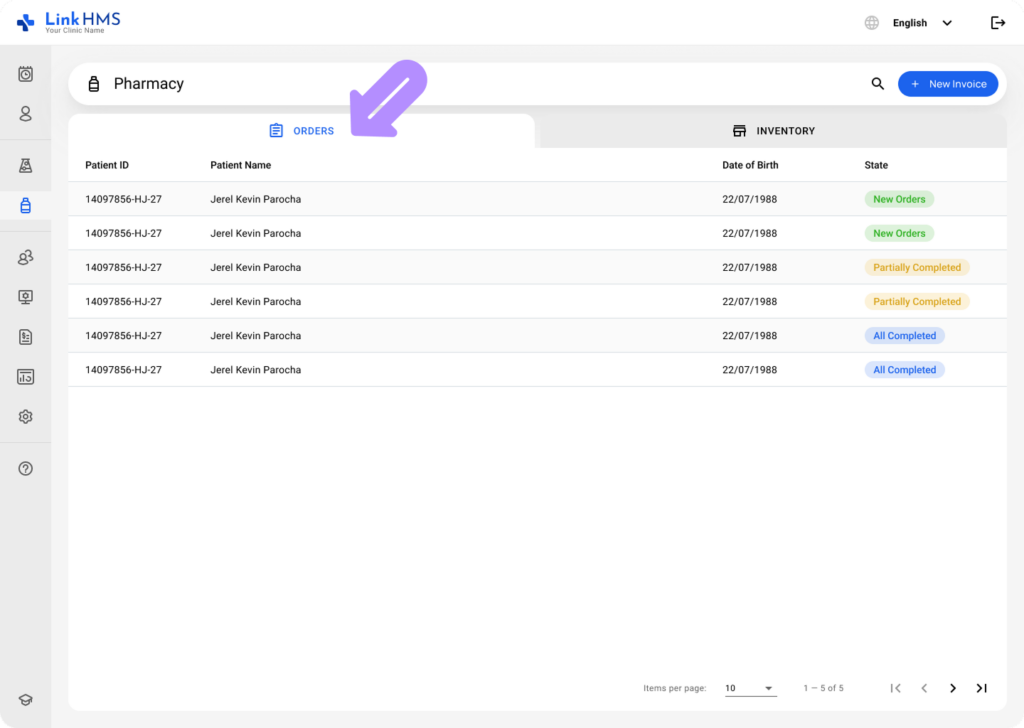
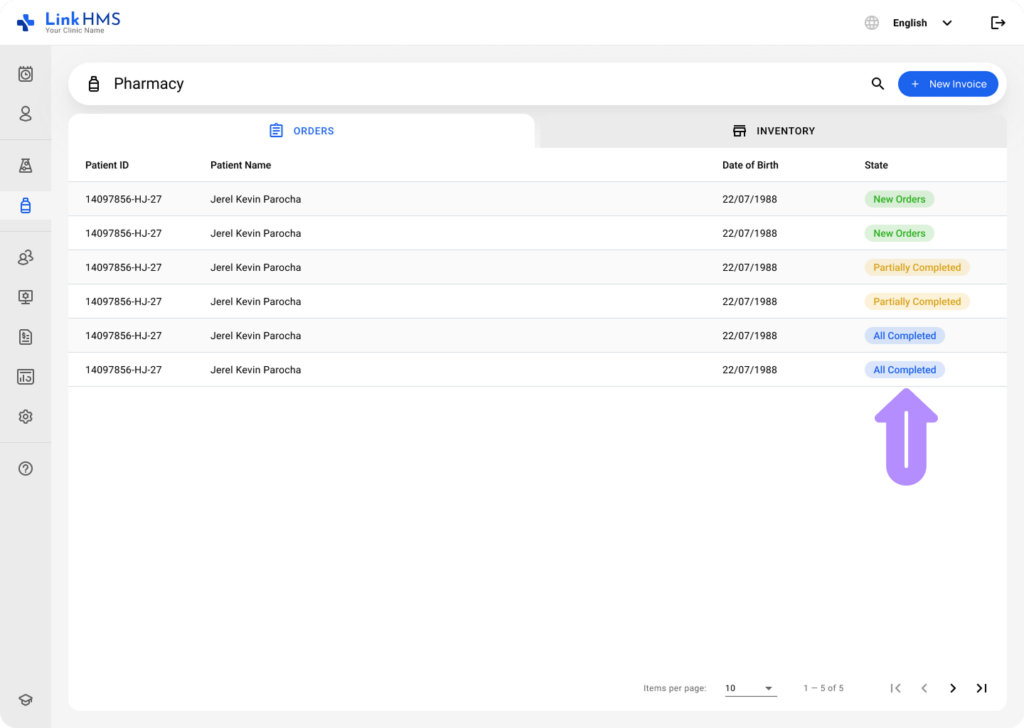
- The Orders tab displays all patient prescription orders and their current status. Monitor every order as it moves through the dispensing process (New Orders, All Completed, Partially Completed).
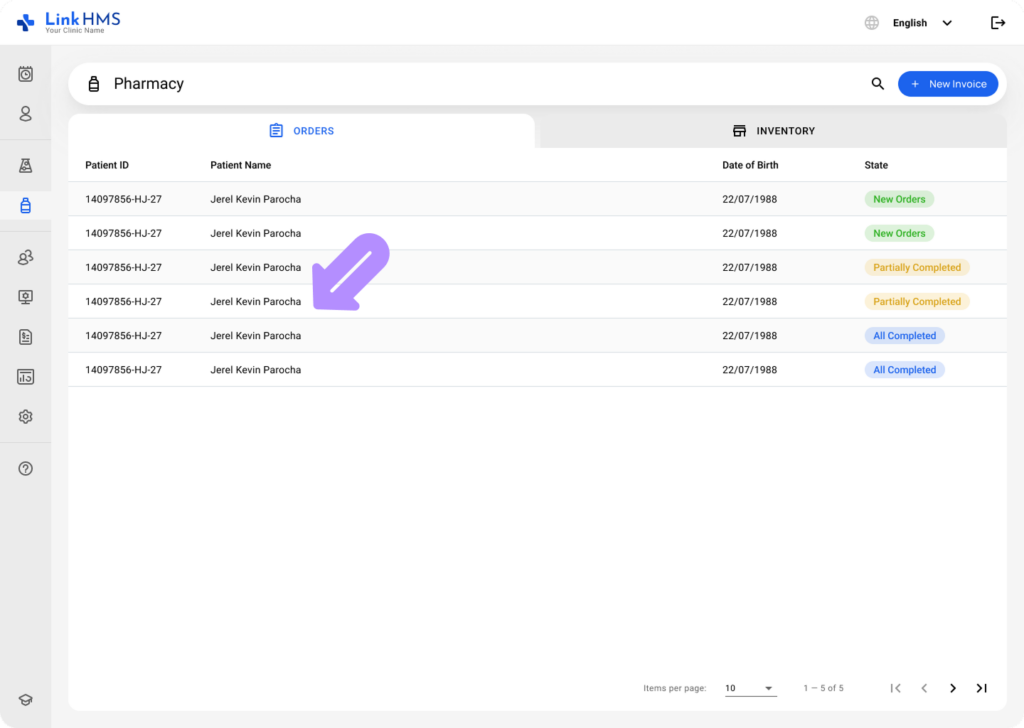
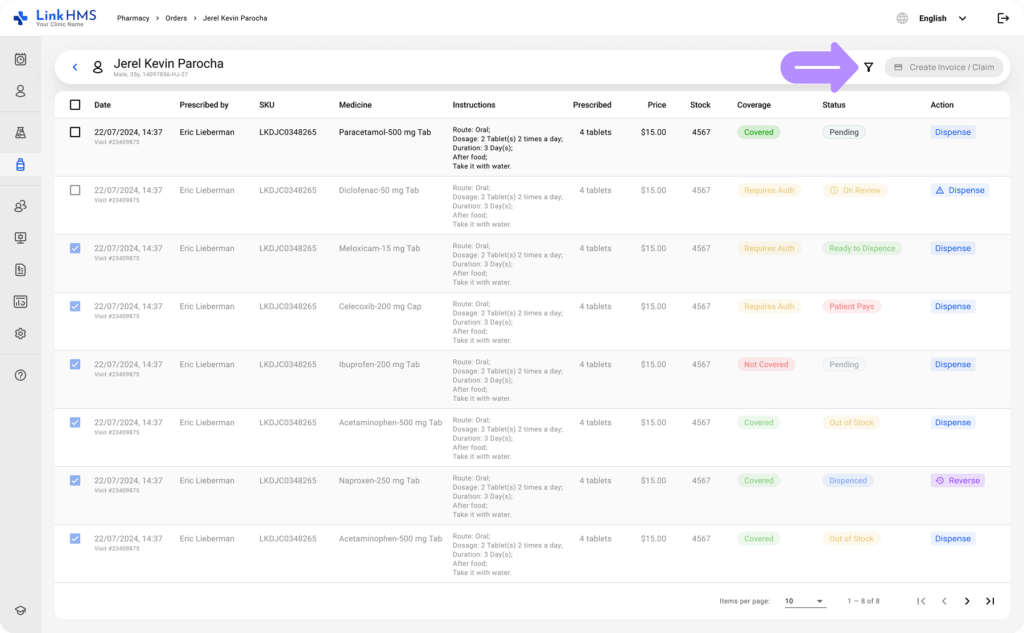
- Click on a patient to open the detail view and see their prescribed medications, sorted by date.
- Each order includes the following details: Date, Prescribed by, SKU, Medicine, Instructions, Prescribed, Price, Stock, Coverage, Status, and Action.
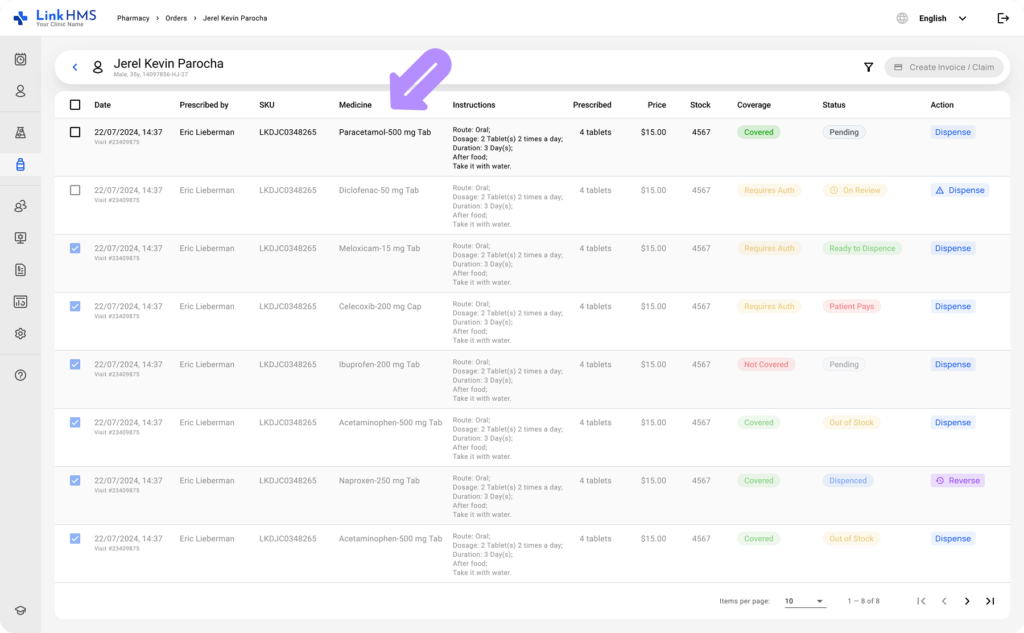
- Use the Filter icon to narrow down the orders list and find a specific medication to dispense.
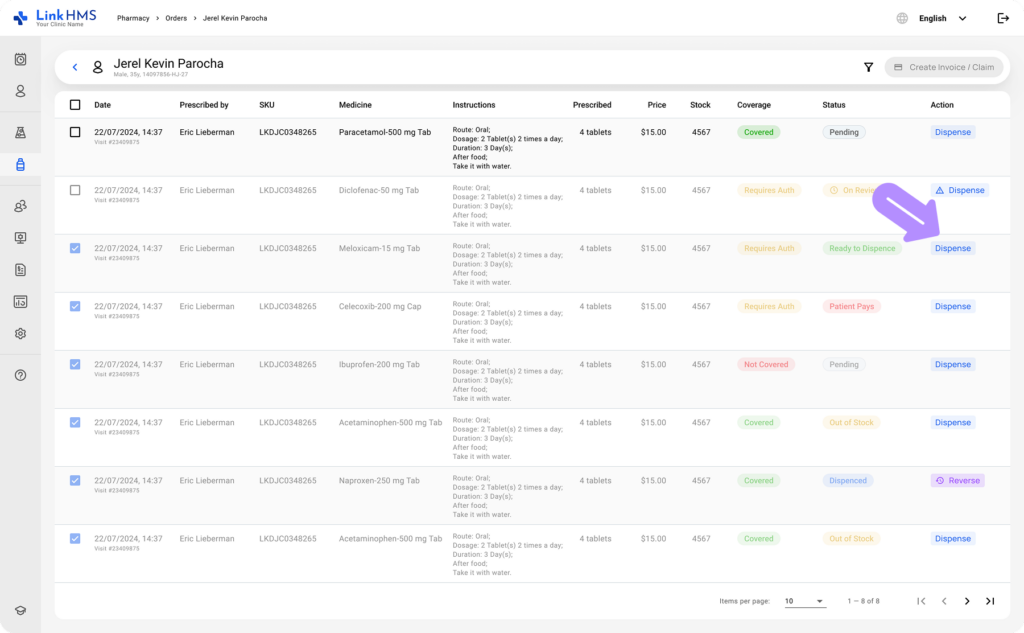
- To dispense a medication, click the Dispense button next to the relevant order.
💡Notes
Before dispensing, check the coverage and status of each medication. Coverage determines who pays: the insurer, the patient, or pending authorization. The status indicates whether the item is ready to dispense, requires attention, or is unavailable. Note that the Dispense button remains inactive for Out of Stock items.
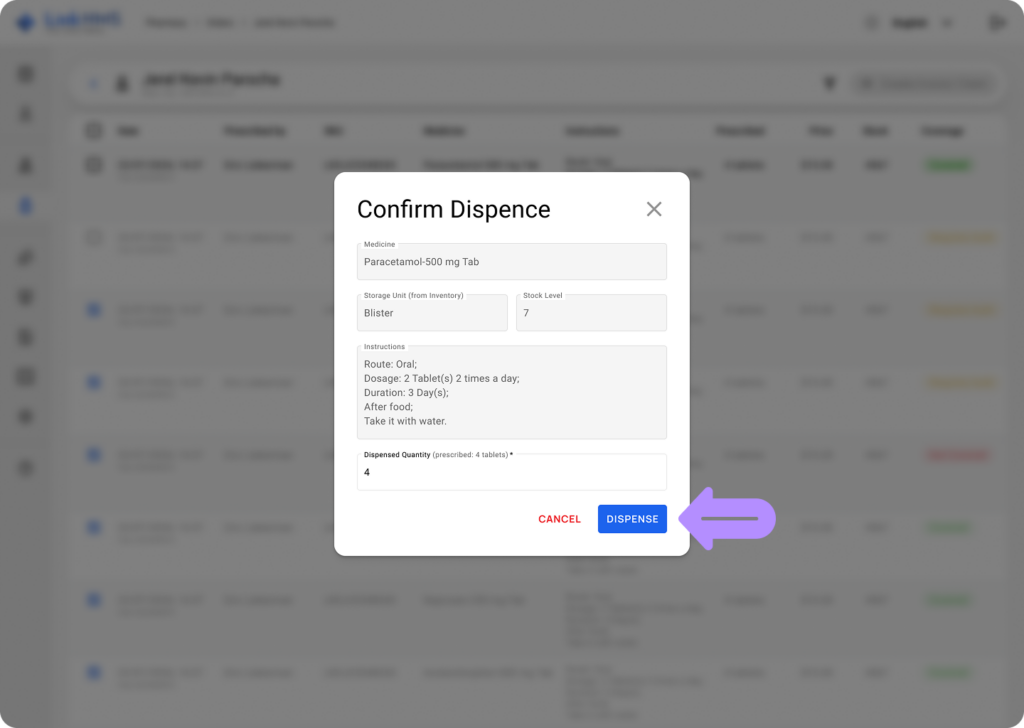
- Review the order details, update the dispense quantity if needed, and click Dispense to confirm.
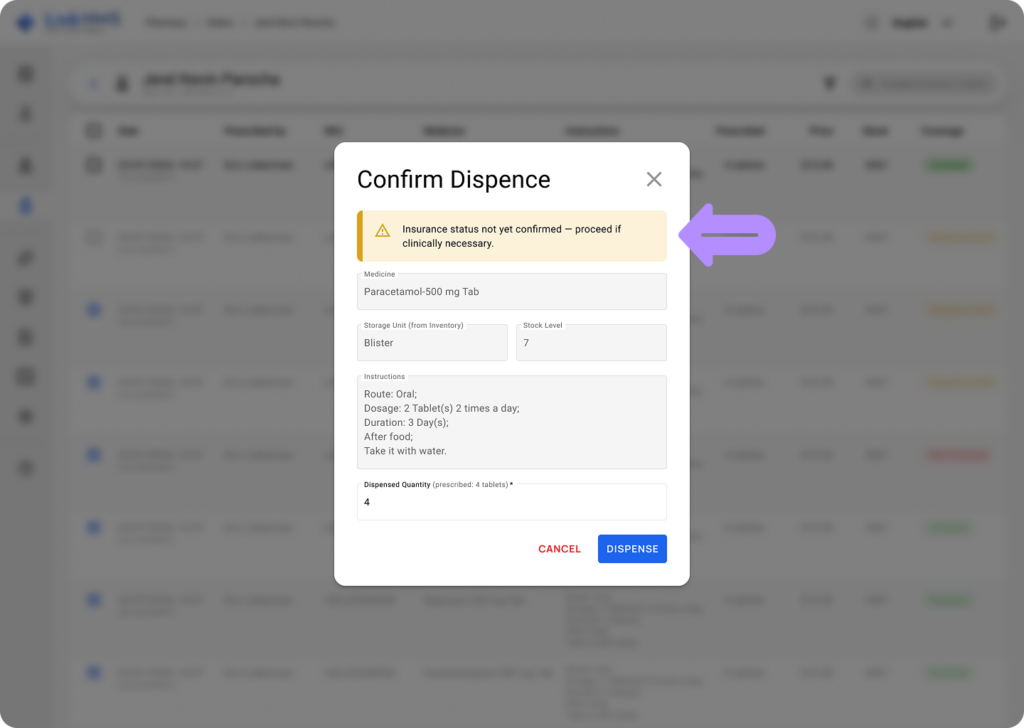
💡Notes
You can proceed with the dispense if clinically necessary, even if the insurance status has not yet been confirmed. A notification will appear to flag this before you continue.
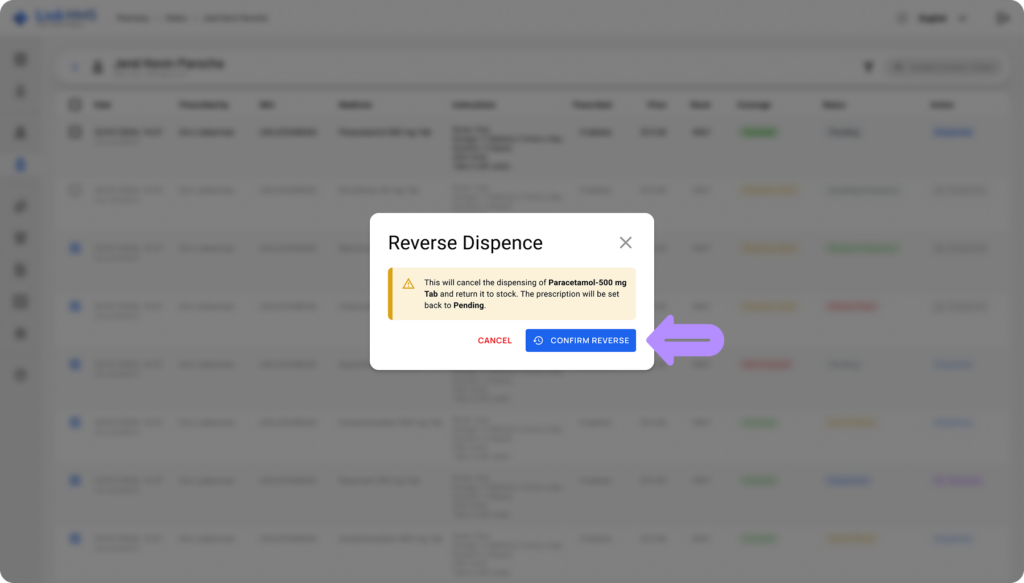
- If you need to reverse the dispense, click Reverse next to the required medicine. This will return the medication to stock and reset the status to Pending.
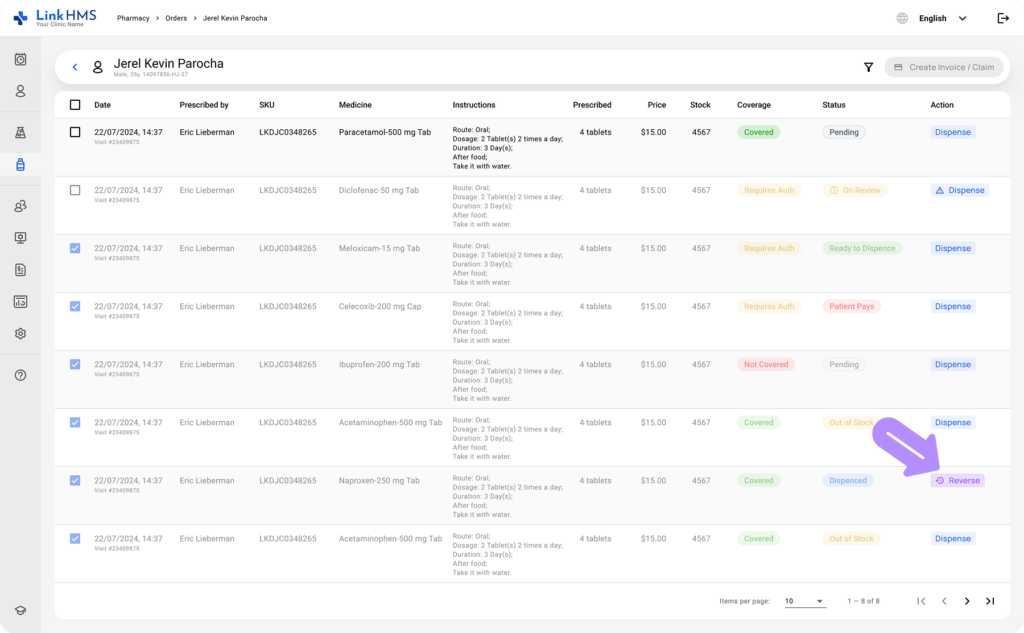
- Click Confirm Reverse to complete the reversal and return the medication to stock.
With every order tracked from prescription to dispense, your team always has a clear picture of your pharmacy workflow and accurate records.