The Reports section presents a visual overview of laboratory activity with the most common ordered and performed tests. The included filters and search options help quickly locate necessary tests and view statistics, workload distribution, and overall clinical demand.
Review the Reports on Lab Tests
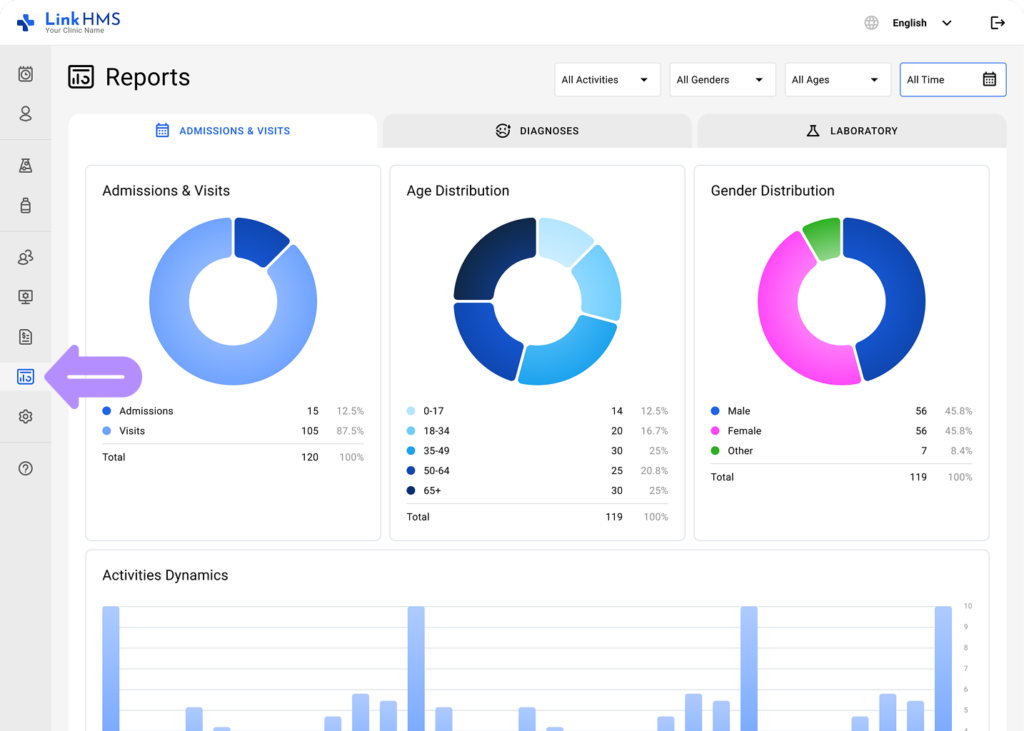
- Go to the Reports tab in the left-side menu and select Operational Reports.
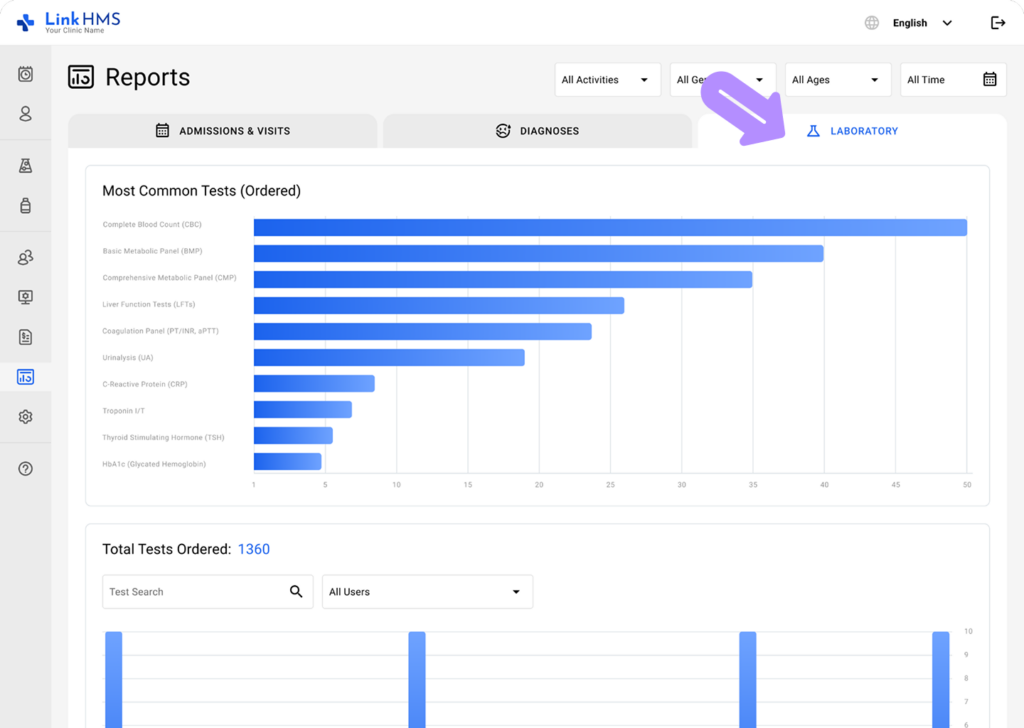
- Open the Laboratory tab.
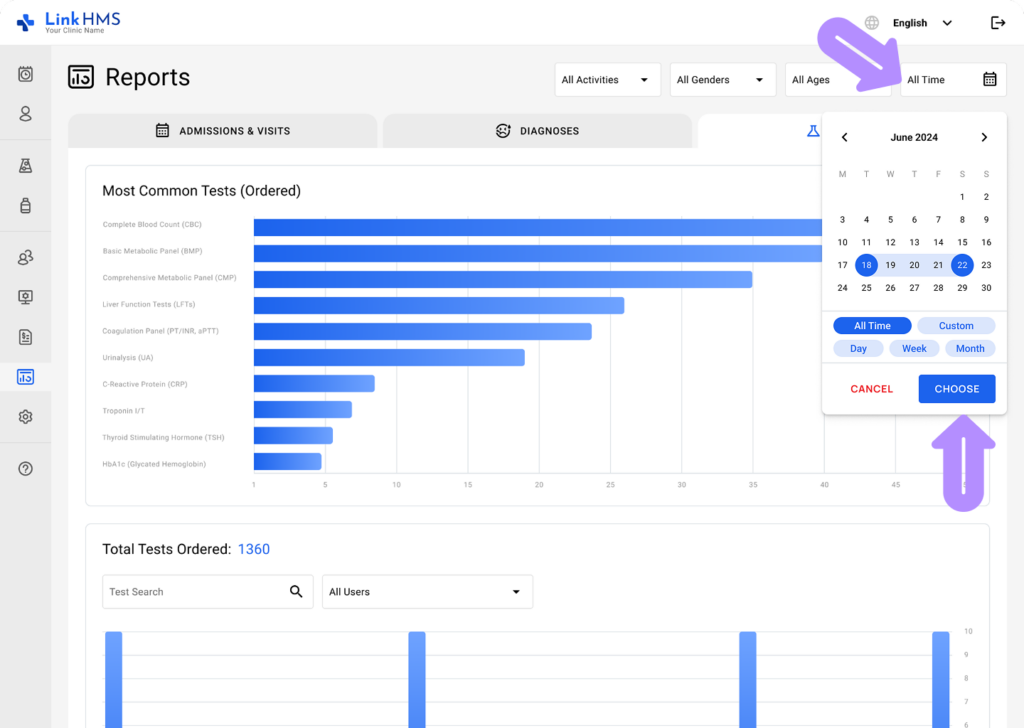
- Choose a defined date range to filter the data, or select All Time to see the full dataset.
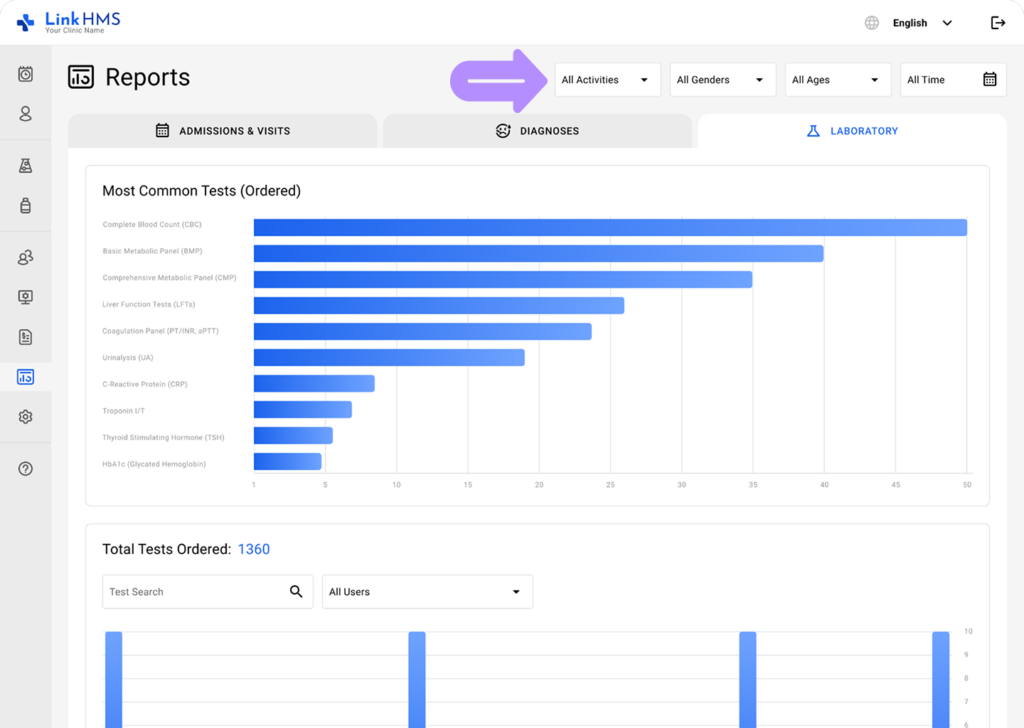
- Use additional filters to narrow the data and highlight the metrics most relevant to your request.
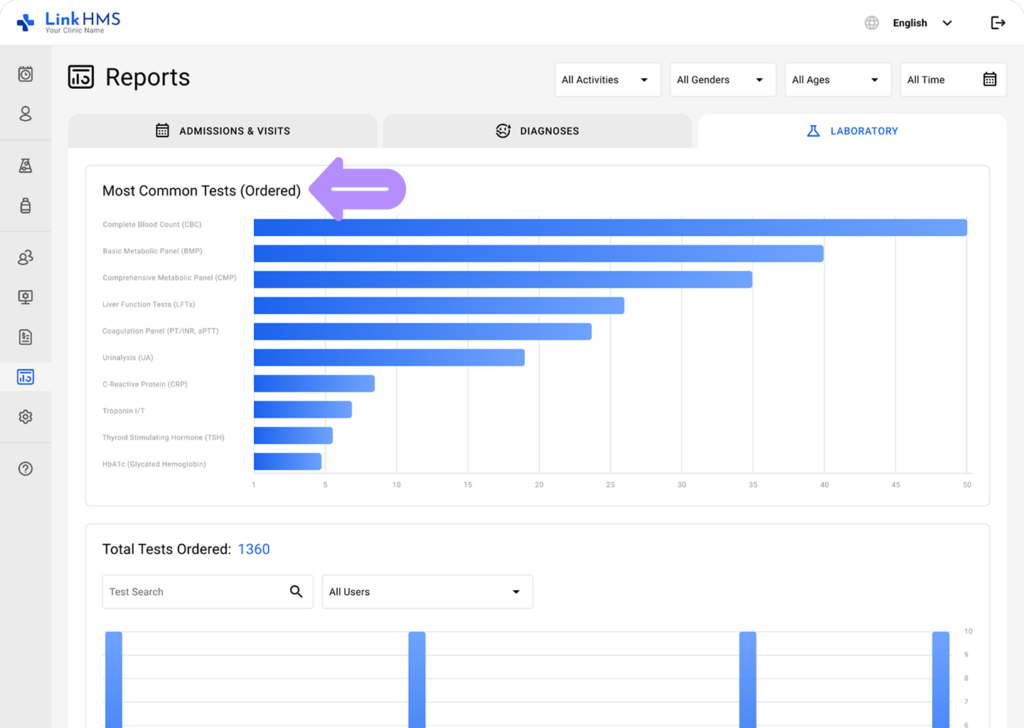
- View the most common ordered tests for the selected period.
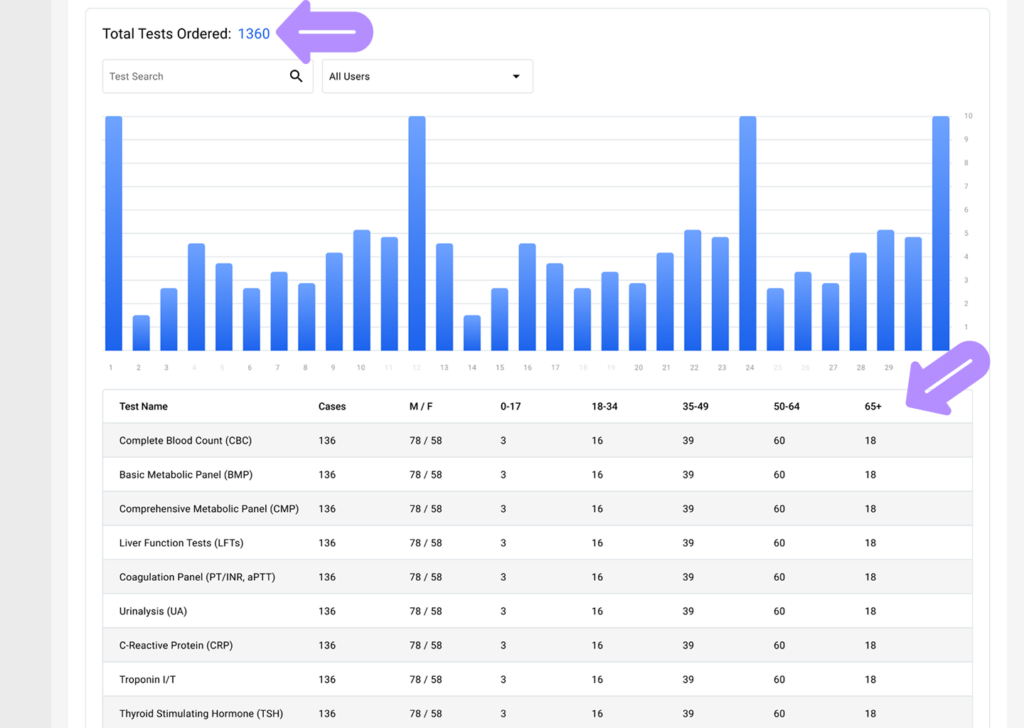
- Check the total number of ordered tests along with age and gender distribution.
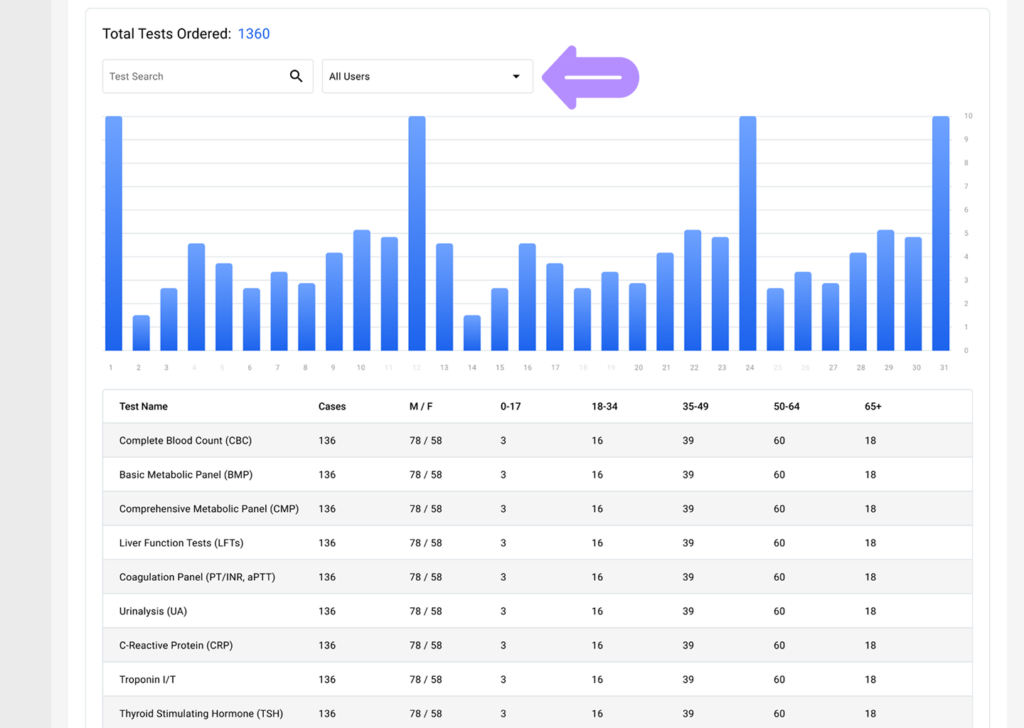
- Use the search to find data for a specific ordered test, or apply filters by the users who ordered it to view the relevant data.
- Review the total number of performed tests, including gender and age distribution.
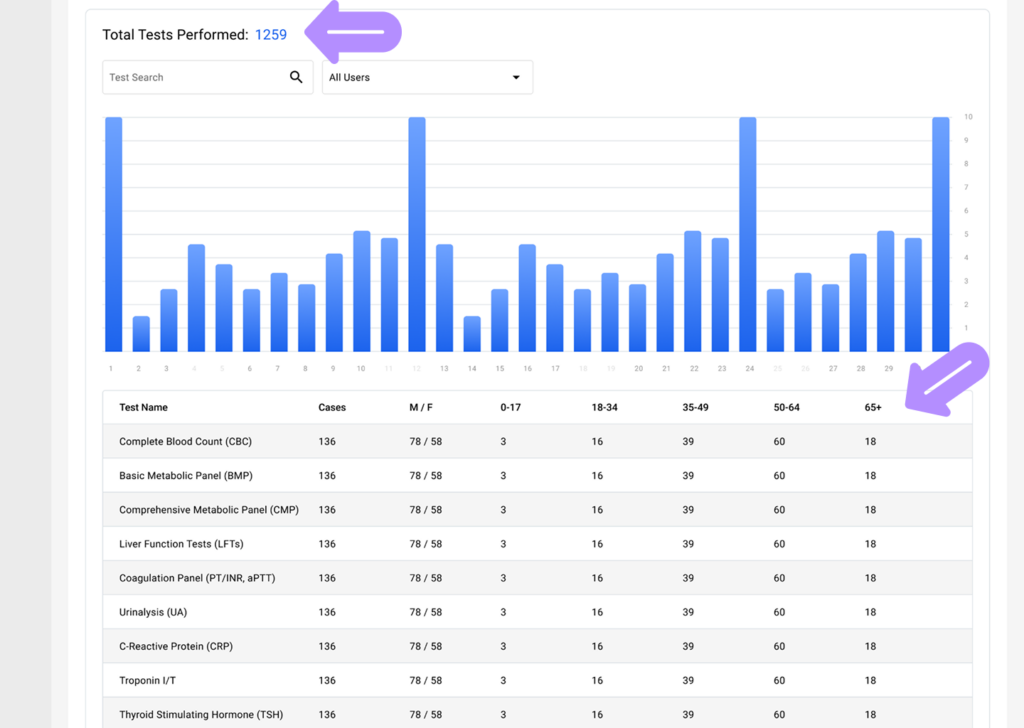
- Search for a specific performed test, or filter by the users who carried it out to view the relevant data.
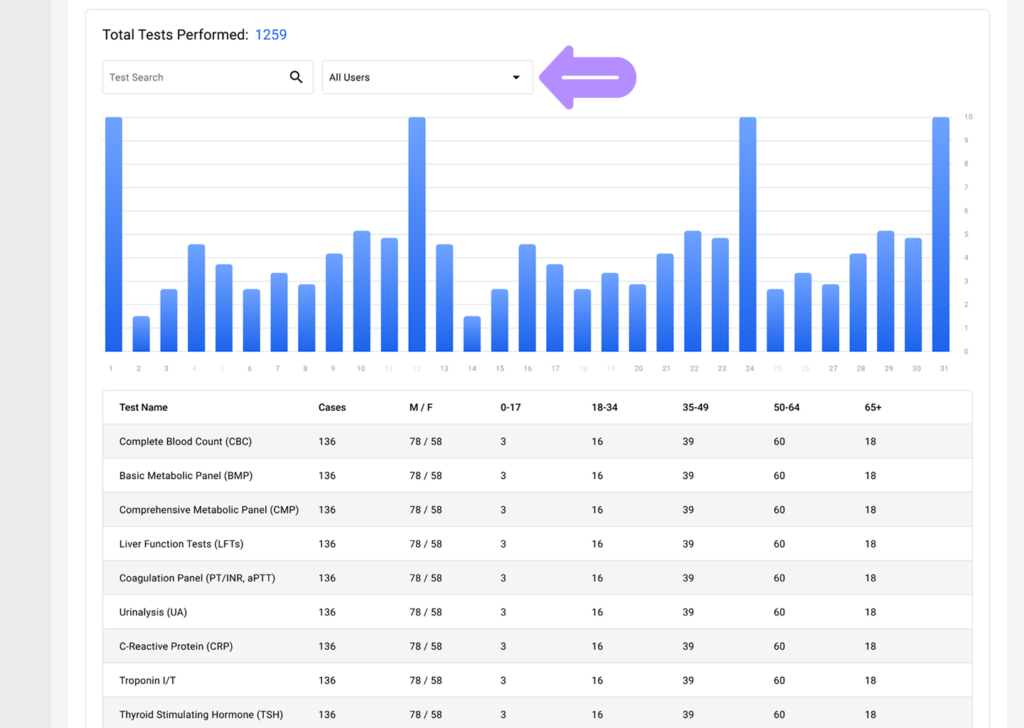
- Laboratory reports in LinkHMS provide a clear view of testing activity, helping you track the most commonly ordered and performed tests and analyze trends over time.