💡Notes
The Mother Check-Up subtab is used to record routine antenatal assessments. It is designed for visits during which you capture measurements, observations, and symptoms that may change over time, and then review them later as a clear clinical timeline.
Opening the Mother Check-Up Subtab
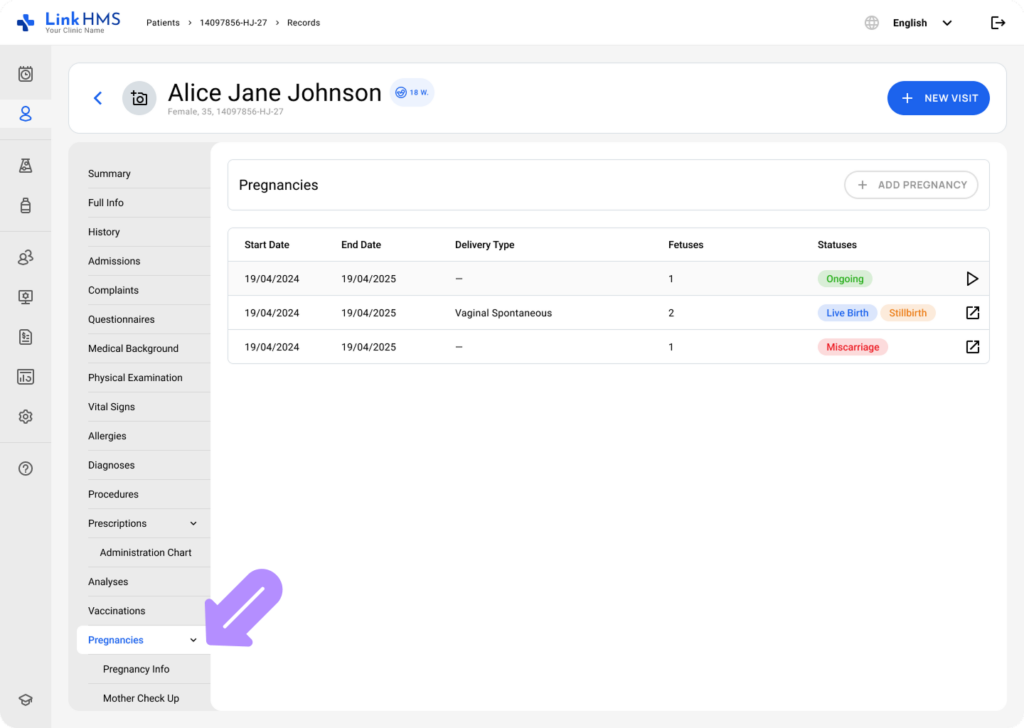
- Go to the Pregnancies tab.
💡Notes
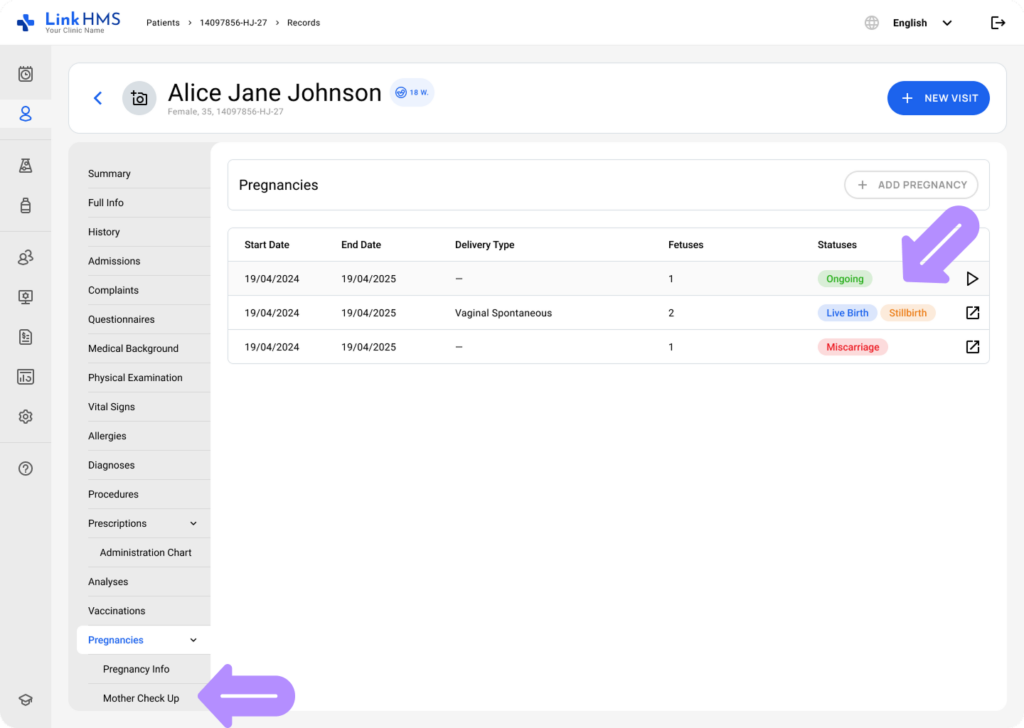
If there is no ongoing pregnancy, the Mother Check-Up subtab will not be available. You will need to start the new pregnancy to access the subtab and open the active pregnancy record.
- Select Mother Check-Up from the pregnancy subtabs to add records.
Adding the Mother Check-Up Record
💡Notes
All fields in the Mother Check-Up subtab are optional. However, LinkHMS only allows you to save a record when at least one field has been entered.

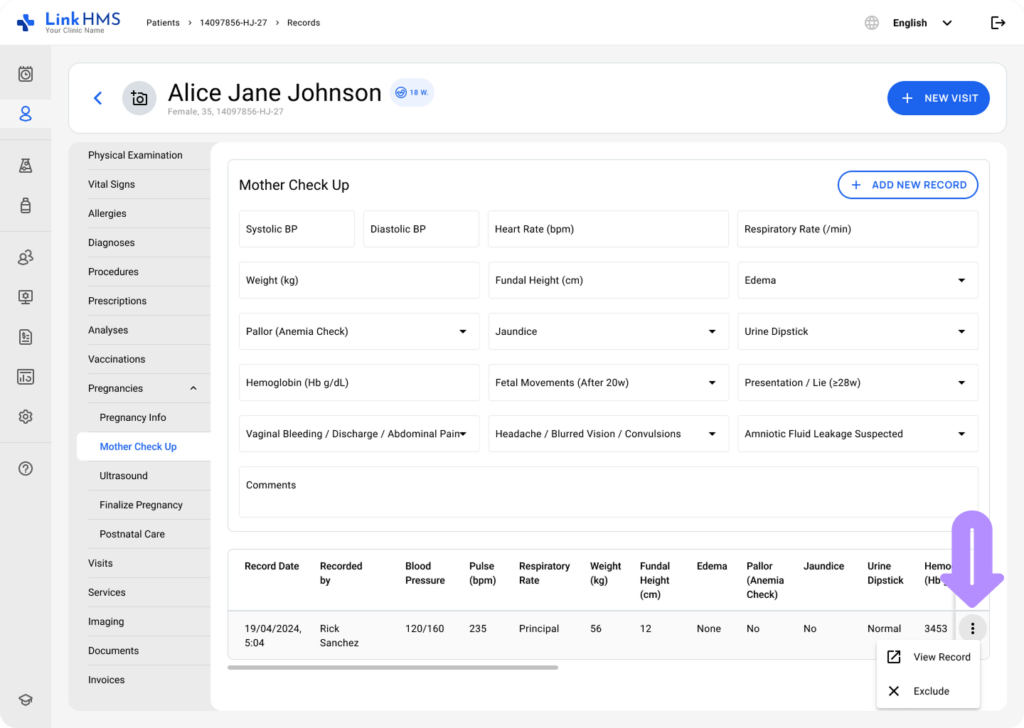
- Record any relevant findings for the antenatal visit. Common fields include:
- Systolic BP (mmHg) – Enter the systolic blood pressure.
- Diastolic BP (mmHg) – Record the diastolic blood pressure.
- Heart Rate (bpm) – Specify the heart rate in beats per minute.
- Respiratory Rate (/min) – Enter the respiratory rate per minute.
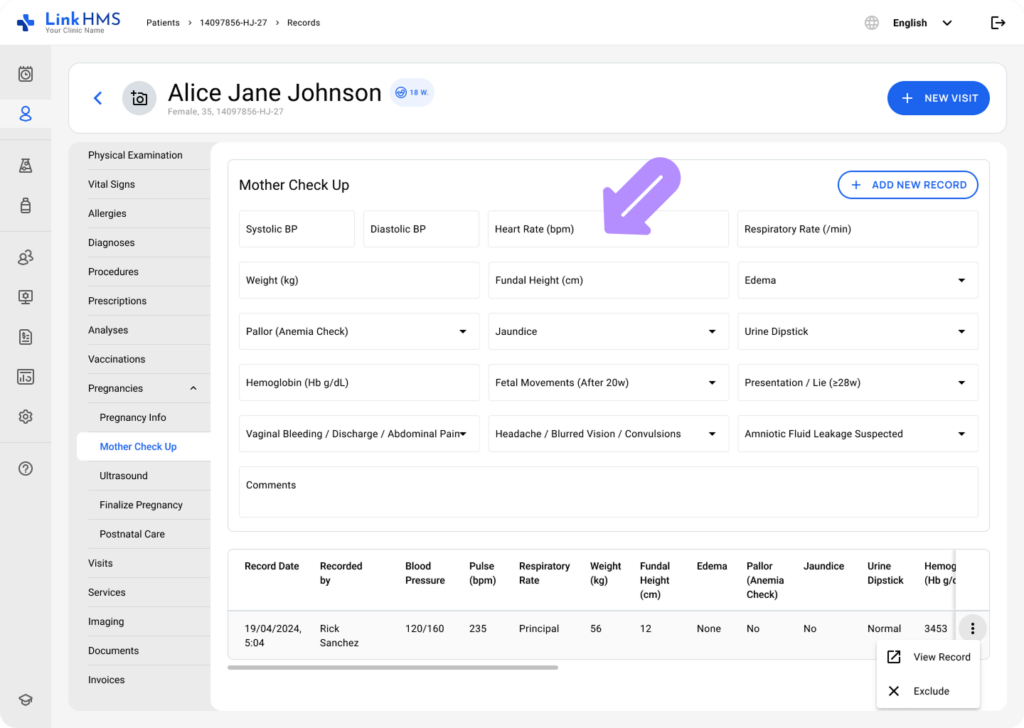
- Weight (kg) – Record the patient’s weight in kilograms.
- Fundal Height (cm) – Enter the fundal height in centimeters.
- Edema – Choose the edema level from the available options. (None, Mild, Moderate, Severe)
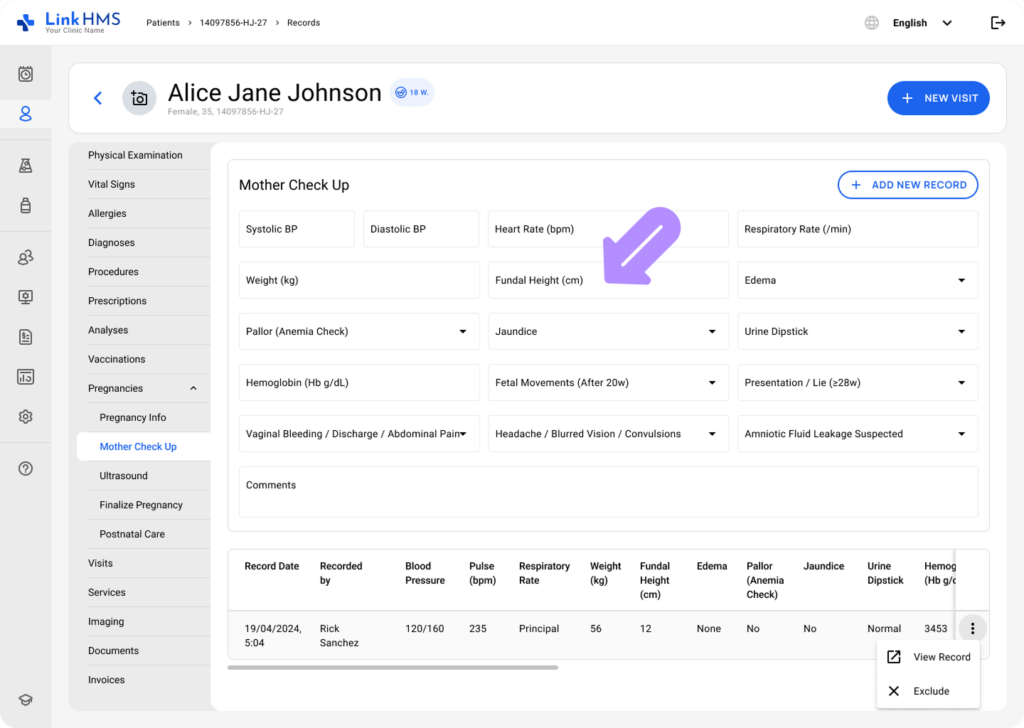
- Pallor (Anemia Check) – Indicate the pallor severity for anemia assessment. (None, Mild, Severe)
- Jaundice – Select Yes or No from the dropdown.
- Urine Dipstick – Select the urine dipstick result. (Normal, Abnormal)
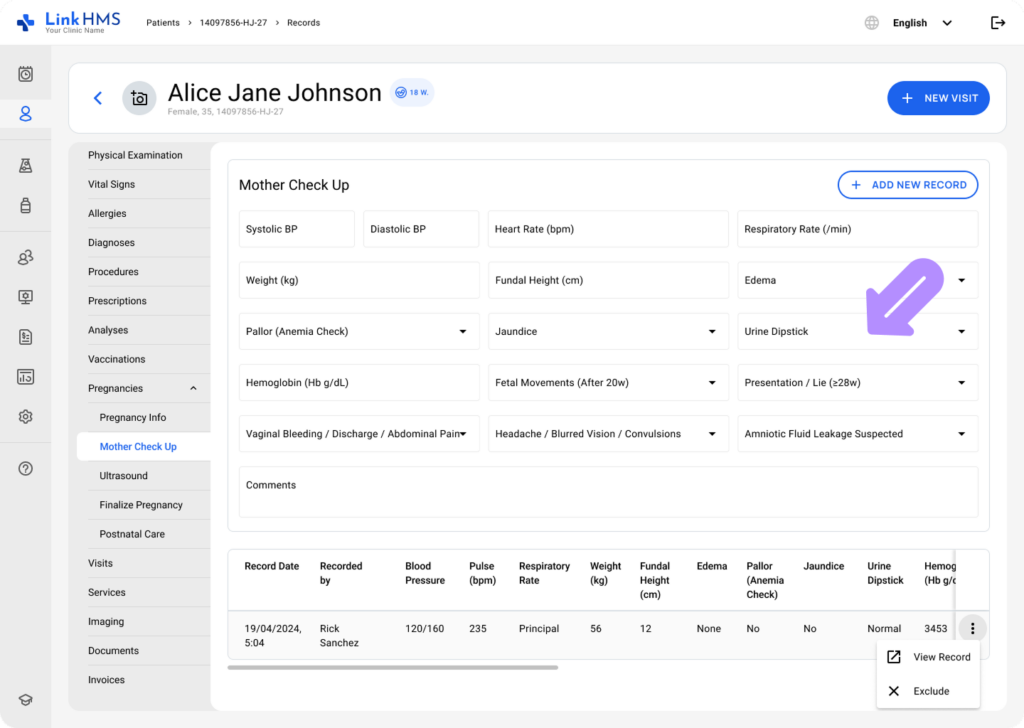
- Hemoglobin (Hb g/dL) – Enter the hemoglobin level.
- Fetal Movements (after 20 w) – Use the dropdown to select Yes or No.
- Presentation / Lie (≥28w) – Use the dropdown to select the fetal position (Cephalic, Breech, Transverse, or Other).
- Vaginal bleeding / discharge / abdominal pain – Choose Yes or No using the dropdown menu.
- Headache / blurred vision / convulsions – Select Yes or No from the dropdown.
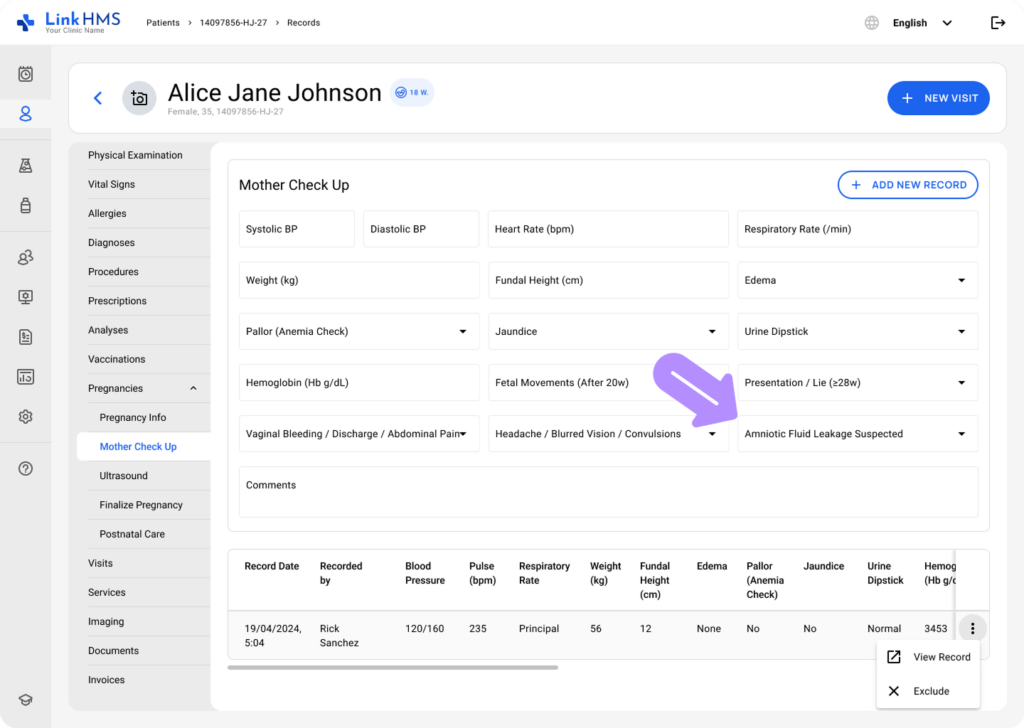
- Amniotic fluid leakage suspected – Use the dropdown to select Yes or No.
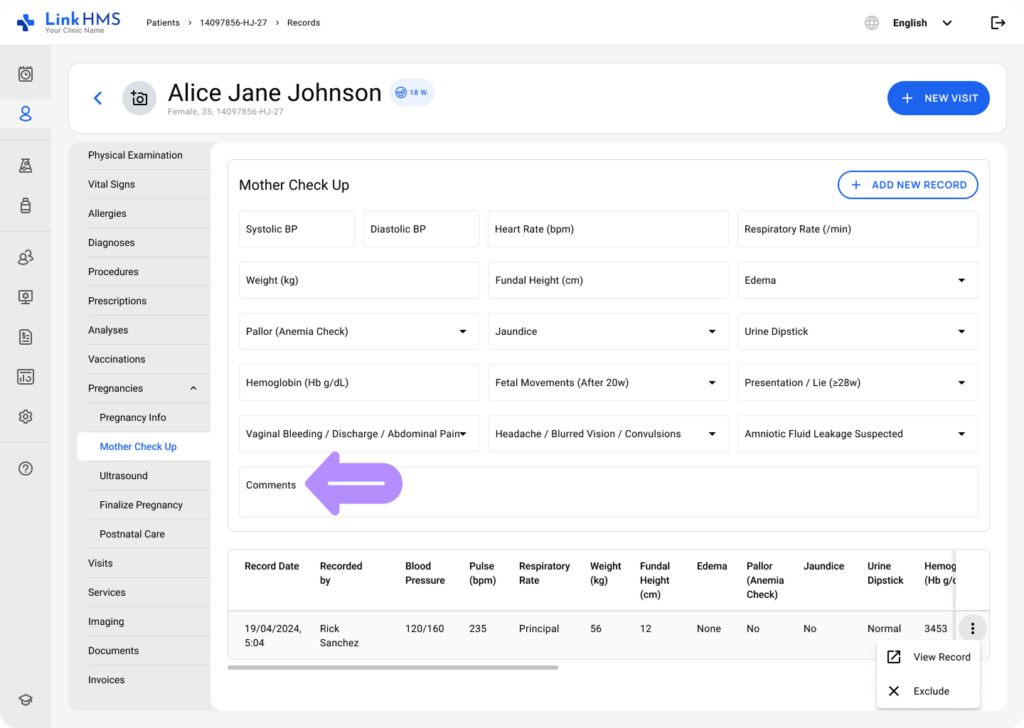
- Comments – Leave additional text-free notes.
- Once the required fields are completed, click the + Add New Record button.
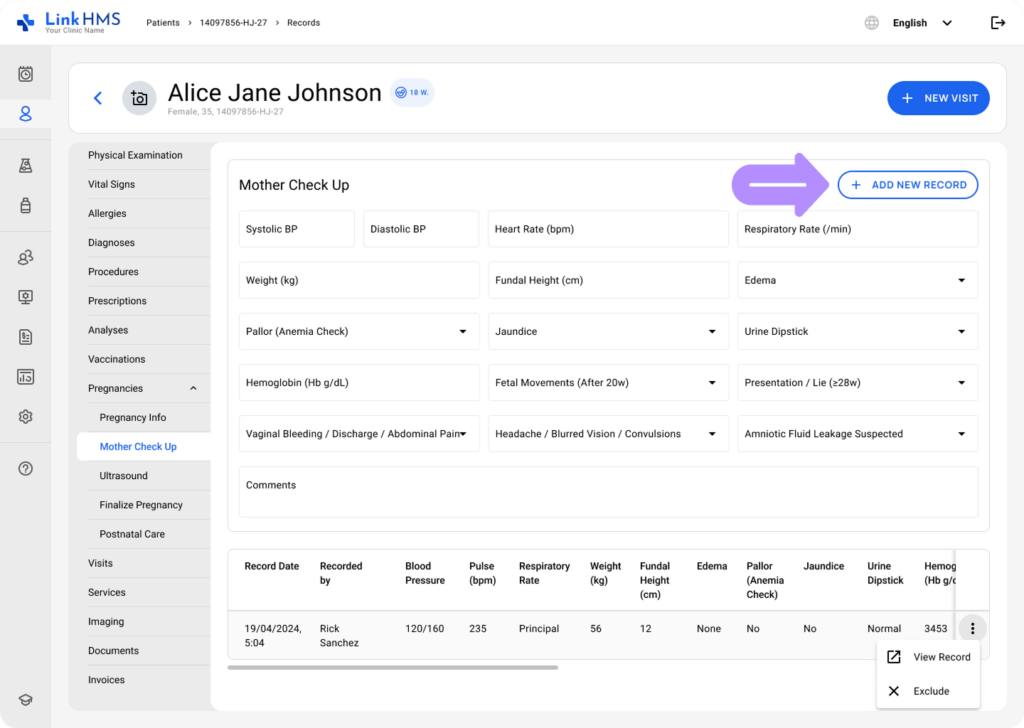
- The new entry appears immediately in the check-up table below.
💡Notes
Mother Check-Up records also automatically pre-fill Vital Signs with such key measurements as systolic BP, diastolic BP, heart rate, respiratory rate, and weight. This reduces repeated data entry and keeps vital sign documentation aligned with antenatal records.
Reviewing the Mother Check-Up Records
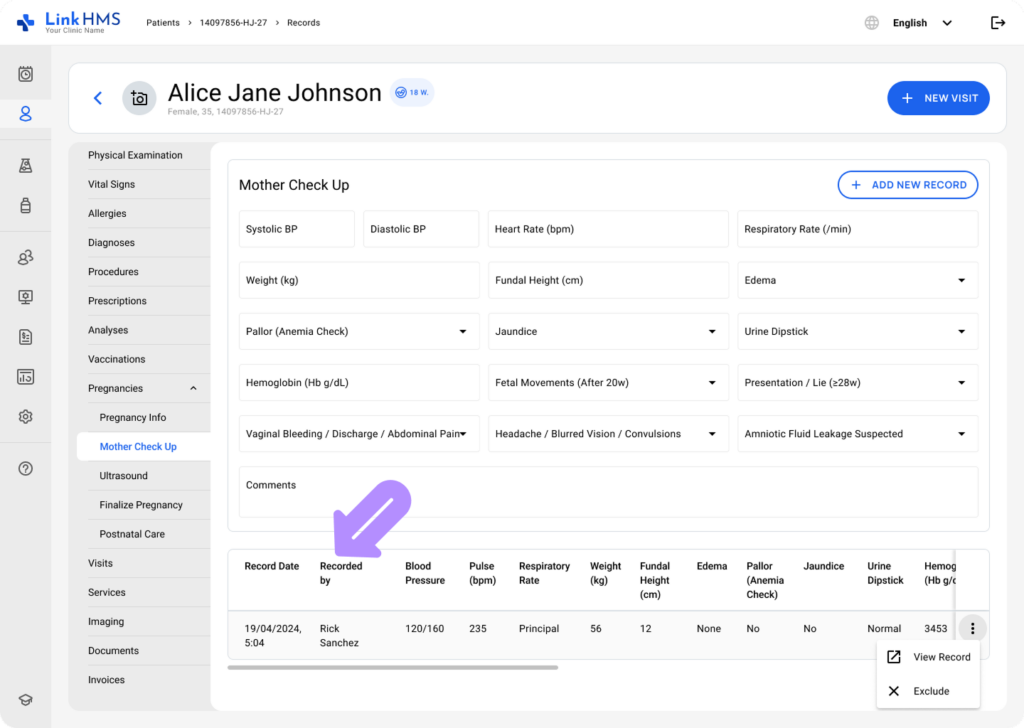
- Each row displays the recorded values for the entry, Record Date, a Recorded by column with the clinic representative’s full name, and horizontal and vertical scrolling to support multiple fields.
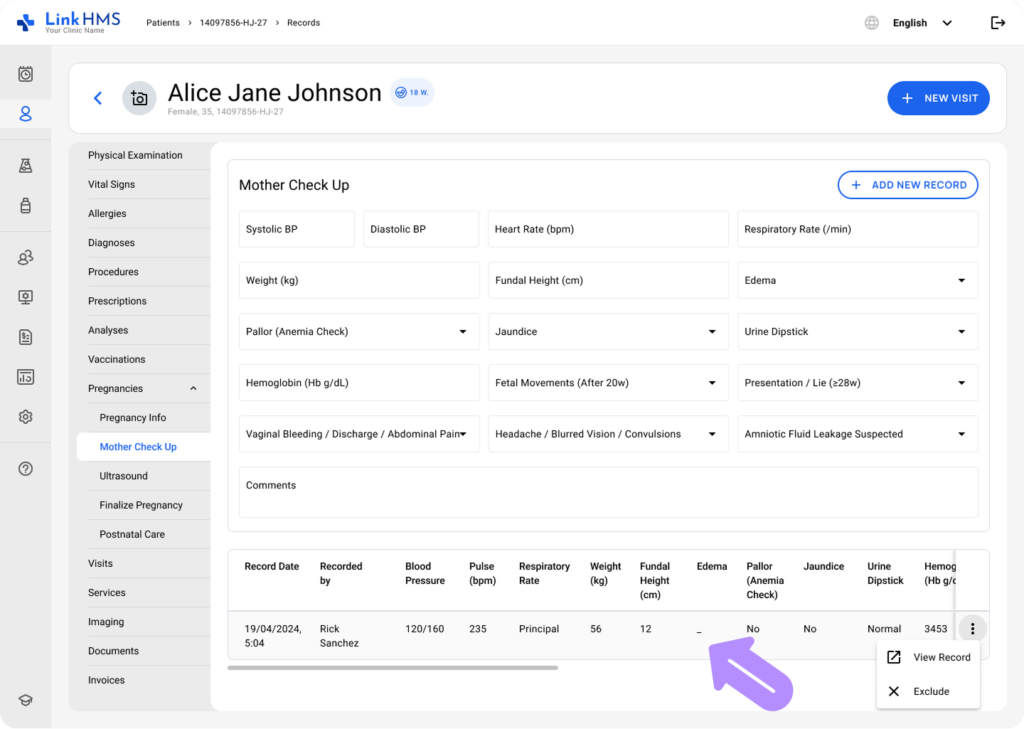
- Any field without data is displayed as a dash to show that the value was not recorded.
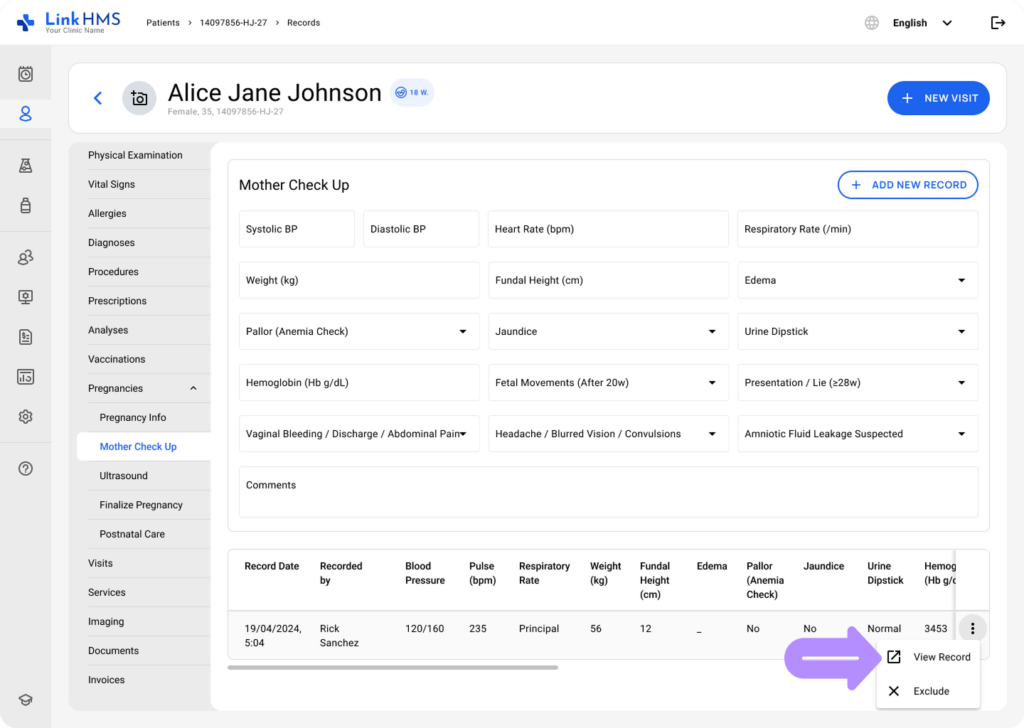
- Use the three-dot menu and select Review to view the record in detail.
Excluding the Check-Up Records
- You can also exclude added records by selecting Exclude from the three-dot menu.
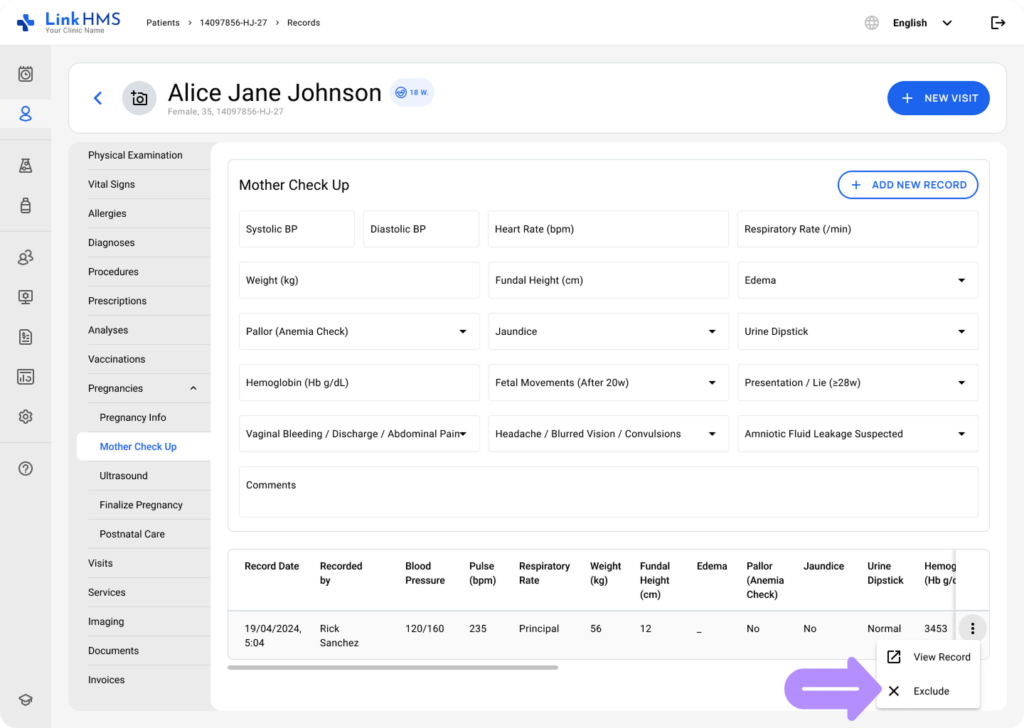
- When a record is excluded, it is greyed out in the table to remain visible for historical reference and review, including after pregnancy finalization.
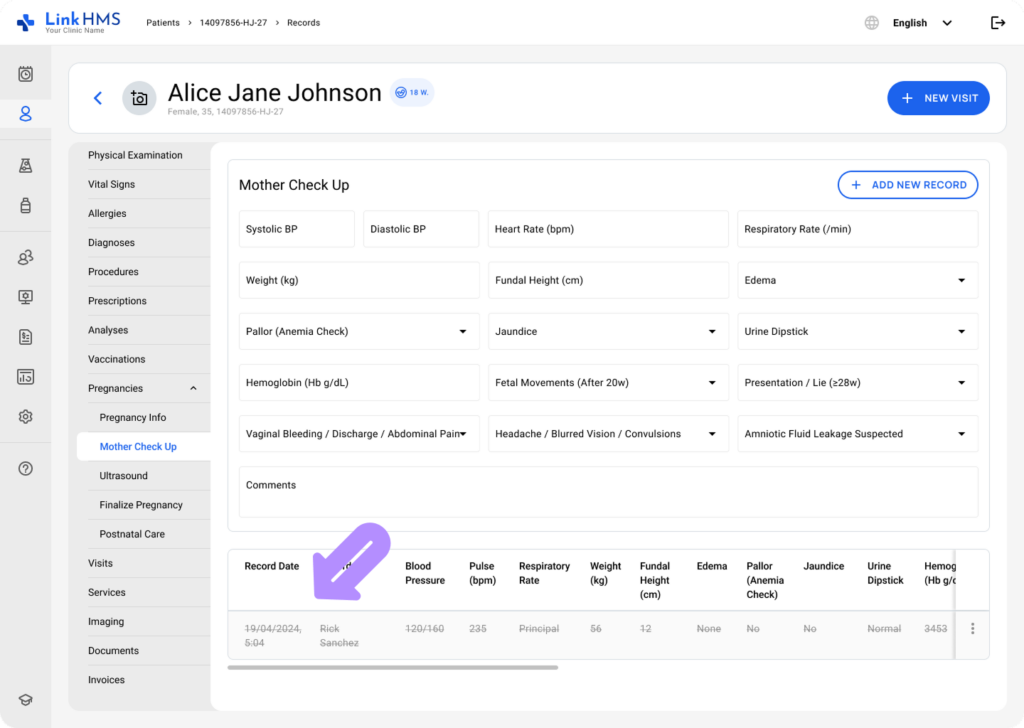
The Mother Check-Up subtab allows clinicians to capture antenatal assessments as structured entries that build a reliable timeline across pregnancy. Records are easy to review, key vitals are copied into Vital Signs, and incorrect entries can be excluded without losing historical visibility.